
Done for you
How it works, and what to ask.
Everything your agent can do for you, how to ask for it, and how long it takes.
1 of 6
Talk to your agent
Your agent knows your brand, your plan and every reel it made. Tell it what you want in plain words, like a message to a person.
Where the chat is
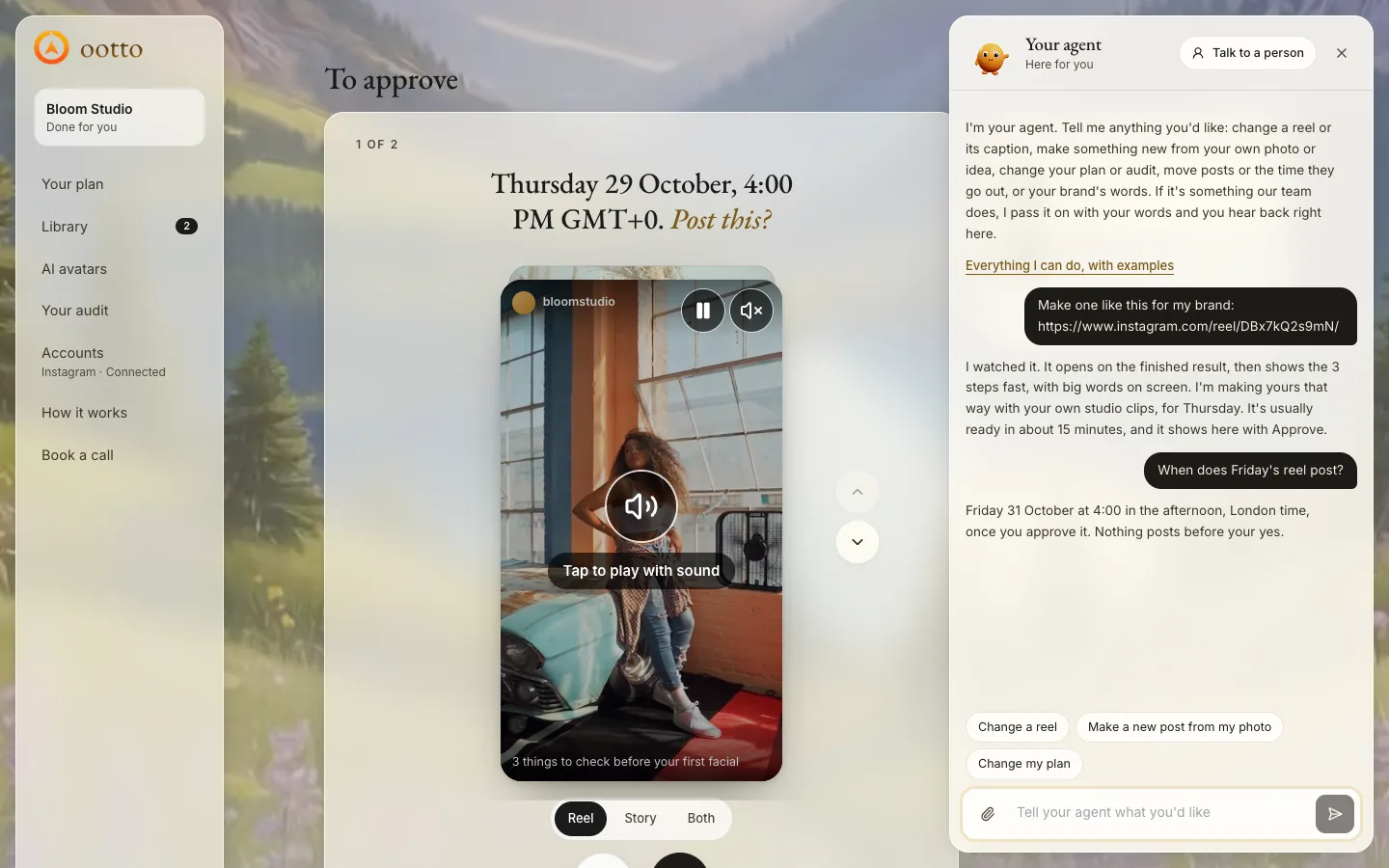
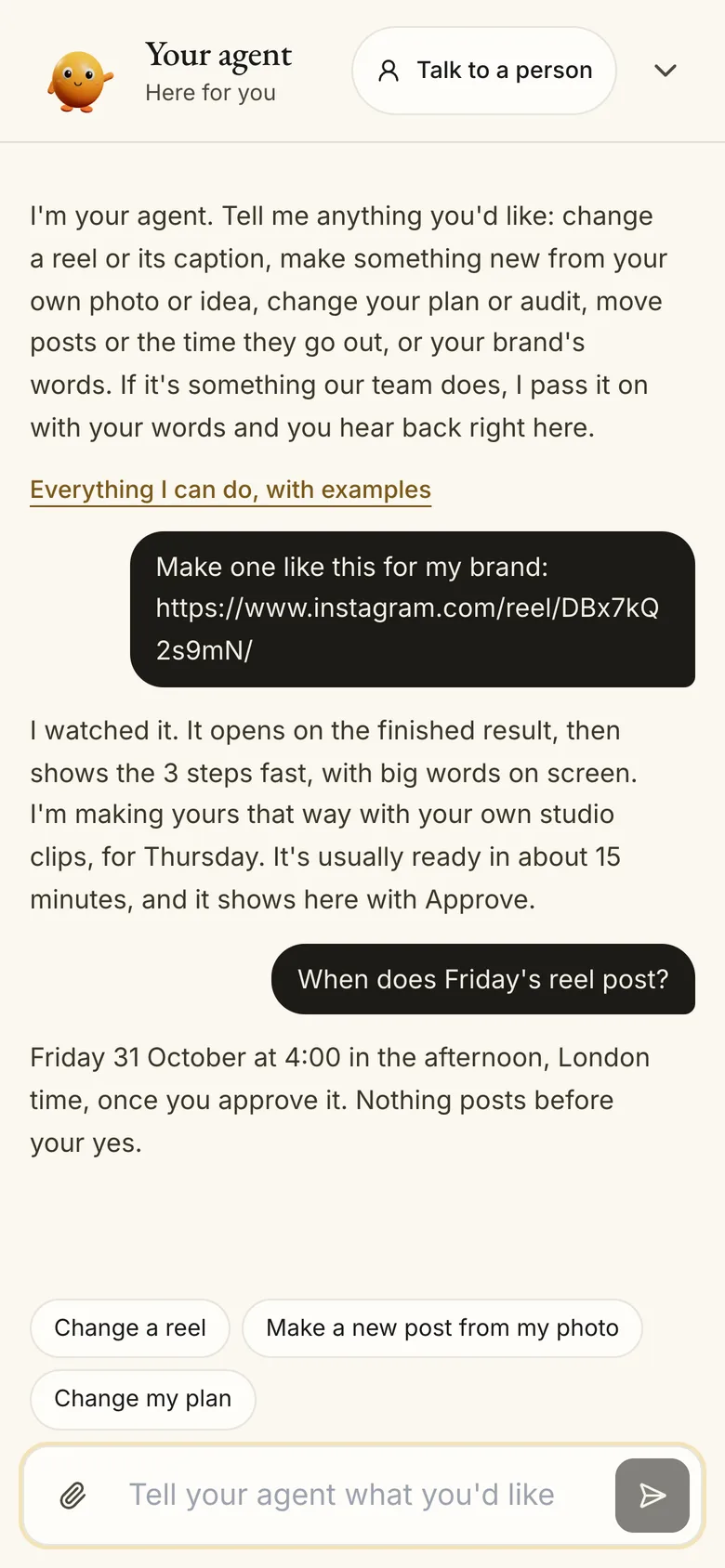
On a computer, press Talk to your agent at the bottom right of any page. On a phone, tap Agent in the bar at the bottom.
- Type your message and press send. Your agent answers right there, and emails you when something is ready.
- The paperclip adds a photo or video. You can also drop files on the chat.
- Short on words? Tap a start: "Change a reel", "Make a new post from my photo", "Change my plan", then finish the sentence.
- Talk to a person, at the top of the chat, sends your words to our team.
How to ask
Name the post you mean (its day or what it is about) and say exactly what to change. One clear ask beats a long list of maybes. If your agent is not sure what you mean, it asks before it changes anything.
Try asking
“Change Thursday's reel: shorter first line, and use my clinic photo.”
“Show me the carousel for Friday.”
“What's coming this week, and what needs my yes?”
“Give me 3 music options for my last reel.”
2 of 6
Everything your agent can do
Your plan makes 13 reels + 20 carousels + 13 stories a month on Starter and 30 reels + 40 carousels + 20 stories on Done-for-you. Around that, ask for any of this.
Plan your week
Change the ideas in your audit and your week, move posts to other days, swap two days, or set the time your posts go out. Once this week is approved and its first post is out, it reads how your posts did, researches again and writes next week for your yes.
Try asking
“Swap Tuesday and Thursday.”
“Post at 6pm from now on.”
“Make next week more about pricing.”
Make reels, carousels and stories
It makes each post of your approved week, a few days before its day. Want something else for a day? It makes a new reel on a new idea instead. Stories are pictures for your week that you download and post yourself.
Try asking
“Make a new reel for Saturday about our opening hours, instead of the one there.”
“Make a story for Monday from my shop photo.”
Change anything it made
Words, clips, pictures, captions, music, timing, the opening. As often as you like: there is no limit on changes. A changed reel comes back for your yes before it posts.
Try asking
“On Friday's reel, change the caption to end with 'Book via the link in bio'.”
“Use my own voice on this reel.”
Use your own photos and videos
Your agent uses your own photos and footage first. It can sort them into folders, bring in a post from your Instagram, or post a video of yours exactly as you filmed it.
Try asking
“Put my padel clips in a folder called Sport.”
“Post my video from yesterday as it is, on Sunday.”
Your AI double and your voice
On AI avatars, Clone yourself turns a 15 to 20 second selfie video into your AI double, with your face, clothes and voice. For each reel with it, your agent writes a storyboard with every line, every shot and its exact cost. Nothing is made until you approve it.
- Your cloned voice: send 45 to 60 seconds (30 at least) of you talking naturally, not reading. Your reels then speak in your voice.
Try asking
“Make a reel with my AI double about our 3 best sellers.”
Comment keywords and DMs
Pick a word. When someone comments it on your post, they get a short public reply and a DM with your link. Your agent sets the rules; they run while your Instagram is connected.
Try asking
“When someone comments PRICE, DM them my booking link.”
Schedule and post
Approve, move or cancel a booked post, or post one now. Your agent books only what you said yes to.
Try asking
“Move Wednesday's post to Friday at 9am.”
“Post it now.”
Your numbers
Views, reach, watch time, saves, shares, comments and likes, from your own Instagram. A new post's numbers take up to 48 hours to arrive.
Try asking
“How did last week's posts do?”
“Which of my reels did best this month?”
Research your niche
What your niche's top creators post, what your buyers ask, how a competitor's reels do, what one reel says and how it is built, and any question about your market.
Try asking
“What are people asking about teeth whitening this month?”
“Check @competitor and tell me what works for them.”
Calls, emails and your data
Book a call with our founder at a time you pick, have something emailed to you, or get all your data as a download.
Try asking
“Book me a call next week.”
“Email me this week's plan.”
3 of 6
Send your agent things
Paste a link or add a file in the chat, with one line saying what it is for.
A reel you like
Paste the Instagram link and say what you want from it. Your agent watches it, reads its words, its hook and how it is built, and makes yours in that style, for your brand.
Try asking
“Make one like this for my brand: https://www.instagram.com/reel/...”
A Google Drive, Dropbox or Box folder
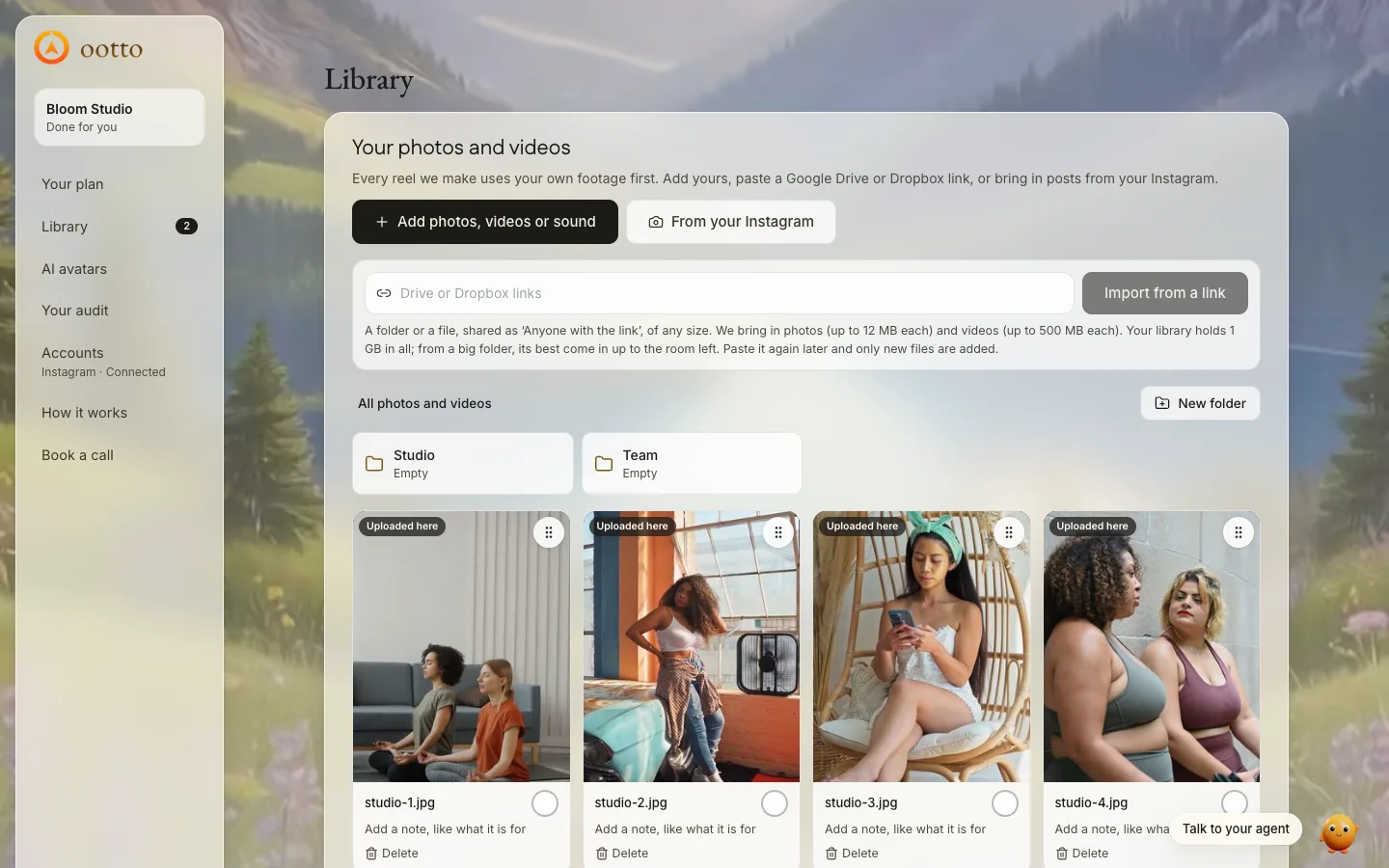
Share it as "Anyone with the link", then paste the link in the chat, or in Library under Your photos and videos, Import from a link. Every subfolder is read.
- Your library holds 1 GB in all. A big folder brings in its best photos and videos, a mix from across its folders, newest first, until the library is full.
- Paste the same link again later: only what is new comes in.
- A link that needs signing in cannot be read. Share it with anyone who has the link.
Photos and videos
Add them with the paperclip in the chat, or in Library under Your photos and videos.
- Photos up to 12 MB each (JPG, PNG, WebP, GIF; an iPhone HEIC is saved as JPG).
- Videos up to 500 MB each (MP4, MOV, WebM). A bigger one goes in once exported at 1080p or trimmed.
Try asking
“Make a new post from my photo: our new menu, for Friday.”
Your website or any page
Paste the link. Your agent reads the page, uses its facts, and keeps its pictures in your library for your posts.
Try asking
“Our new prices are here: https://yoursite.com/pricing”
4 of 6
How long things take
Real times from every done-for-you post we made since 23 September 2026. Your agent tells you its own time when it starts something, and lets you know when it is ready.
| What | Usually | 9 in 10 within |
|---|---|---|
| A reel from your plan | about 15 minutes | about 30 minutes |
| A carousel | about 10 minutes | about 15 minutes |
| A change to a reel or carousel | about 10 minutes | about 2 hours |
| A new reel instead of one | about 15 minutes | about 25 minutes |
| A reel with your AI double, after you approve its storyboard | about 10 minutes | about 15 minutes |
| Your first audit, after your answers | about 40 minutes | about 2 hours |
| Next week's plan | about 20 minutes | about 2.5 hours |
5 of 6
Approving
Nothing posts without your yes. Your audit, each new week and each reel or carousel wait for it.
How it works
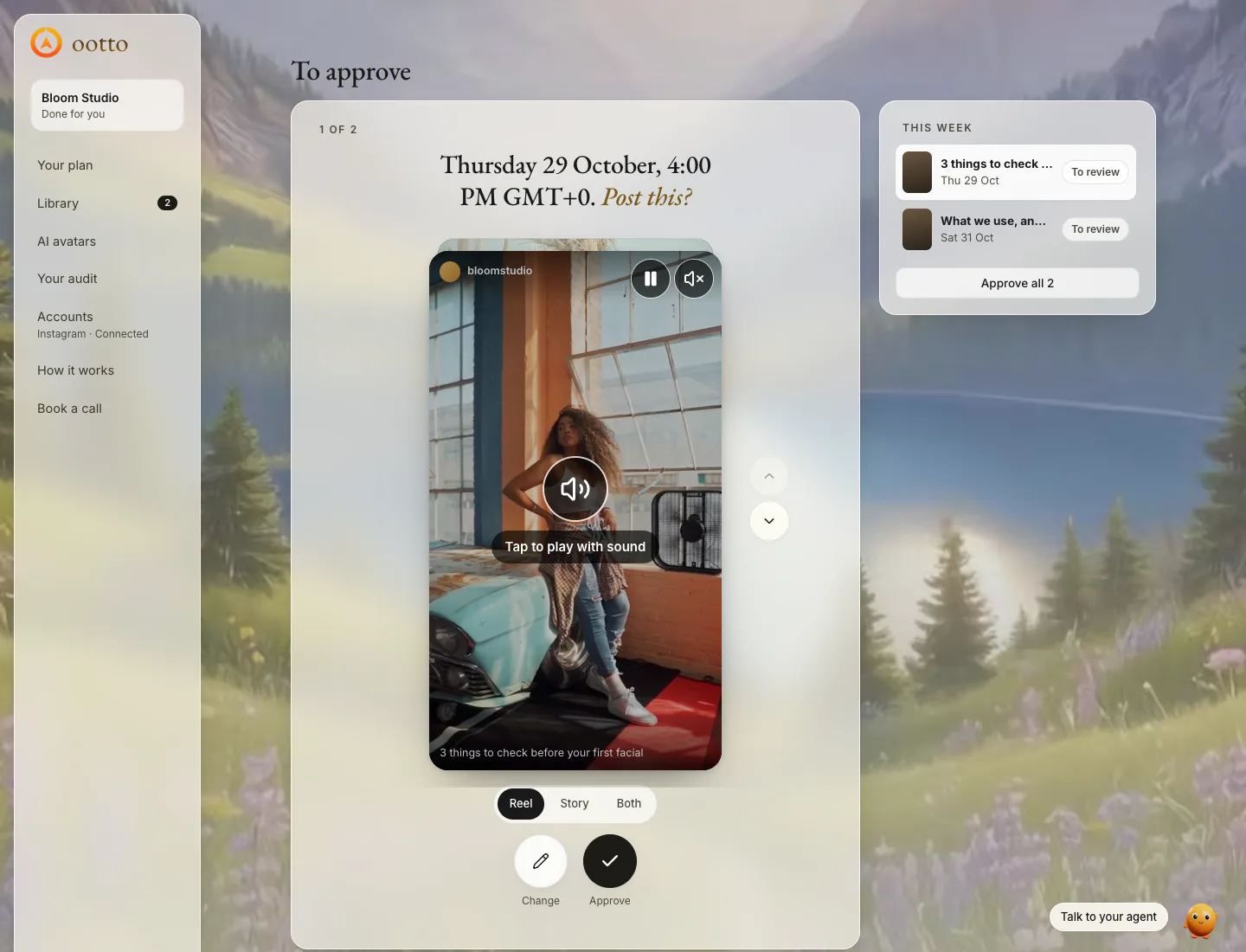
Library, To approve, shows everything waiting for you, one at a time: your plan first, then each made reel or carousel. Press Approve, or Change and say what to change. We also email you when something is ready.
- Approve books the post on its plan day at your post time. There is no step after.
- A booked post can still be moved or cancelled until it goes out.
- Stories are never booked: download them and post them to your story yourself.
If you don't approve
Nothing posts. The post waits in To approve, and your agent reminds you by email every 2 days. Next week is planned only after this week is approved and posting. Reply "post the best" and your agent approves its pick of that week for you.
Approve from the chat
Say it in your own words and your agent approves for you. It approves only what you tell it to.
Try asking
“Approve all of this week's reels.”
“Post the best one today.”
“Approve my plan.”
6 of 6
Your plan, a break, and help
The rest, in one place.
Change your plan
Accounts, then Billing: your plan, card and invoices. Switch or cancel your plan there yourself, any time. You can also tell your agent, and our team takes it from there.
Taking a break
There is no pause switch. Leave things unapproved and nothing posts, or ask your agent to cancel booked posts or the rest of a week.
Try asking
“Cancel everything booked for next week.”
Connect or reconnect it in Accounts. Posting needs it connected.
Help from a person
Talk to a person at the top of the chat, Book a call in the menu (Call on a phone), or email [email protected].