
Content
14 Claude skills for Instagram growth from post to lead
Jayant Joshi · 7 min read · August 13, 2026
Built Ootto and runs its Instagram on it
How to use this
1Connect Claude to Instagram
Connect Claude to your Instagram account
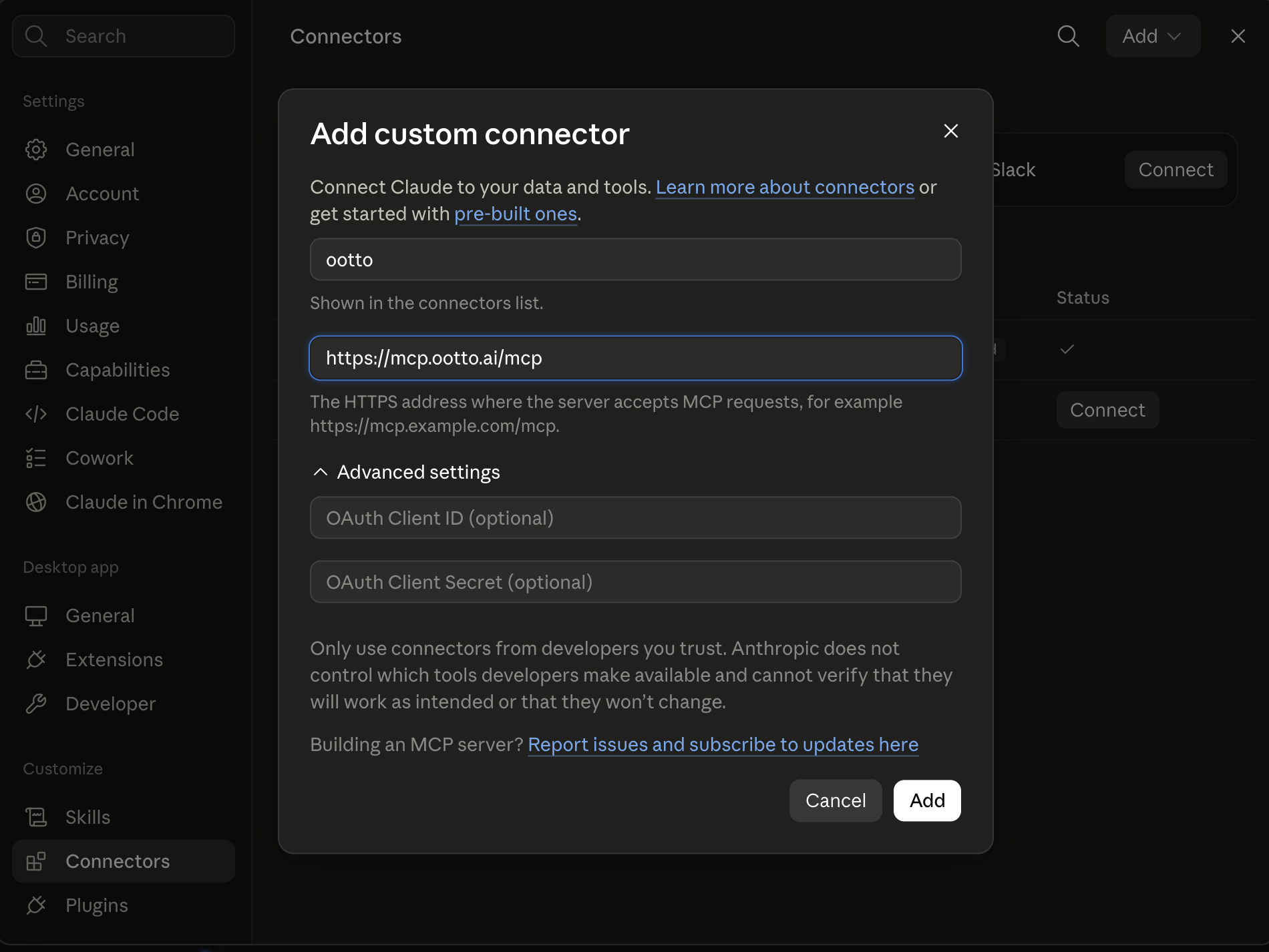
One click opens Claude with the connector already filled in - sign in, authorize, and it's live. No key to copy, no setup outside your browser.
https://mcp.ootto.ai/mcpConnect2Add the skills
Once Claude can reach your account, give it the methods to work with. Clone the free repository and Claude discovers the skills automatically.
git clone --depth 1 https://github.com/Ootto-AI/claude-content-skills.git && bash claude-content-skills/install.shBrowse all 30 skills on GitHubInstructions: how to connect your Instagram account to Claude
Connect above does this for you. If Claude ever opens the dialog empty, here's exactly what goes where:
First line to first lead
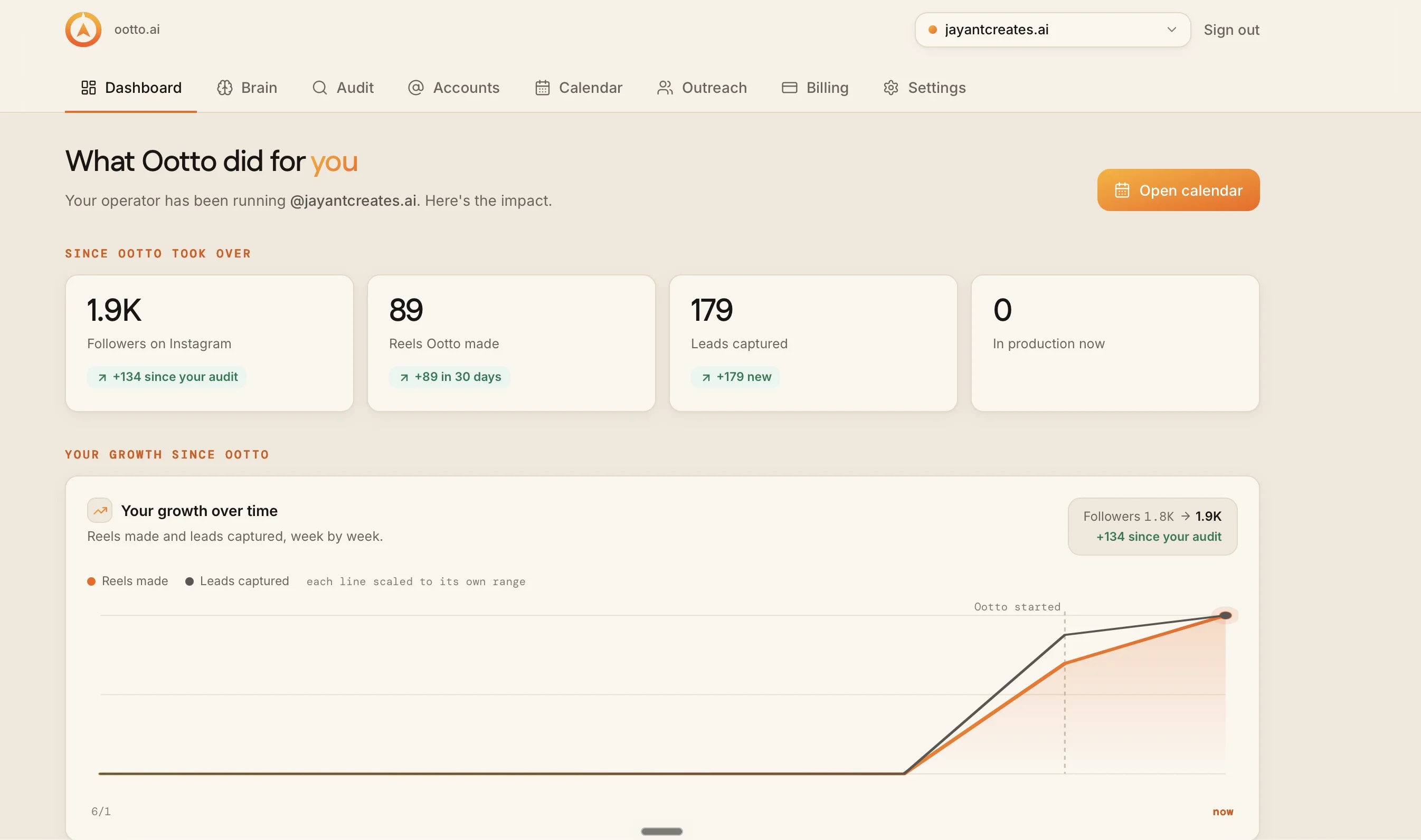
The dashboard for that account: 89 reels made and 179 leads captured, week by week.
Fourteen Instagram actions
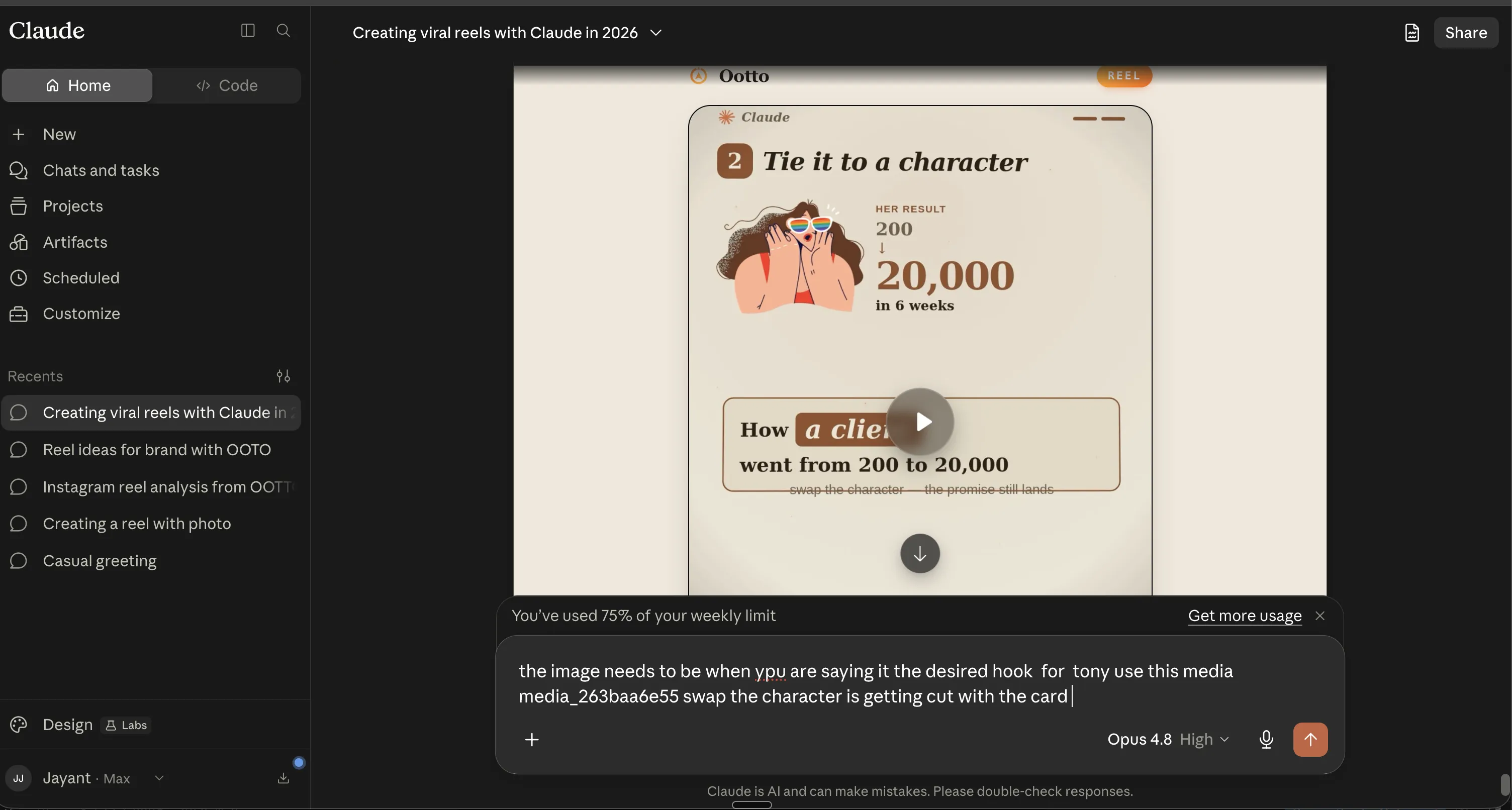
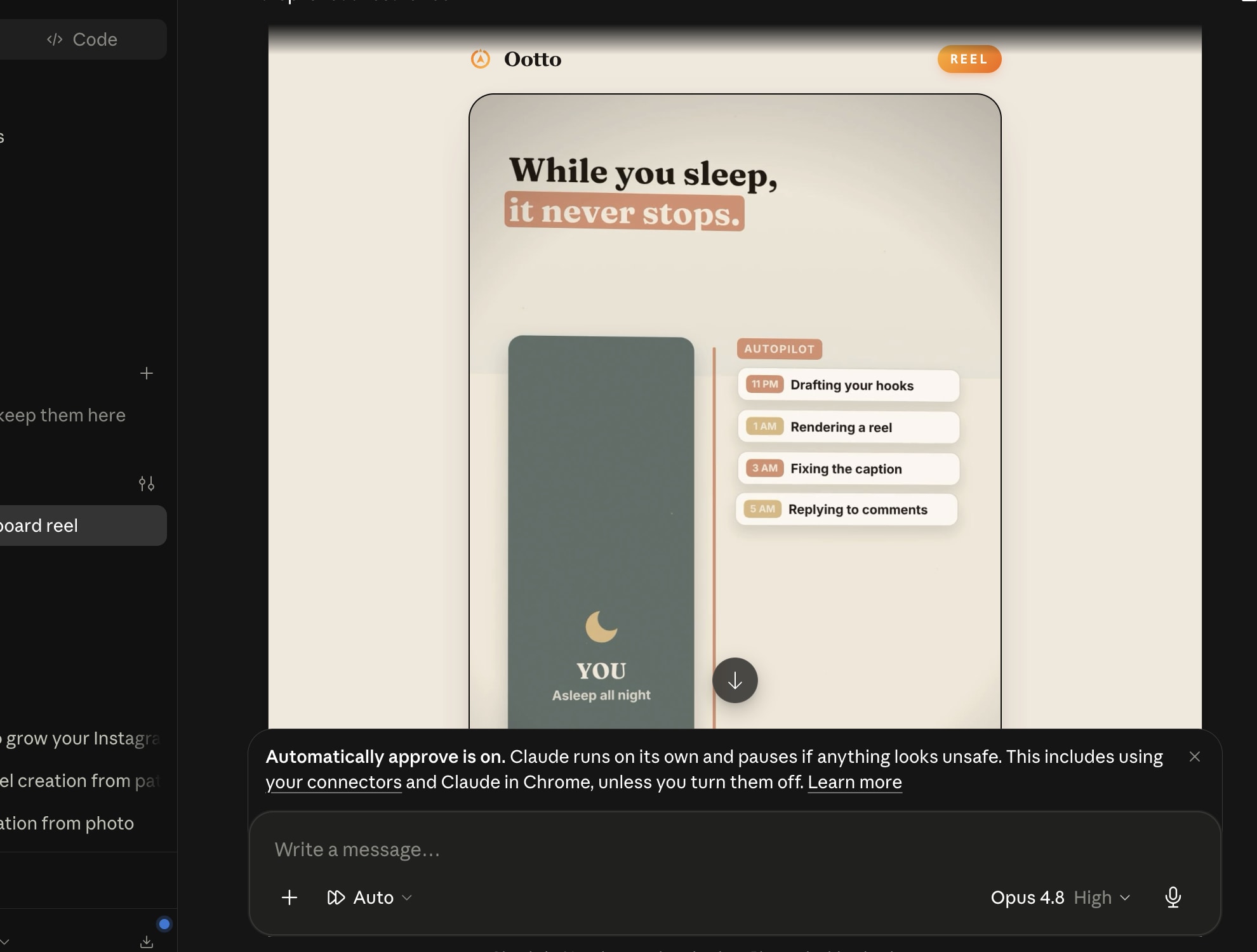
The reel plays inside Claude, and the next change is asked for in words.
One command to activate
Start with content-factory for full orchestration, then run each skill directly for full control.
36,369 views and 20,548 real accounts reached came from three reels a day for one account over seven days. This is what that day-to-day loop looks like in one post.
They live in one repo, are free, MIT licensed, and need no account to install: Ootto-AI/claude-content-skills.
The workflow is built to move your account forward:
- find what is actually working in your niche,
- make a better reel from it in your voice,
- post with copy and hashtags that reach,
- turn keyword comments into real DMs and leads.
Install all 14 in one line
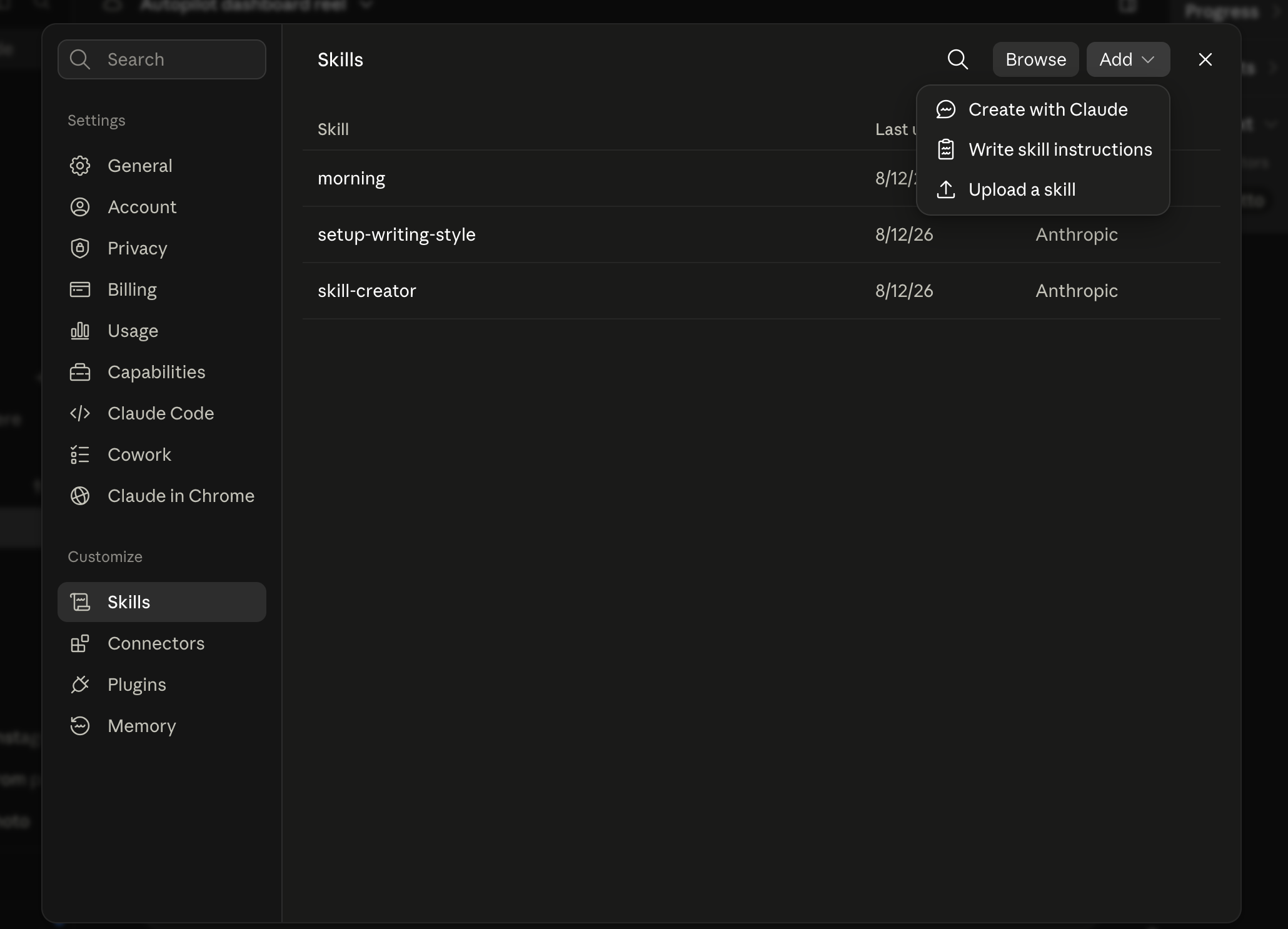
On Claude Code, add them from GitHub and they load immediately:
git clone --depth 1 https://github.com/Ootto-AI/claude-content-skills.git && bash claude-content-skills/install.sh
Installs all fourteen to ~/.claude/skills in one step.
On Claude AI or Cowork, sign in and add Ootto in your connectors after you connect your account from the dashboard.
1) content-factory — the one command that keeps your posting loop alive
Use it when you want the entire posting loop set up for you end-to-end.
It connects the whole flow: study a proven format, write the opening lines, script the reel, build a ready-to-make version, write caption + hashtags, and wire keyword comments to DM. Then it repeats as a system, not a one-off.
/content-factory - my niche is [niche], model this reel: [reel URL], my handle @..., CTA keyword GUIDE
Runs the full pipeline order: research/teardown, hook, script, build, caption, publish workflow, and lead capture.
2) agent-reach — the one niche signal you trust before filming
Use this when you want research, not guessing: who is already talking about your topic and where to find posts to model.
For Instagram growth, it brings in fresh demand signals from communities and social platforms, then fetches the right reels so your next decisions start from real traffic patterns.
What is currently working in the [niche] reel space on Instagram and Reddit right now?
Brings back real examples and signals instead of gut-based topic picks.
3) content-research — the proof that separates spikes from noise
Use it when your feed has no clear winners.
It pulls recent reels, ranks posts by the outliers, and reports what made those spikes happen: first 2 seconds, structure, retention pattern, and repeatable format.
/content-research @competitor
Returns the outlier reels for the account, plus the reasons they worked and the patterns that can be re-used.
4) reel-analyzer — the mechanics that turned one reel into a pattern
Use it when you have one reel URL that performed and you want to reproduce the result safely.
You get a frame-by-frame teardown: hook, beat layout, pacing, on-screen moves, and the exact reason the reel held attention.
/reel-analyzer https://instagram.com/reel/example
Breaks the reel down into beats and timing so you can model structure without copying words.
5) hook-mining — the replacement hooks that still feel natural
Use it when you already have actual top-performing hook lines in CSV.
You mine your strongest hooks, keep only the pattern and rhythm that performed, and get replacement hook lines you can post without risking duplicate-text penalties.
/hook-mining ~/Downloads/top-hooks.csv
Ranks real hook formats and suggests power-word swaps that preserve the original retention pattern.
6) going-viral — the one growth target that decides each post
Use it when you can’t decide whether to optimize for saves, shares, follows, or leads.
It gives you a concrete angle for each goal, sets the emotion, and aligns your hook, pacing, and CTA so you are building for reach instead of random posting.
/going-viral - topic: [reel topic] - goal: [saves|shares|follows|leads]
Returns the emotion-to-hook-to-conversion path for your next Instagram reel.
7) viral-hook-writer — the first line that freezes the thumb
Use it when your opening is weak and your reel is dying before the second.
It writes short, tested-style opening lines for your first 1–3 seconds and ranks which to test.
/viral-hook-writer how to avoid [problem] for [audience]
Returns multiple first-3-second hooks designed for speed, clarity, and curiosity.
8) reel-scripter — the 45 seconds that separate pause from scroll
Use it after the hook is chosen.
It produces a full script in your voice with spoken lines, on-screen copy, and CTA sequencing tuned for Reel format.
/reel-scripter [hook and goal]
Generates one complete script with beat order and pacing so production starts from a usable draft.
9) reel-builder — the beat map that holds every shot in place
Use it when you need a ready-to-shoot plan, not just notes.
It turns the selected structure into a full build table with spoken line, on-screen text, scene direction, timing, and a caption-ready finish.
/reel-builder - use the reel-analyzer teardown above
Returns a shot-level build table your editor or renderer can follow in sequence.
10) caption-and-hashtags — the caption that turns views into saves
Use it when your visual is done and now you need the post to keep working in-feed.
It writes a strong first line, saves-focused caption structure, hashtag stack by reach band, and a first comment crafted for replies.
/caption-and-hashtags a 3-step system for [topic]
Returns caption, tiered hashtags, and first comment tuned for save/engagement goals.
11) content-calendar — the posting rhythm that removes weekly panic
Use it when ideas keep piling up faster than you can film and post.
It turns your pillars or raw ideas into a two-week reel schedule with day-by-day format variety and hook direction.
/content-calendar my niche is [niche], pillars: [pillar list]
Builds a postable two-week plan with rotating formats, hooks, and goals.
12) content-repurposer — the one source, several reel angles
Use it when a blog post, podcast, or webinar should become several Instagram posts.
It extracts your strongest points and gives you several hook-to-CTA ideas and reel-ready outlines.
/content-repurposer - paste the source transcript here
Breaks one long source into a batch of reel ideas and 3-beat outlines.
13) comment-responder — one keyword, ten hot comments turned into leads
This is the skill we have already watched in action on a real Instagram account. It detects matching comments, posts a friendly public reply without links, sends the promised resource in DM, and records leads.
Use it when your reel is already getting comments and you want that engagement to become conversations you can follow up on the next day.
/comment-responder GUIDE - send this resource: [free guide link]
Runs the full public reply + DM split workflow and logs each commenter as a lead.
14) ai-brain — the memory that keeps your next reel from restarting from zero
Use it to stop losing what worked.
It saves your wins, tone, and decisions in your own Obsidian vault, then recalls only the relevant memories so every new reel reflects what already performed on your account.
/ai-brain wrap up
Captures what matters from the session, then recalls it as a clean note for your next planning round.
One honest note
From this stack, the one confirmed-to-be-live output we are calling out was comment-to-DM conversion with lead logging from comment-responder. The other skills are MIT, installed and shipped, and ready for your run; they are built to produce the same production flow when connected to your Instagram workflow.
Which skill should I run now for my current profile and goal: saves, followers, leads, or shares?
Build your next Instagram move based on where you are losing momentum.
Route A: do it yourself
Start with the exact free skill for this outcome
MIT, no account, no email. Install first, then run the command for your account.
For this outcome: Content Factory
git clone --depth 1 https://github.com/Ootto-AI/claude-content-skills.git && bash claude-content-skills/install.sh
Installs the free MIT Content Skills bundle into ~/.claude/skills in one shot.
/content-factory - my niche is [niche], model this reel: [reel URL], my handle @..., CTA keyword GUIDE
Runs the full pipeline order for the post: research, hook, script, build, caption, and comment-to-DM lead setup.
Route B: let Ootto run it
Ootto replicates this on autopilot
Open the dashboard, connect once, then let the pipeline handle research, production, and lead replies.
Open the connector dashboard
Go to /content/login, sign in, and open your Ootto content dashboard.
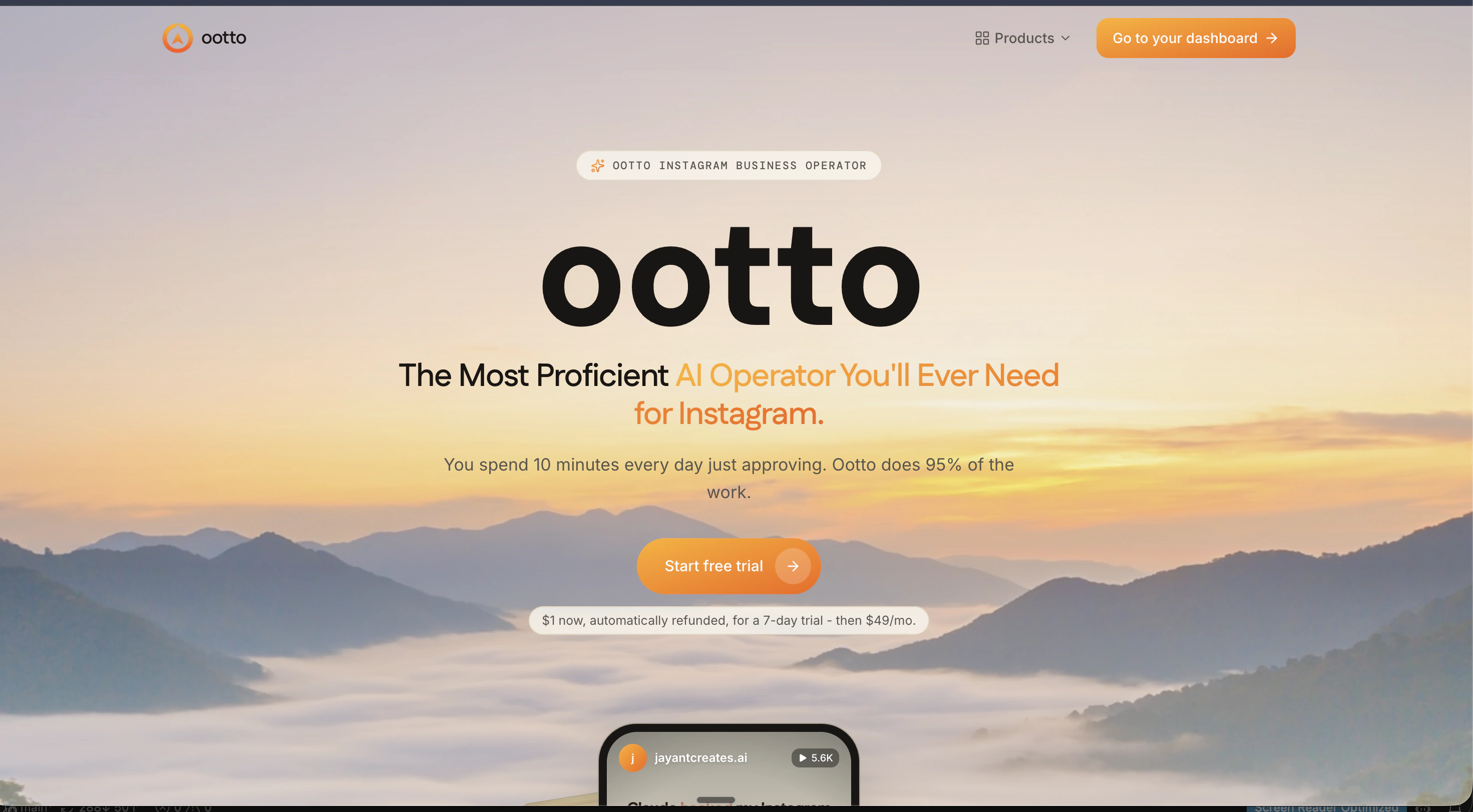
Add Ootto to Claude
Use the one-button Add flow so Ootto appears in Claude's Connectors panel.
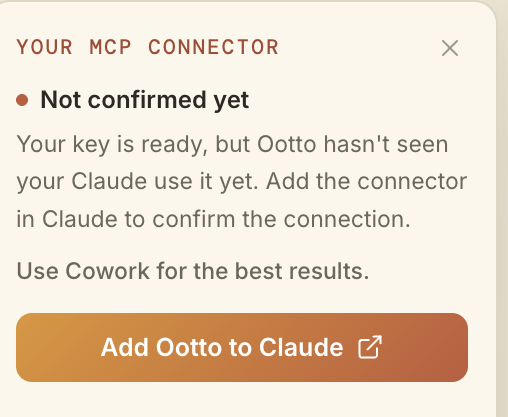
Claude shows the connector
The connector lands in Claude's Connectors settings, confirming Ootto is wired.
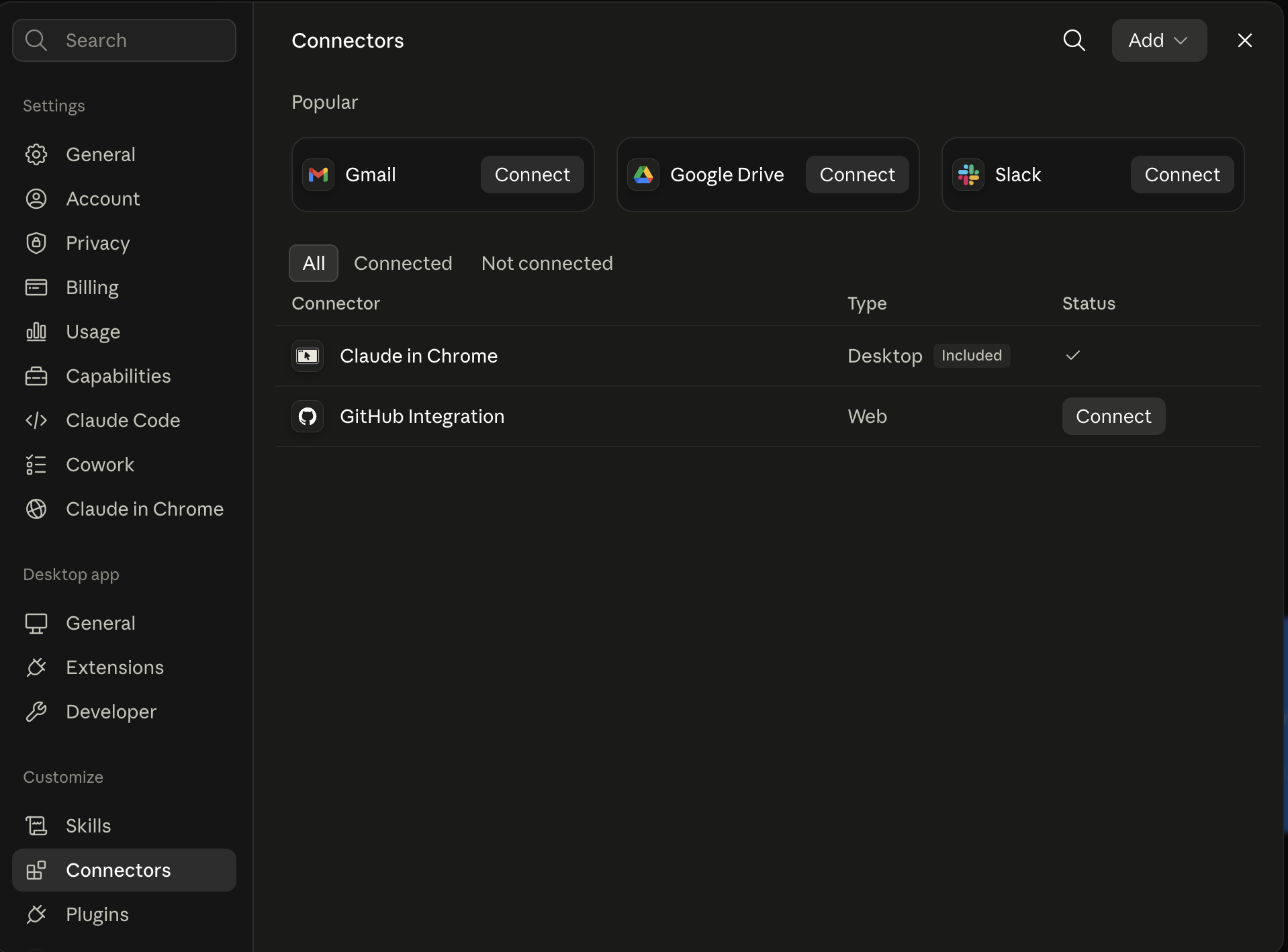
Board reads back your context
Your audience, pillars, voice, and creator signals are filled from account context.
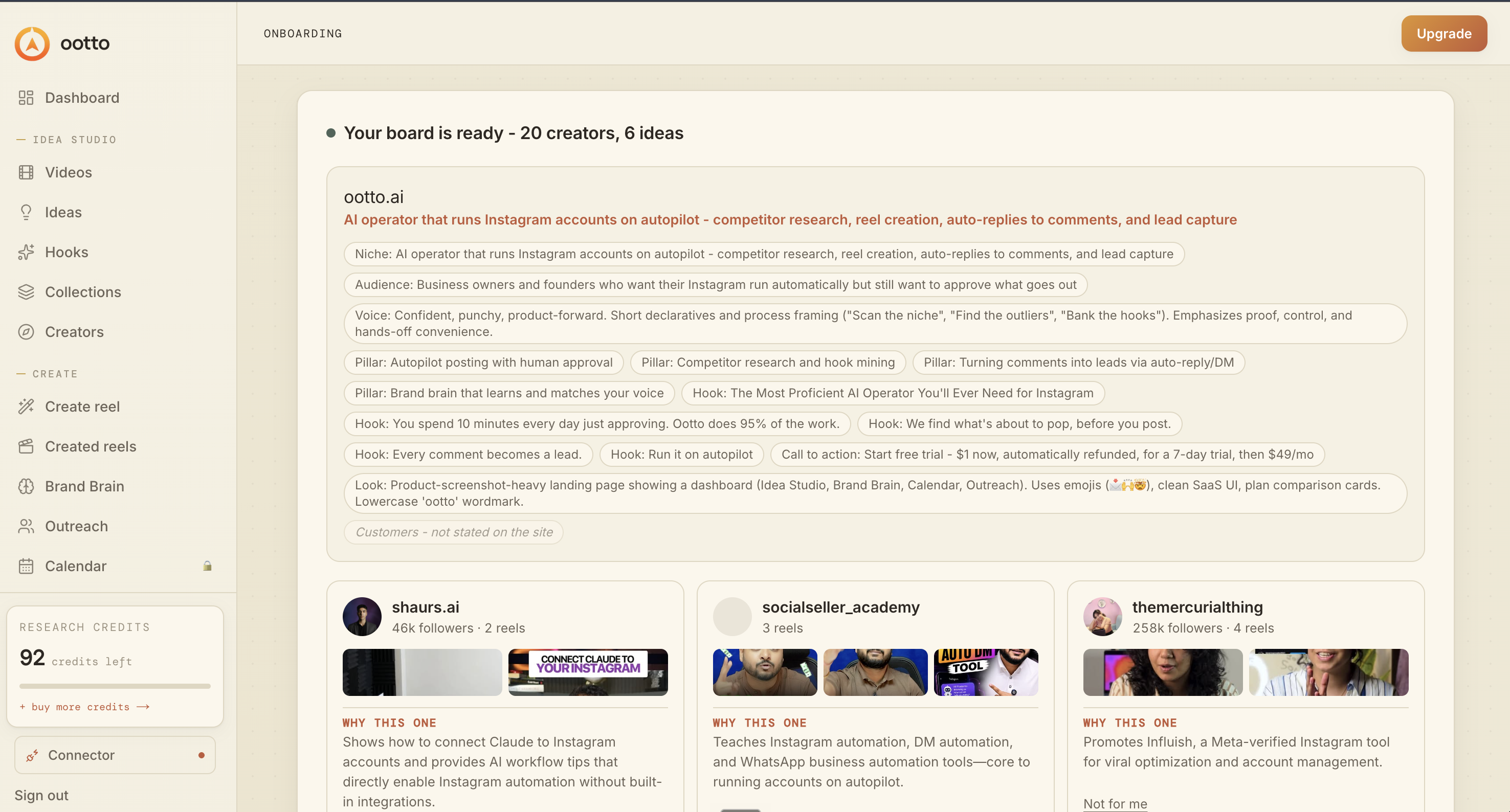
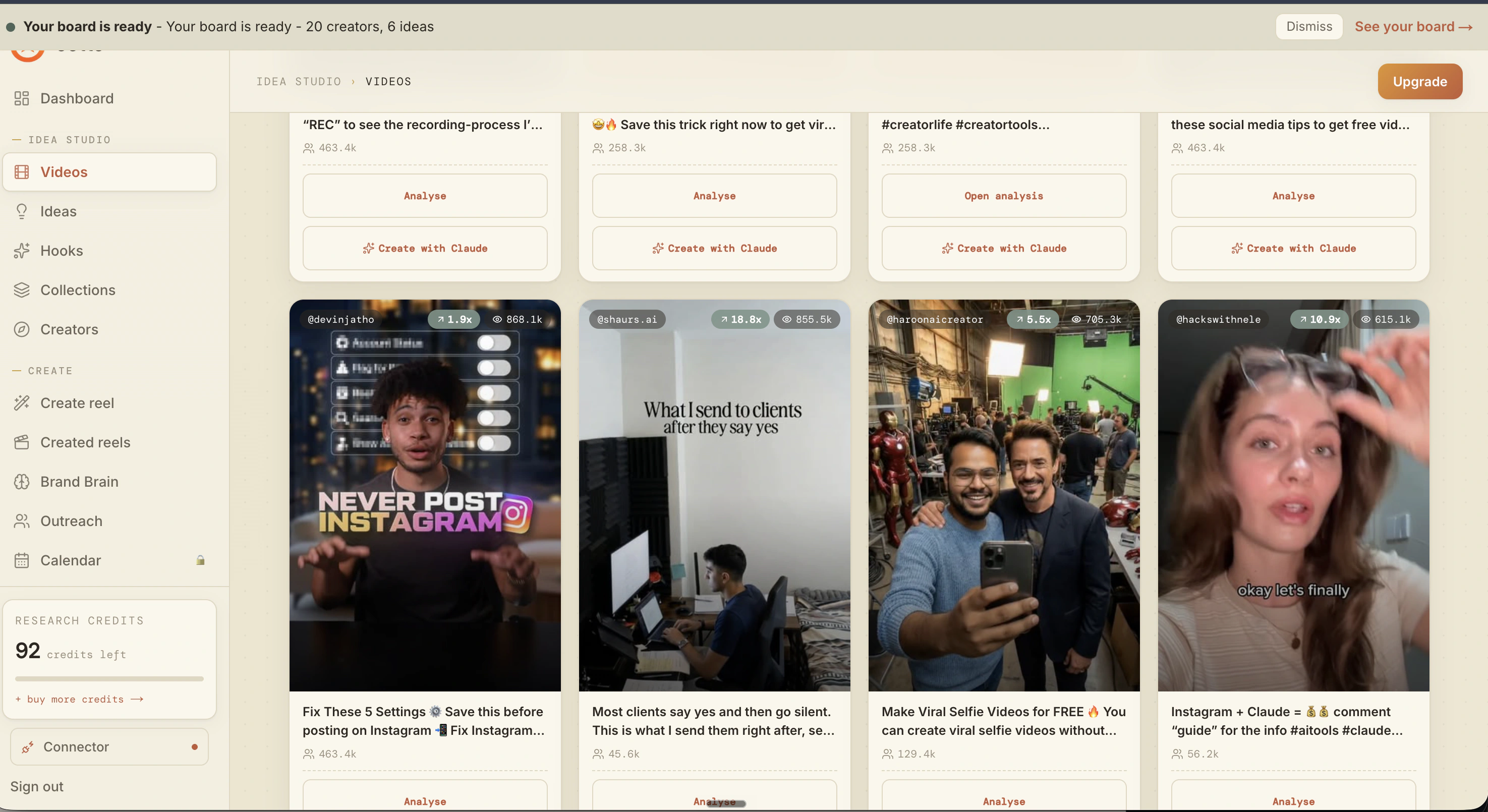
What is actually working now
Ootto pulls what is moving in your niche and loads ranked examples in board.
Reels post, comments get answered
Finished reels publish to Instagram and comments are answered with public replies plus DM follow-ups.
Get started