
ClickUp connector
Ootto for ClickUp: make Instagram reels with ClickUp
Ootto gives ClickUp Brain and your Super Agents a reel studio. Ask for a reel or a carousel and Ootto makes it for your Instagram, in your brand's colours and voice. Nothing is posted until you approve it.
Set it up
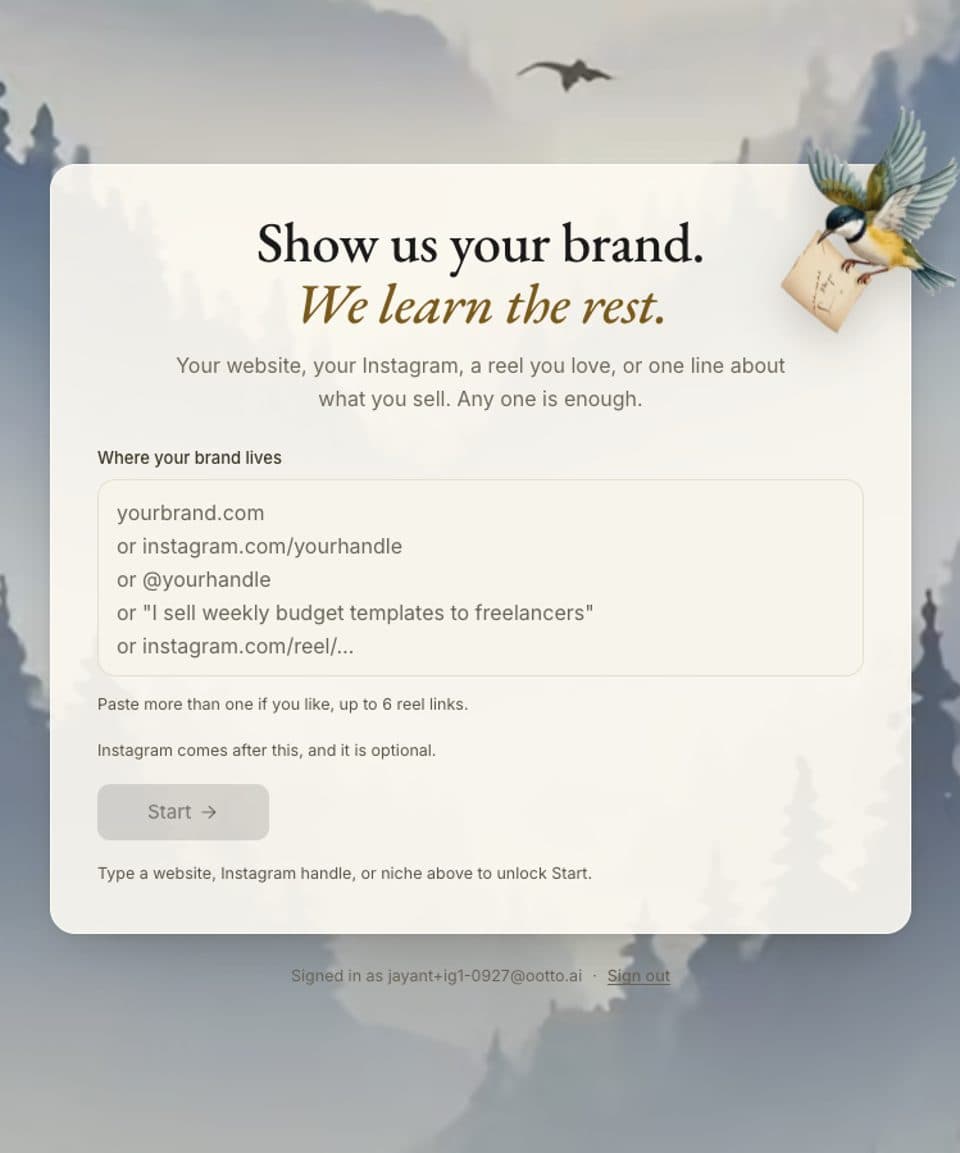
1.Sign up at ootto.ai and add your brand
Type your website, your Instagram handle, or one line about what you sell. Ootto reads it and writes down what you sell, who it is for and how you sound. You can change any of it.
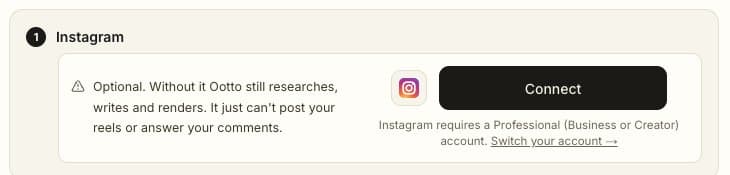
2.Connect Instagram (optional)
To post reels and answer comments, connect an Instagram business or creator account. Without it, Ootto still researches, writes and makes your reels; it just cannot post them.
3.In ClickUp, open the App Center and choose Custom MCP
In the ClickUp browser app, click your Workspace avatar and choose Apps, then Custom MCP in the sidebar, then Add New.
4.Choose Just for me, or For all members
Just for me connects your own Ootto account. For all members connects it for everyone in the Workspace, and only a Workspace owner or admin can choose it.
5.Name it Ootto, paste https://mcp.ootto.ai/mcp and choose OAuth
Leave the advanced settings as they are: ClickUp registers itself with Ootto.
6.Sign in to Ootto and press Allow
ClickUp opens Ootto's sign-in. Sign in with the same account, press Allow, and ClickUp lists Ootto's tools. There is no key to copy.
7.Use Ootto in ClickUp Brain or a Super Agent
Ask Brain to make my first reel, or open a Super Agent, add tools, and choose Ootto.
What the tools do
Some tools only read. Others change things, and every change is one you ask for.
ResearchOnly reads
Finds the creators and reels that are working in your niche, and reads a reel's hook, script and structure.
IdeasOnly reads
Suggests reel and carousel ideas built on what works in your niche and on what makes your business different.
Your brandChanges things
Reads your brand (what you sell, who it is for, your voice, colours and rules). Saving a change to it is a separate, explicit step.
Make a reel or carouselChanges things
Makes a finished vertical reel or carousel in your brand's colours and voice. It lands in your Ootto library; nothing posts.
Change a reelChanges things
Makes a new cut of a reel with the change you ask for. The earlier cut is kept.
Schedule or postChanges things
Schedules a reel or posts it to your Instagram, only after you approve it. You can move or cancel a scheduled post.
Your performanceOnly reads
Reads how your own posts did: views, likes and comments.
CommentsChanges things
Reads the comments on your posts. Replying to a comment or sending a DM is a separate action you ask for.
| Group | What it does | Access |
|---|---|---|
| Research | Finds the creators and reels that are working in your niche, and reads a reel's hook, script and structure. | Only reads |
| Ideas | Suggests reel and carousel ideas built on what works in your niche and on what makes your business different. | Only reads |
| Your brand | Reads your brand (what you sell, who it is for, your voice, colours and rules). Saving a change to it is a separate, explicit step. | Changes things |
| Make a reel or carousel | Makes a finished vertical reel or carousel in your brand's colours and voice. It lands in your Ootto library; nothing posts. | Changes things |
| Change a reel | Makes a new cut of a reel with the change you ask for. The earlier cut is kept. | Changes things |
| Schedule or post | Schedules a reel or posts it to your Instagram, only after you approve it. You can move or cancel a scheduled post. | Changes things |
| Your performance | Reads how your own posts did: views, likes and comments. | Only reads |
| Comments | Reads the comments on your posts. Replying to a comment or sending a DM is a separate action you ask for. | Changes things |
Things to ask ClickUp
- “Make a reel for my brand about our best-selling product.”
- “Find the reels that are working in my niche this week and give me three ideas.”
- “Turn my latest blog post into a carousel.”
- “Schedule this reel for Friday at 6 pm after I approve it.”
- “How did my last five reels perform?”
Your data
Ootto keeps what it needs to make your reels: your brand, the reels it makes and what you tell it. When you connect Instagram, Ootto acts on your account only through the permissions you grant, through Meta's official Instagram connection. Ootto keeps a log of the requests ClickUp makes through the connector.
The full details are in our privacy policy. To have your data deleted, email [email protected].
If something goes wrong
- Instagram asks me to log in on my phone
- Connecting opens Instagram's own sign-in on the web, which needs your Instagram password even if you are logged in to the app. If you do not know it, reset it first, or connect from a computer.
- It says “We didn't hear back from Instagram”
- The Instagram sign-in was not finished. Press Connect again, or choose “Skip for now” and carry on with your website or handle; you can connect Instagram any time from Accounts.
- I cannot find Custom MCP
- Custom MCP servers are added from the ClickUp browser app, not the desktop or phone app. If your Workspace uses custom roles, an admin may need to allow MCP server connections for you.
- The sign-in window does not open
- ClickUp opens Ootto's sign-in in a new window. Allow pop-ups for ClickUp, then try the connection again.
- How do I disconnect?
- In ClickUp, open the App Center and remove Ootto under Custom MCP. In Ootto, open Accounts and disconnect Instagram. Either one stops Ootto from acting for you.
Plans and prices are on the pricing page. Anything else: [email protected]. We reply as fast as we can.