Guides
23 Ways to Use Claude That Actually Save You Hours
The Ootto Team · 5 min read · June 29, 2026
How to use this
1Connect Claude to Instagram
Connect Claude to your Instagram account
One click opens Claude with the connector already filled in - sign in, authorize, and it's live. No key to copy, no setup outside your browser.
https://mcp.ootto.ai/mcpConnect2Add the skills
Once Claude can reach your account, give it the methods to work with. Clone the free repository and Claude discovers the skills automatically.
git clone --depth 1 https://github.com/Ootto-AI/claude-content-skills.git && bash claude-content-skills/install.shBrowse all 30 skills on GitHubInstructions: how to connect your Instagram account to Claude
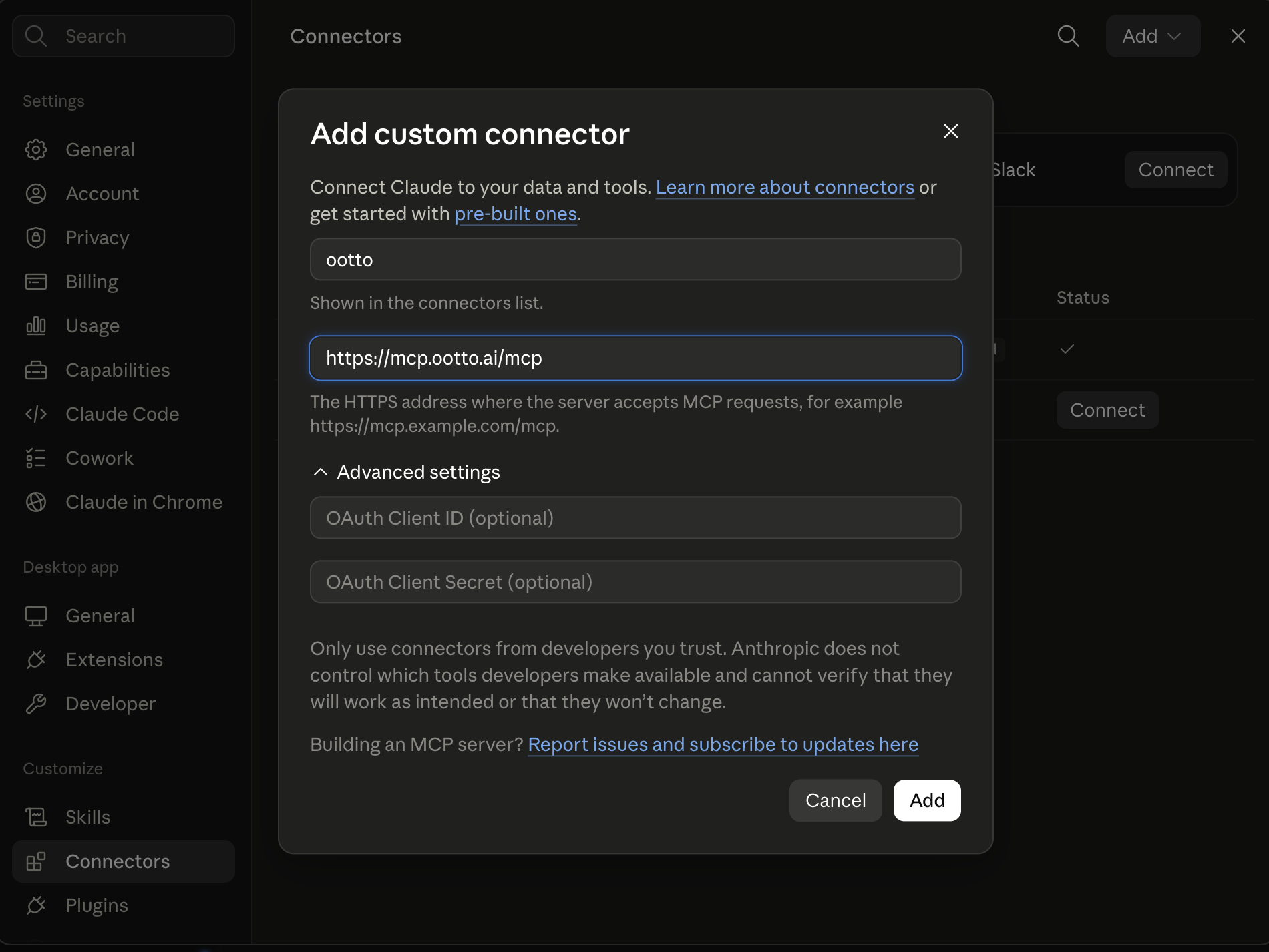
Connect above does this for you. If Claude ever opens the dialog empty, here's exactly what goes where:
Ootto
Your 24/7 Instagram Growth Operator
Skip the manual setup
- Posts finished Reels straight to your Instagram
- Real motion-graphic Reels, not slideshows
- Built around your own photos and footage
- Finds winning content opportunities in your niche
- Writes on-brand scripts and captions
- Answers every comment by your own keyword rules
- DMs qualified leads and starts the conversation
- Runs up to 50 Instagram accounts
One AI. Every Post. Every Comment. More Leads. More Sales.
The playbook
23 ways
to use Claude
A year ago, Claude was a chatbot you asked questions. Today it writes the code, drafts the email, scripts the reel, and chases the invoice — while you do something else.
Andrej Karpathy put numbers on the shift. In a widely-shared note he described going from "about 80% manual + autocomplete coding and 20% agents… to 80% agent coding and 20% edits and touch-ups" — in a matter of weeks, not years. He's the one who named the loose, conversational version of it: vibe coding. Everyone else is catching up.
So here are 23 concrete ways to actually use Claude — the way the people who've made the jump use it. Some are a single prompt. Many are reusable skills (free, on GitHub). And a few are jobs you can hand off completely and stop thinking about.
Get the repeatable ones as files: the whole set is free on GitHub → Ootto Skills.
What changed (and why Karpathy stopped typing)
The unlock isn't that Claude got smarter at answering. It's that it got good at looping toward a goal.
The lesson from how Karpathy works is simple: don't micromanage the keystrokes. Give Claude a clear success criterion, the context it needs, and the room to iterate — then check the result. You stop being the typist and become the director. Once you've felt it grind through a dozen attempts in half an hour and land the answer you couldn't, you don't go back.
Before
You type
~80% manual + autocomplete
After
You direct
~80% agent coding
That one shift is why the list below reads less like "ask a question" and more like "hand off a job."
The 23 ways
Code & build
1–6
Write & create
7–12
Run your business
13–18
Research & think
19–21
Make it repeatable
22–23
Code & build
- Vibe-code a feature — describe what you want in plain English; Claude writes it, runs it, and fixes it until it works.
- Refactor messy code — point it at a file: "make this cleaner without changing behavior."
- Debug from an error — paste the stack trace; it finds the cause and patches it.
- Write the tests you skipped — "write tests for the invalid inputs, then make them pass."
- Review a pull request — a second set of eyes on logic, security, and edge cases before you merge.
- Learn a new codebase fast — "explain how auth flows through this repo," with the actual file references.
Write & create content
- Script a reel start to finish — hook, beat-by-beat script, caption, and hashtags in one go.
- Write 10 hooks and rank them — for the first 1–3 seconds that decide whether anyone watches.
- Turn one blog post into a week of content — five reel outlines from a single article.
- Ghostwrite in your voice — feed it your best posts; it matches your tone, not generic "AI tone."
- Draft the newsletter — rough notes in, a sendable email out.
- Repurpose a podcast or video — transcript in, clips and captions out.
Run your business
- Triage your inbox — read overnight email and draft replies in your voice, ready to approve.
- Chase overdue invoices — polite, on-schedule reminders until you actually get paid.
- Follow up every lead — reply in minutes and nudge until they answer, so none go cold.
- Write the weekly report — pull your numbers into a summary you'd actually send.
- Handle first-line support — answer the repeat questions, escalate the rest.
- Fill your calendar — book, reschedule, and remind without the back-and-forth.
Research & think
- Summarize anything long — a 90-minute transcript or a 40-page PDF down to the five things that matter.
- Do the competitive homework — what's working in your niche, with sources.
- Build a second brain — give Claude permanent memory so it recalls your decisions next session, not just this one.
Make it repeatable
- Turn a prompt you reuse into a skill — a markdown file Claude runs the same way every time. (That's all a "skill" is.)
- Connect your real tools with MCP — so Claude doesn't just advise, it acts: posts the reel, sends the reply, updates the sheet.
Turn the best ones into skills (free)
A skill is just a reusable prompt saved as a file — the job, written down once, so Claude does it the same way every time. Add it to a Claude Project, or paste it as a prompt.
A prompt you reuse
“Script a reel about ___”
Saved as a skill
One markdown file
Run it any time
Same job, one command
We packaged the content and business ways above into a free, open set: Ootto Skills on GitHub. Clone it, drop in your brand context, and ways 7–18 become one command instead of a blank prompt every morning. Want the Instagram-specific set? Start with 30 Claude Skills to Automate Your Instagram Content, or the full operator set in Claude Skills for Running a Small Business.
The faster path: let Ootto run them for you
Here's the catch with doing it yourself: you still have to be the one who opens Claude, pastes the context, and approves the output — every single day. That's fine for the coding ways. It's a grind for the business ones.
That's what Ootto is for. Connect your tools once; Ootto learns how your business actually works, then runs the inbox, the leads, the invoices, the reports — and your whole Instagram — on autopilot. The 23 ways above, minus the part where you have to remember to do them.
The honest summary: Claude already changed how the best engineers work — Karpathy went from typing to directing in a month. The same jump is sitting right there for your content and your operations. Start with the free skills, or let Ootto run them for you and skip the setup entirely.
Route A: do it yourself
Start with the exact free skill for this outcome
MIT, no account, no email. Install first, then run the command for your account.
For this outcome: Content Factory
git clone --depth 1 https://github.com/Ootto-AI/claude-content-skills.git && bash claude-content-skills/install.sh
Installs the free MIT Content Skills bundle into ~/.claude/skills in one shot.
/content-factory - my niche is [niche], model this reel: [reel URL], my handle @..., CTA keyword GUIDE
Runs the full pipeline order for the post: research, hook, script, build, caption, and comment-to-DM lead setup.
Route B: let Ootto run it
Ootto replicates this on autopilot
Open the dashboard, connect once, then let the pipeline handle research, production, and lead replies.
Open the connector dashboard
Go to /content/login, sign in, and open your Ootto content dashboard.
Add Ootto to Claude
Use the one-button Add flow so Ootto appears in Claude's Connectors panel.
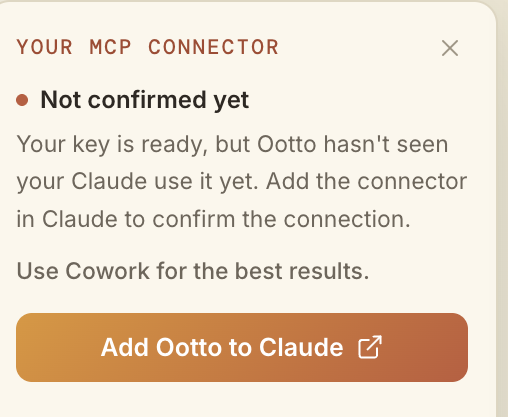
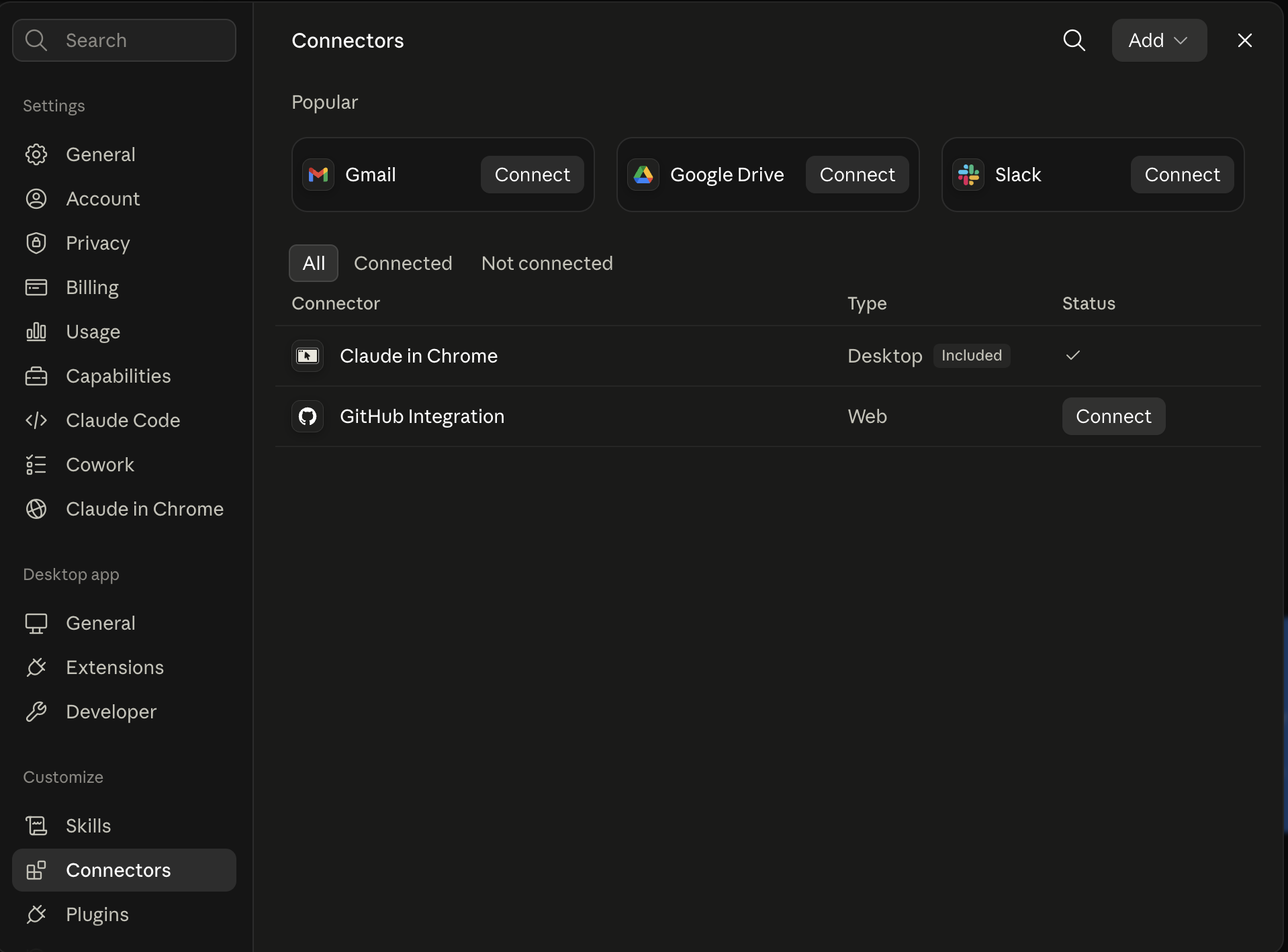
Claude shows the connector
The connector lands in Claude's Connectors settings, confirming Ootto is wired.
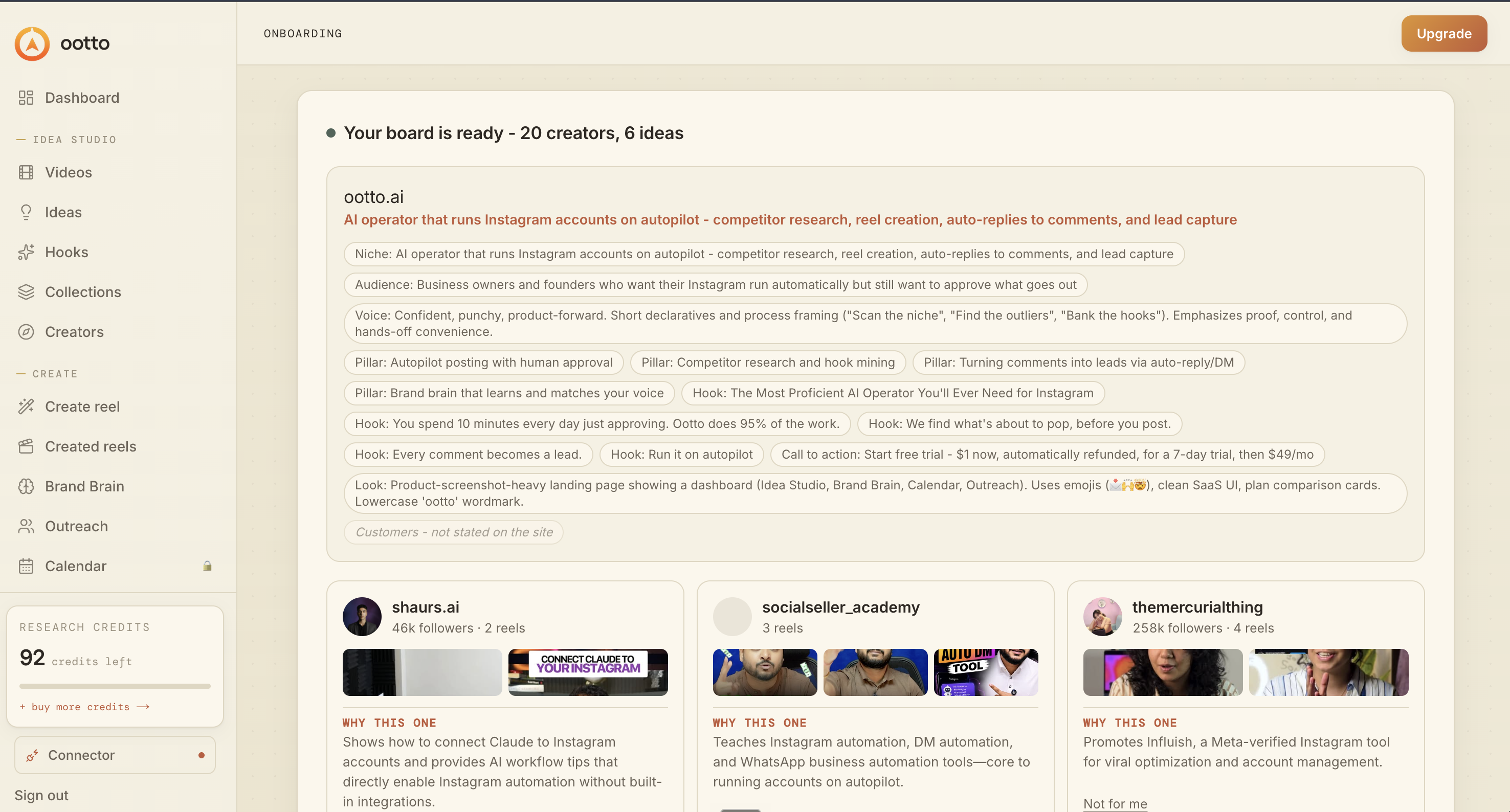
Board reads back your context
Your audience, pillars, voice, and creator signals are filled from account context.
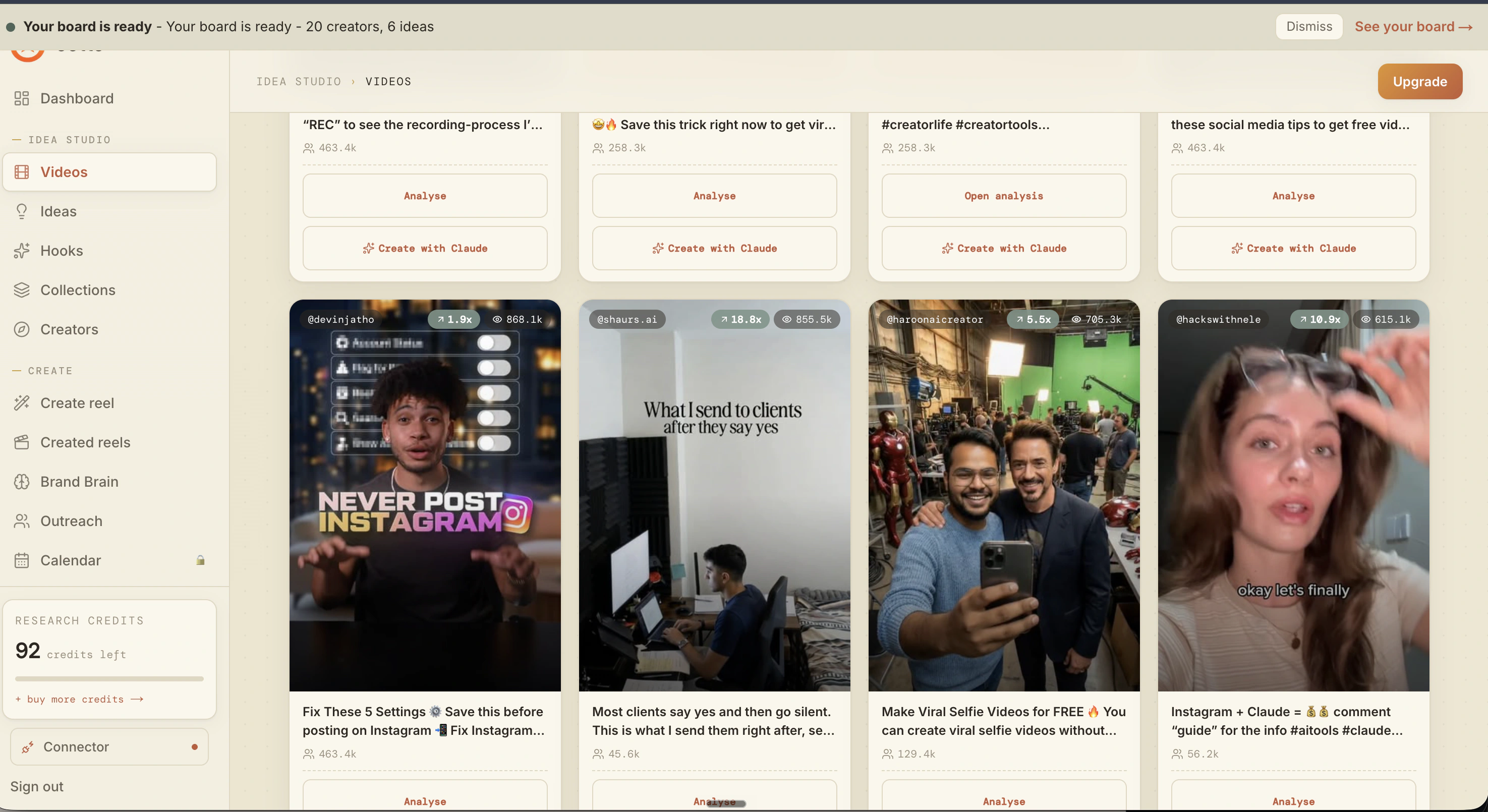
What is actually working now
Ootto pulls what is moving in your niche and loads ranked examples in board.
Reels post, comments get answered
Finished reels publish to Instagram and comments are answered with public replies plus DM follow-ups.
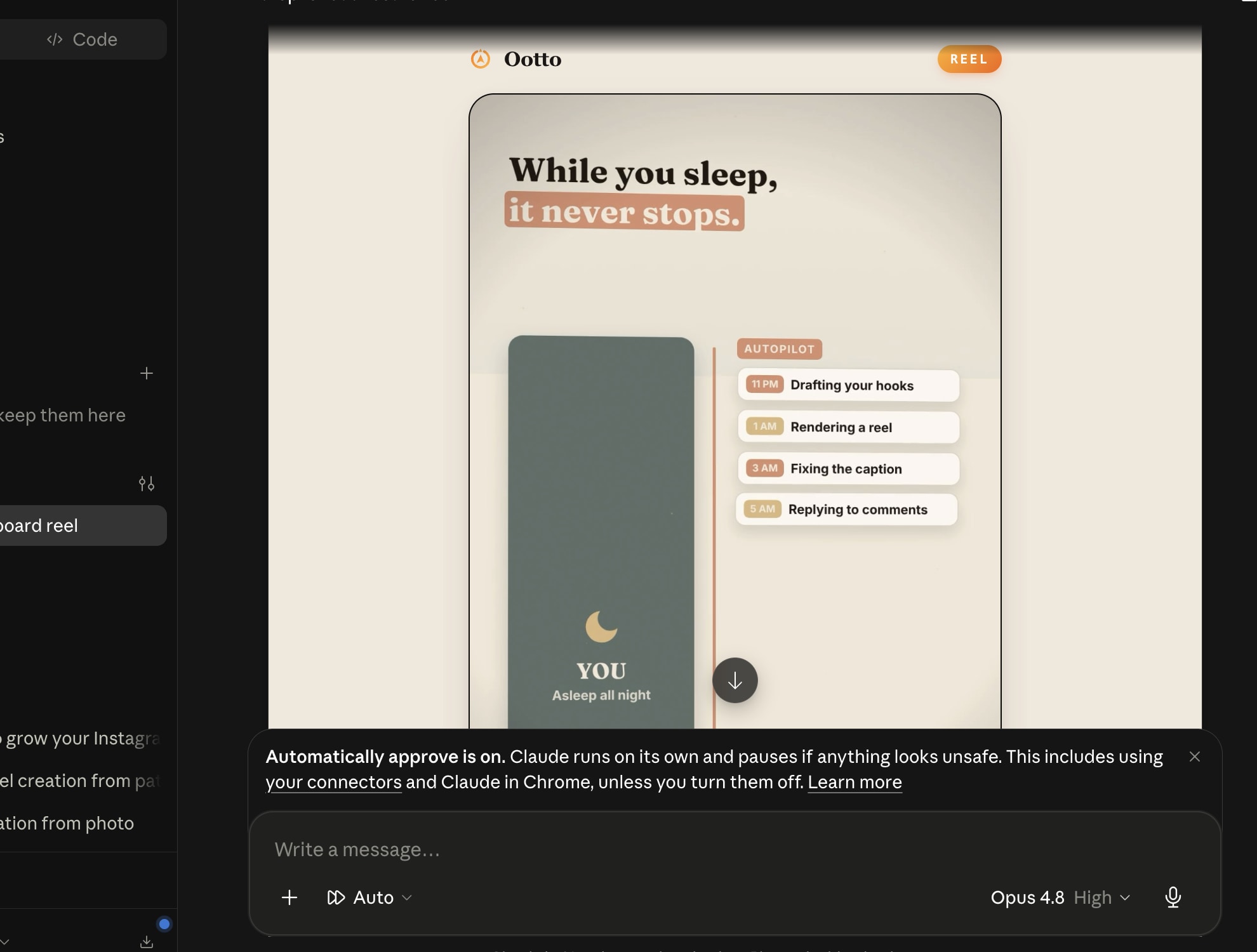
Ootto
Run Ootto in your Claude
Skip the manual setup
- Finds winning content opportunities
- Creates on-brand Reels and captions
- Replies to comments instantly
- Starts personalized DM conversations
- Qualifies leads automatically
- Helps book calls and drive sales
- Learns and improves with every interaction
One AI. Every Post. Every Comment. More Leads. More Sales.
Get started$1 today, non-refundable. Starts your 7-day trial, then $48/mo. Cancel anytime.
Get started