
Content
ChatGPT vs Claude: The Video Edit Prompt
The Ootto Team · 3 min read · October 7, 2026
How to use this
1Connect Claude to Instagram
Connect Claude to your Instagram account
One click opens Claude with the connector already filled in - sign in, authorize, and it's live. No key to copy, no setup outside your browser.
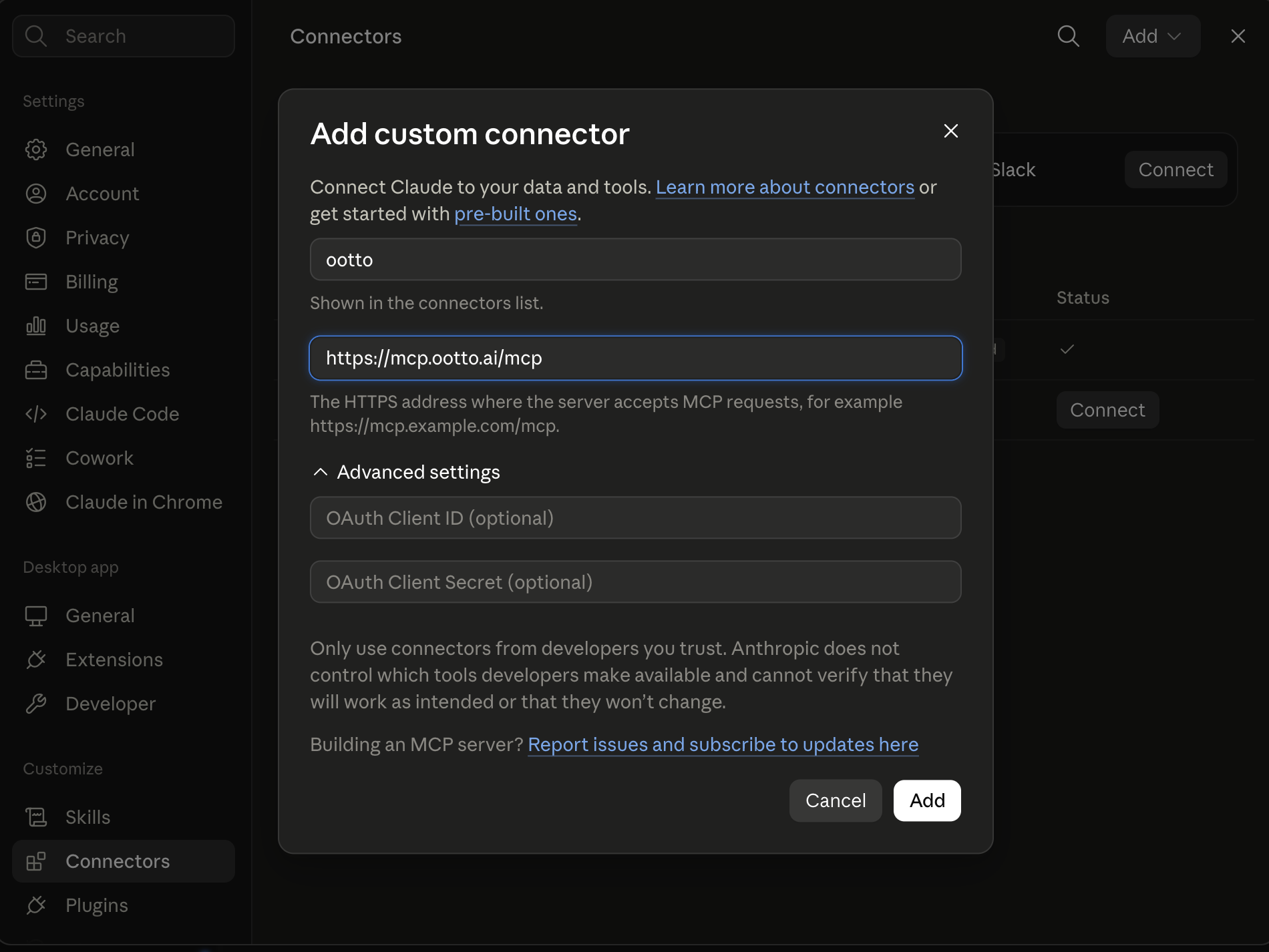
https://mcp.ootto.ai/mcpConnect2Add the skills
Once Claude can reach your account, give it the methods to work with. Clone the free repository and Claude discovers the skills automatically.
git clone --depth 1 https://github.com/Ootto-AI/claude-content-skills.git && bash claude-content-skills/install.shBrowse all 30 skills on GitHubInstructions: how to connect your Instagram account to Claude
Connect above does this for you. If Claude ever opens the dialog empty, here's exactly what goes where:
Turn every comment into an inbound lead.
You can create reels like this one with Claude. Same voiceover, same prompt, same library: we let ChatGPT's Codex and Claude each edit the reel below, side by side, with zooms, transitions and animated graphics.
You commented EDIT, so here is the exact prompt. Paste it into Claude Code or Codex and run your own duel. And if you would rather skip the editing and just get finished reels for your brand, the second prompt does that.
The edit prompt
This is the exact prompt both AIs got. It is written for a Remotion project (React and TypeScript video), and it works in Claude Code or Codex. Swap in your own voiceover, word timings and assets, then judge the result yourself.
You are editing a short video. Make it look as good as you possibly can. PROJECT: a Remotion 4 project (React + TypeScript) in the current folder. All official @remotion/* packages and @remotion/google-fonts are already installed - do NOT install anything. YOUR FILE: write your whole edit in one new file, for example src/edit/Edit.tsx (you may add more files next to it). It must keep exporting `export const Edit: React.FC`. Register it as a composition at 1080x608 (16:9), 30 fps, 810 frames (27 s). Do not edit any other file in the project. THE CLIP: a voiceover, public/vo.mp3 (26.4 s). Do NOT play it in your composition (the audio is added later) - just sync your visuals to it. Word timings (seconds) are in public/words.json (array of {text, start, end}). Paste your own voiceover script here so the AI knows every line. ASSETS you may use (via staticFile): your logo and a handful of images in the public folder. Anything else you draw yourself (SVG/CSS) or with fonts from @remotion/google-fonts. THE BRIEF: a motion-graphics edit of this voiceover that would stop someone scrolling Instagram. Every line should be shown on screen with motion, in sync with the words. Show off zooms, transitions and animated graphics. Nothing should ever sit static. Keep text readable at phone size and never let text overlap. The edit is for your own Instagram page. RULES: Everything animates from useCurrentFrame()/interpolate/spring (no CSS animations, no timers). Check your work by rendering stills, for example `npx remotion still YourComposition out.png --frame=300`, and look at them. Type-check with `npx tsc --noEmit -p .` and fix errors in your files only. When you are done, reply with a 2-3 line summary of your edit.
Run the same prompt in Claude Code and in Codex, then compare the two renders.
Create reels like this
You do not need a Remotion project to get reels like this. Connect Ootto to Claude once, and Claude learns your brand and makes the reel for you.
Connect to Ootto and make me a reel like the ChatGPT vs Claude edit duel: a split-screen, motion-graphics reel with kinetic text, zooms and transitions, synced to a voiceover. Use my brand, my niche and my colours. Write the script first, keep the hook to one clear promise, end with a call to comment a keyword, and show me the script before you render. Then make the reel.
Then say: make a reel.
Ootto
Your 24/7 Instagram Growth Operator
Skip the manual setup
- Posts finished Reels straight to your Instagram
- Real motion-graphic Reels, not slideshows
- Built around your own photos and footage
- Finds winning content opportunities in your niche
- Writes on-brand scripts and captions
- Answers every comment by your own keyword rules
- DMs qualified leads and starts the conversation
- Runs up to 50 Instagram accounts
One AI. Every Post. Every Comment. More Leads. More Sales.
How to connect Ootto to Claude takes about a minute, and the full walkthrough is in the flagship guide.
Frequently asked questions
Do I need Remotion to use the edit prompt?
Does Ootto publish without approval?
Which AI edited it better?
Keep reading
content
The Only Way to Grow Your Instagram With Claude in 2026
How we grew to over 10,000 leads in a month on Instagram with Claude, in 15 minutes a day - free to run yourself, or let Ootto run it for you.
content
The First Connector That Makes Your Instagram Reels With Claude
Connect Ootto to Claude in one click and Claude reads your Instagram, tears down the reels winning in your niche, and renders new ones in your brand. The full setup, the prompts we actually ran, and what each one returned.
content
What Does a Reel That Turns Into a Customer Look Like?
A frame-by-frame teardown of real @jayantcreates.ai reels: the hook, proof, visual pacing, comment prompt, and the honest limit of what our data can prove.
content
Claude's skill for turning scripts into beat-perfect reel builds
Use reel-builder to convert approved scripts into shot plans with timing, visuals, and on-screen text you can shoot.
Route A: do it yourself
Start with the exact free skill for this outcome
MIT, no account, no email. Install first, then run the command for your account.
For this outcome: Content Factory
git clone --depth 1 https://github.com/Ootto-AI/claude-content-skills.git && bash claude-content-skills/install.sh
Installs the free MIT Content Skills bundle into ~/.claude/skills in one shot.
/content-factory - my niche is [niche], model this reel: [reel URL], my handle @..., CTA keyword GUIDE
Runs the full pipeline order for the post: research, hook, script, build, caption, and comment-to-DM lead setup.
Route B: let Ootto run it
Ootto replicates this on autopilot
Open the dashboard, connect once, then let the pipeline handle research, production, and lead replies.
Open the connector dashboard
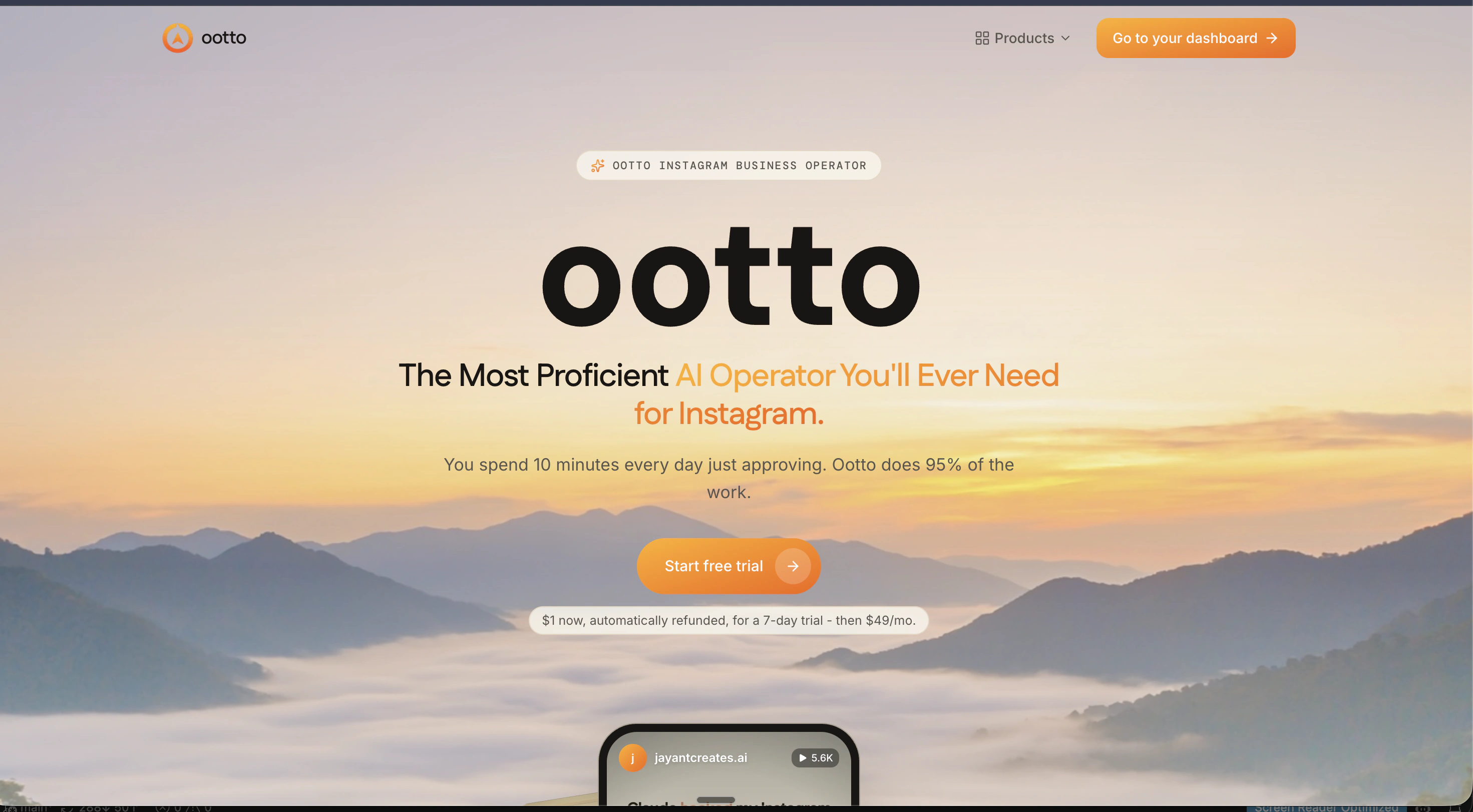
Go to /content/login, sign in, and open your Ootto content dashboard.
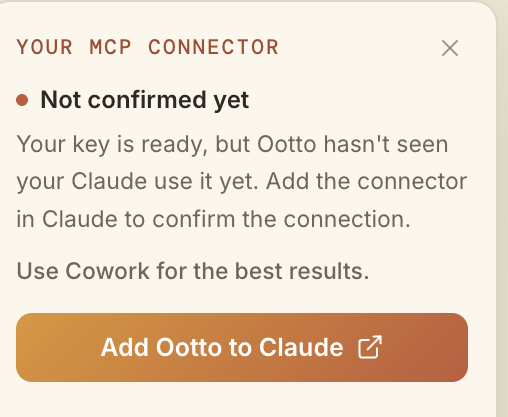
Add Ootto to Claude
Use the one-button Add flow so Ootto appears in Claude's Connectors panel.
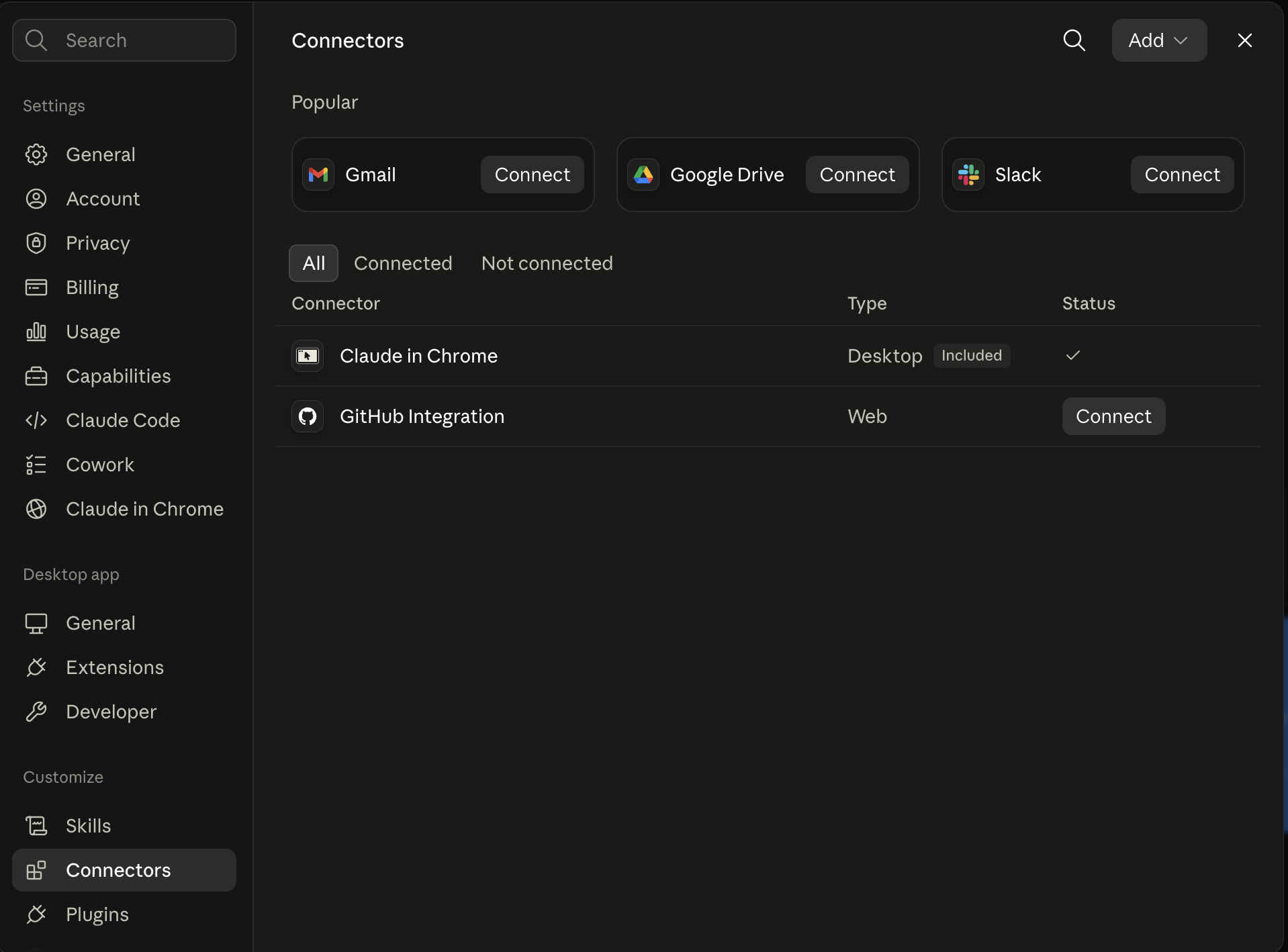
Claude shows the connector
The connector lands in Claude's Connectors settings, confirming Ootto is wired.
Board reads back your context
Your audience, pillars, voice, and creator signals are filled from account context.
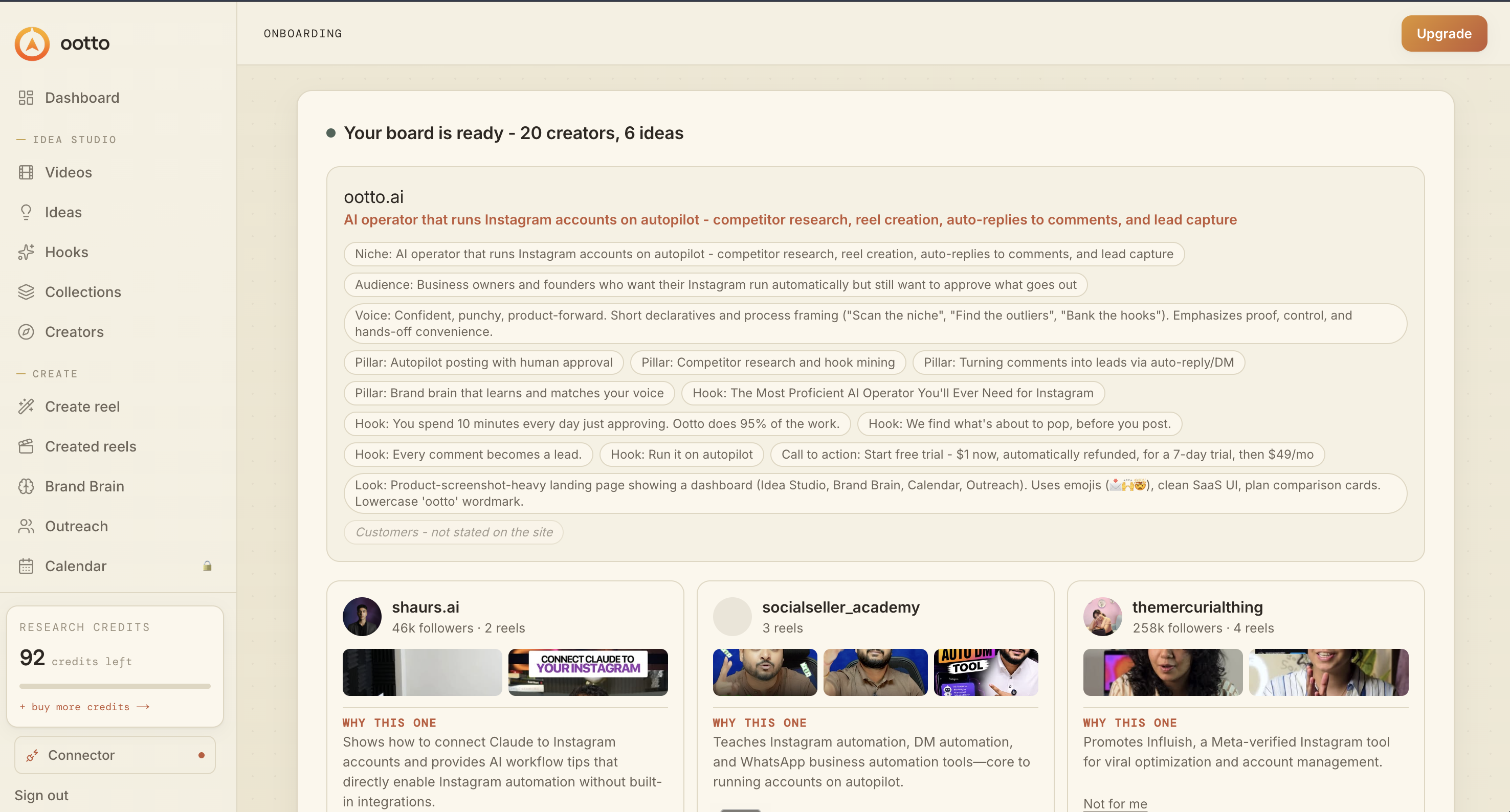
What is actually working now
Ootto pulls what is moving in your niche and loads ranked examples in board.
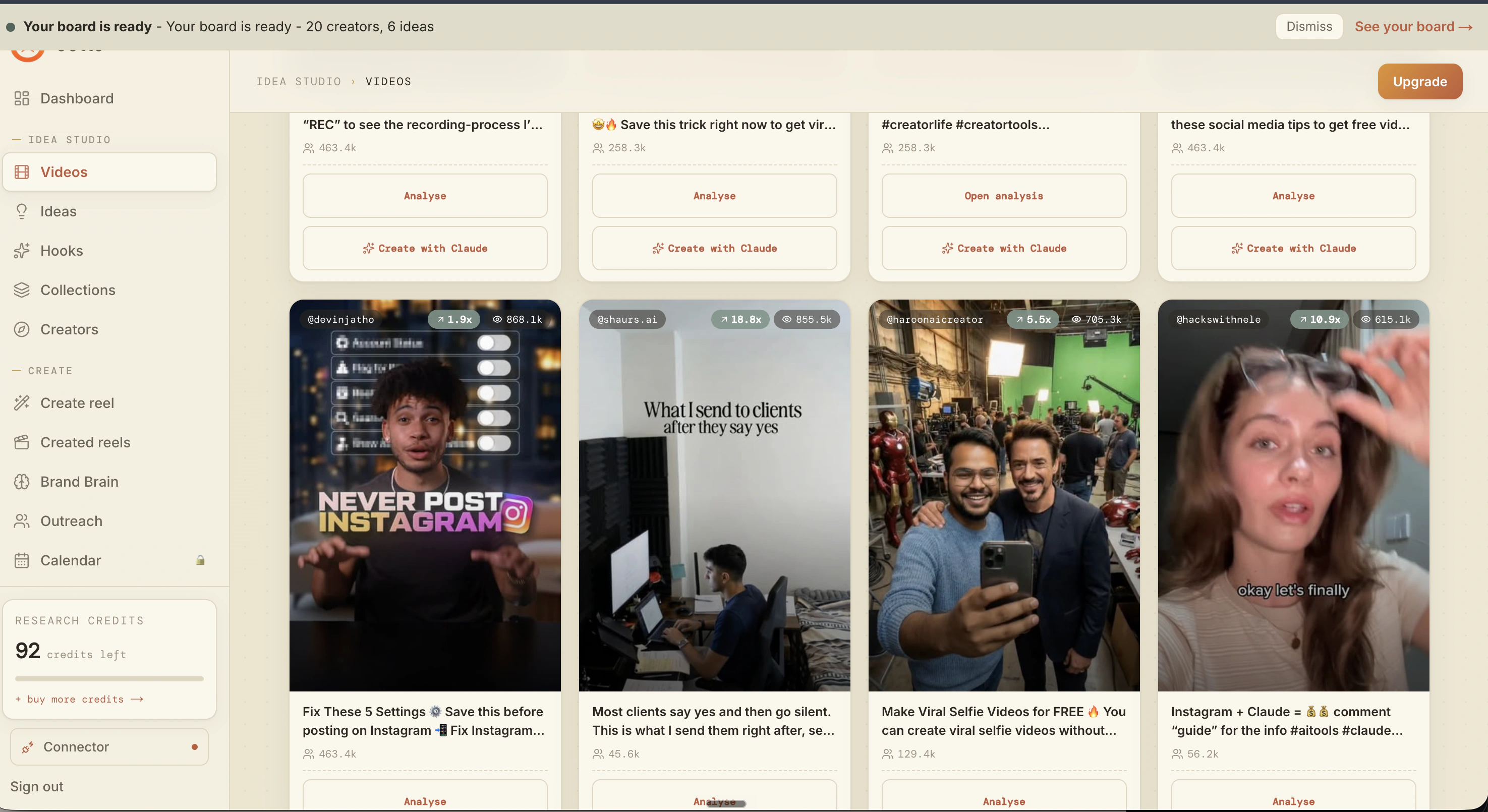
Reels post, comments get answered
Finished reels publish to Instagram and comments are answered with public replies plus DM follow-ups.
Ootto
Run Ootto in your Claude
Skip the manual setup
- Finds winning content opportunities
- Creates on-brand Reels and captions
- Replies to comments instantly
- Starts personalized DM conversations
- Qualifies leads automatically
- Helps book calls and drive sales
- Learns and improves with every interaction
One AI. Every Post. Every Comment. More Leads. More Sales.
Get started$48/month, charged today. Cancel any time.
Get started