Content
18 Animation Styles for Your Reels, Each With Its Copy-Paste Prompt
The Ootto Team · 8 min read · November 5, 2026
How to use this
1Connect Claude to Instagram
Connect Claude to your Instagram account
One click opens Claude with the connector already filled in - sign in, authorize, and it's live. No key to copy, no setup outside your browser.
2Add the skills
Once Claude can reach your account, give it the methods to work with. Clone the free repository and Claude discovers the skills automatically.
git clone --depth 1 https://github.com/Ootto-AI/claude-content-skills.git && bash claude-content-skills/install.shBrowse all 30 skills on GitHubInstructions: how to connect your Instagram account to Claude
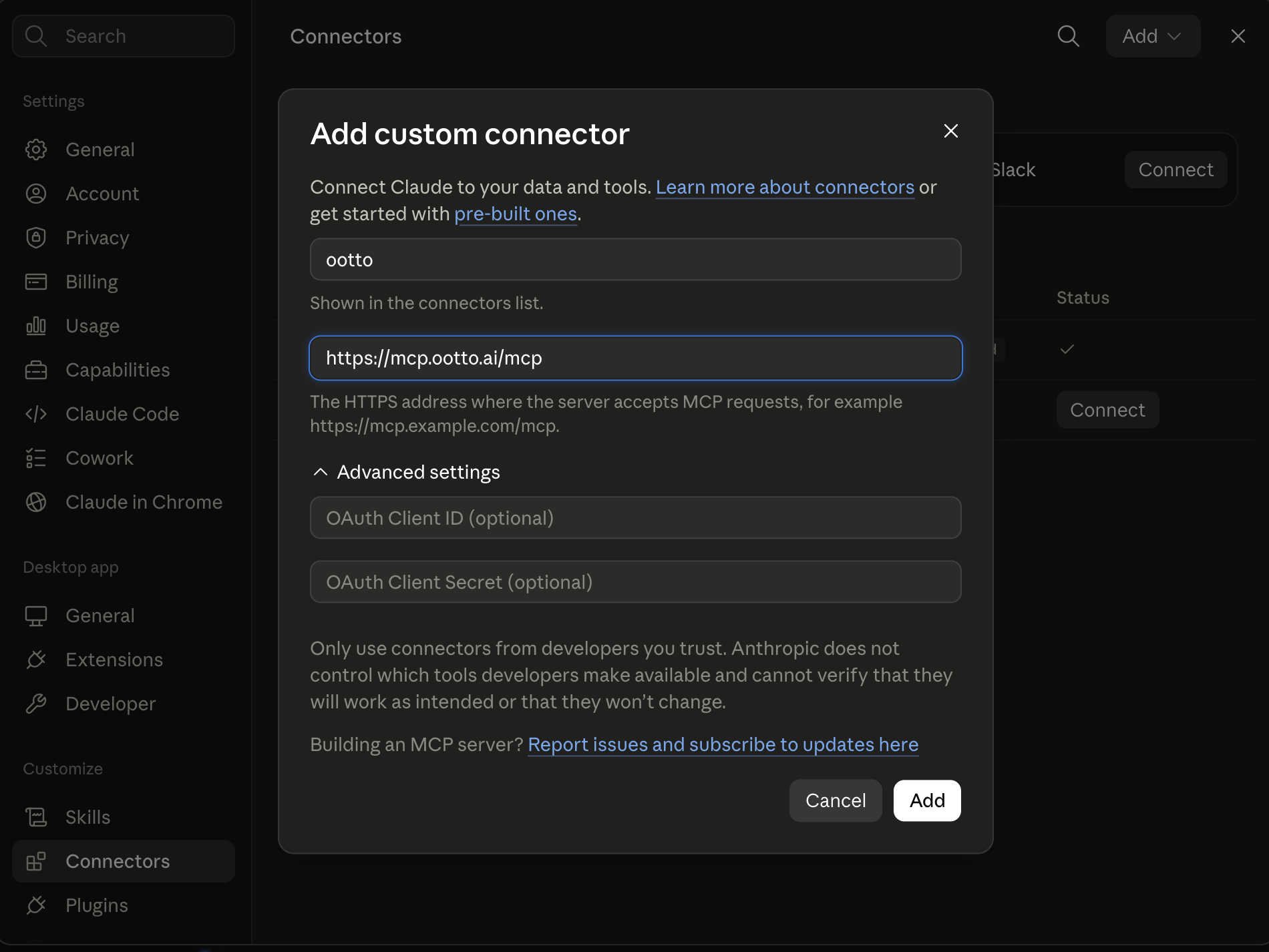
Connect above does this for you. If Claude ever opens the dialog empty, here's exactly what goes where:
Ootto
Your 24/7 Instagram Growth Operator
Skip the manual setup
- Posts finished Reels straight to your Instagram
- Real motion-graphic Reels, not slideshows
- Built around your own photos and footage
- Finds winning content opportunities in your niche
- Writes on-brand scripts and captions
- Answers every comment by your own keyword rules
- DMs qualified leads and starts the conversation
- Runs up to 50 Instagram accounts
One AI. Every Post. Every Comment. More Leads. More Sales.
You commented ANIMATE, so here is every style from the reel, each with the exact prompt that makes it.
Every animation below was made by Ootto inside Claude, from one prompt. Connect Claude to Ootto once, pick a style, paste its prompt, and put your own line where it says [your line]. Ootto makes the reel in your brand, and nothing is posted until you approve it.
Step 1: Connect Claude to Ootto
You do this once, on a computer, at claude.ai or in the Claude desktop app. After that, Ootto works in Claude on your phone too.
- Sign up at ootto.ai and add your brand: your website, your Instagram handle, or a line about what you sell.
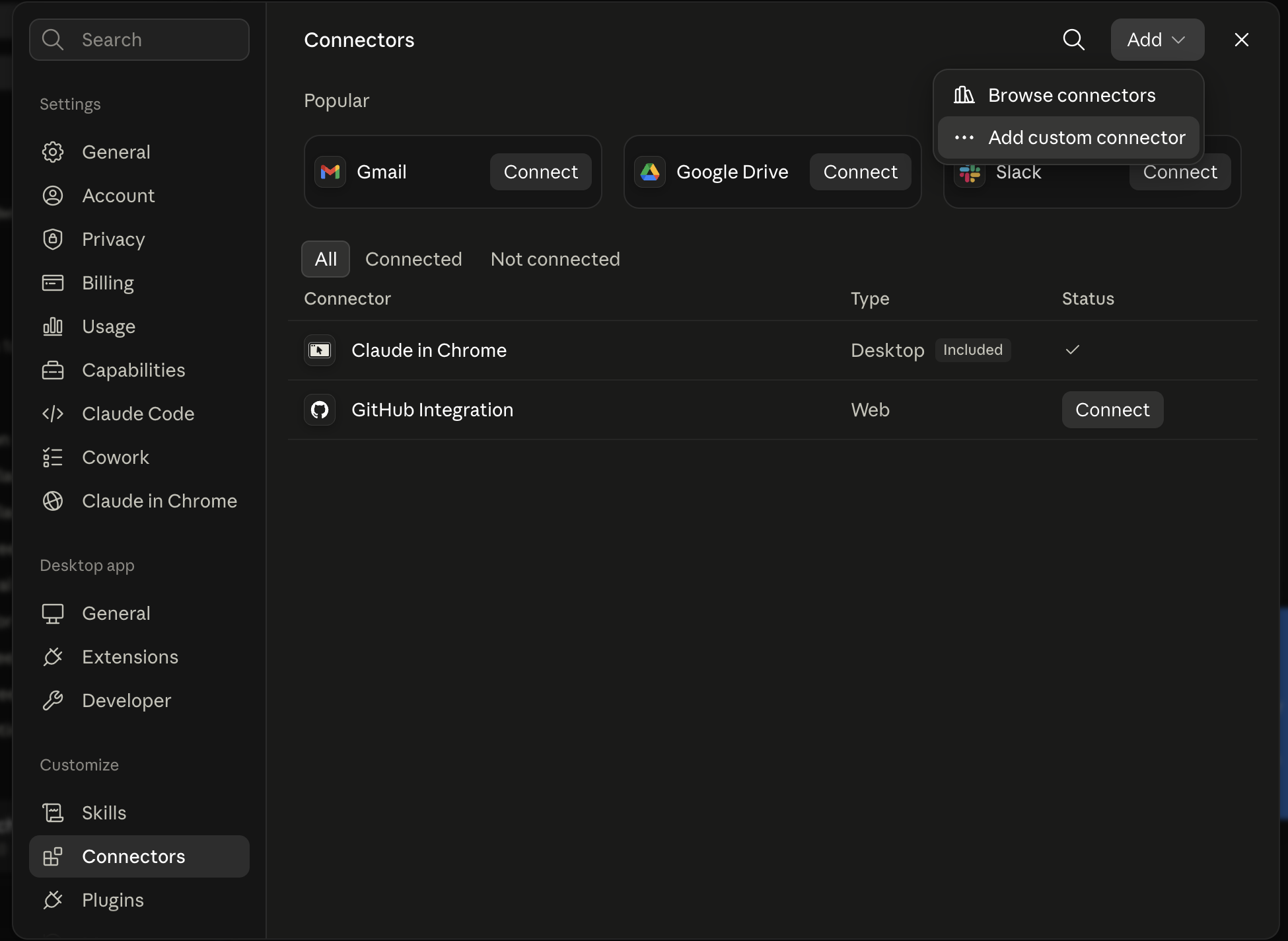
- In Claude, click Customize in the left sidebar (on some versions it is Settings), then open Connectors.
- Click Add, then Add custom connector.
- Name it Ootto and paste this address: https://mcp.ootto.ai/mcp. Leave the advanced settings empty.
- Click Connect. Claude opens a page from Ootto. Sign in there with the same account, and Claude is connected. There is no key to copy.
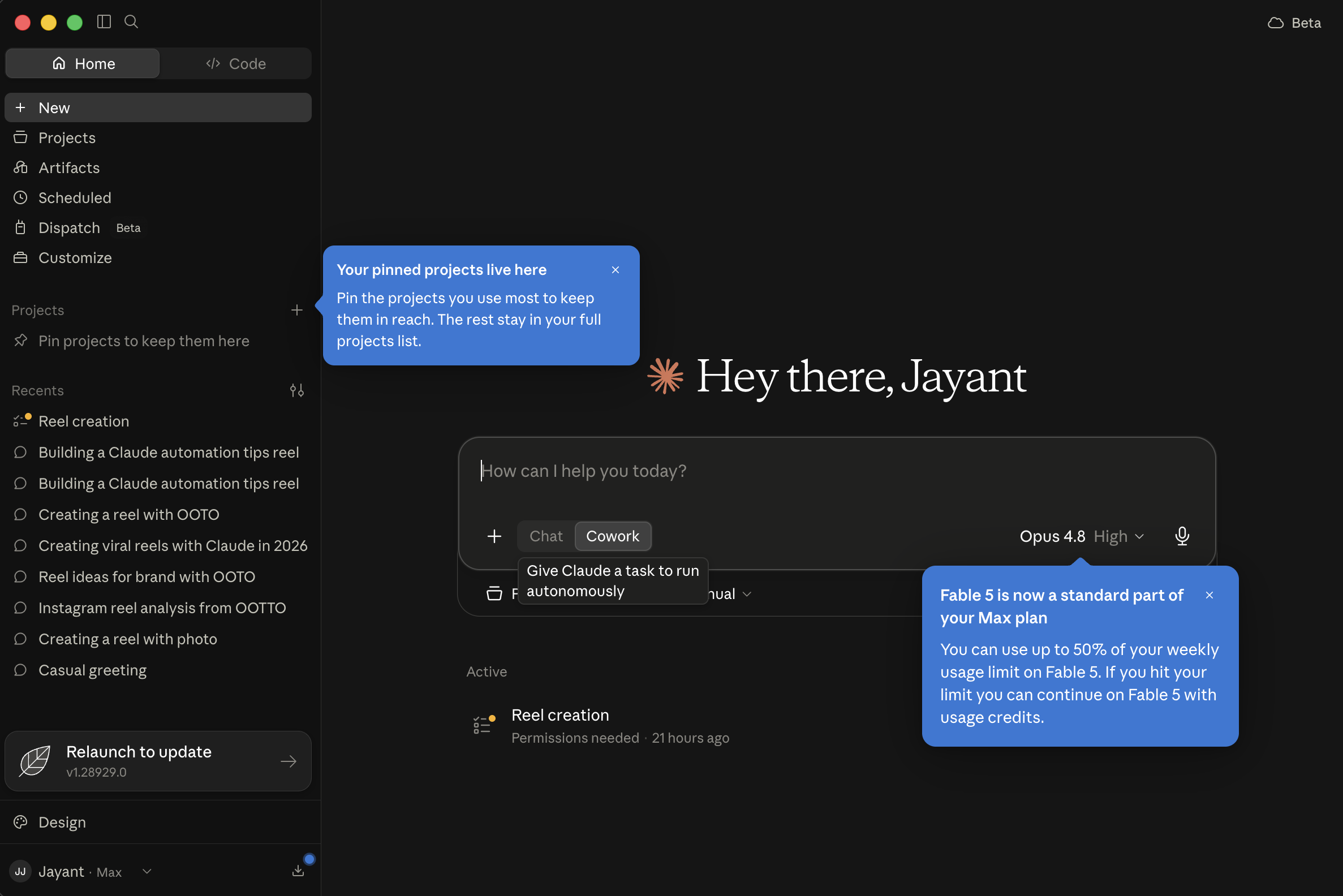
Customize
Open Customize in Claude's left sidebar.
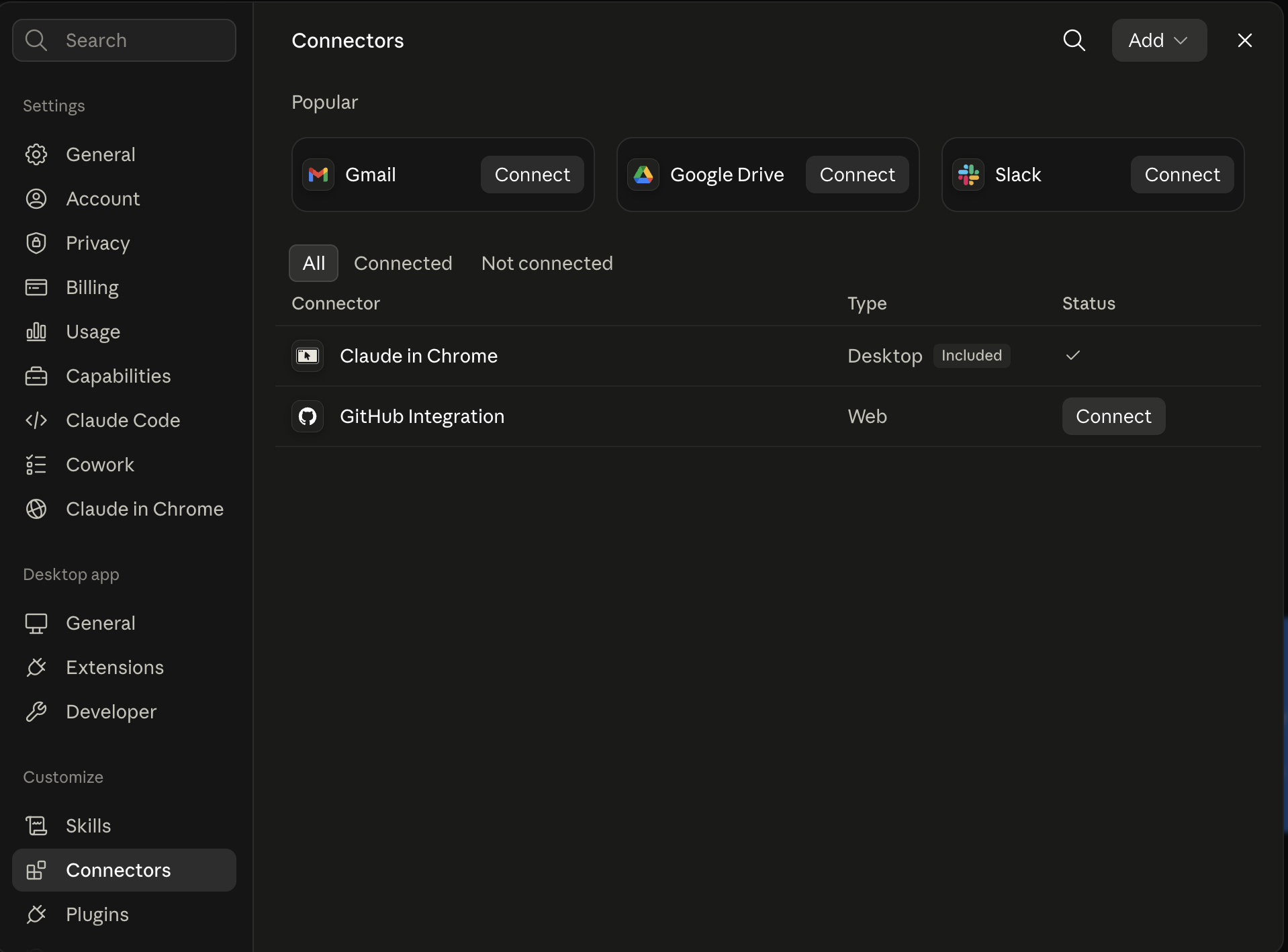
Press Add
Connectors, then the Add button at the top right.
Add custom connector
Pick Add custom connector from the menu.
Name it, paste the address
Ootto, and https://mcp.ootto.ai/mcp. Then Connect and sign in.
Shortcut: open Claude's connector form with Ootto already filled in, then go straight to step 5. The first time Claude uses Ootto, it asks for your permission. Choose to always allow it, so Claude can work without stopping. More screenshots are in the connector guide.
Step 2: Paste a prompt
Start a new chat in Claude, paste the prompt of the style you want, and swap [your line] for the words you want on screen. Claude makes the reel with Ootto and shows it to you. Want a change? Say it in plain words, like "slower zoom" or "use our blue".
Some styles use a short AI video clip, like the isometric town, the laptop, the clay city and the ink-wash landscape. AI video clips are paid with your credits, at most three in a reel. The last six styles are built around a clip of you, so add one to your Ootto media library first.
Globe arcs

Make my reel a glowing 3D Earth at night that slowly turns and keeps zooming in. Orange arcs fly from my city to the places my customers are, and a ring draws round each one as it lands. My line sits above the globe: [your line]
Before and after
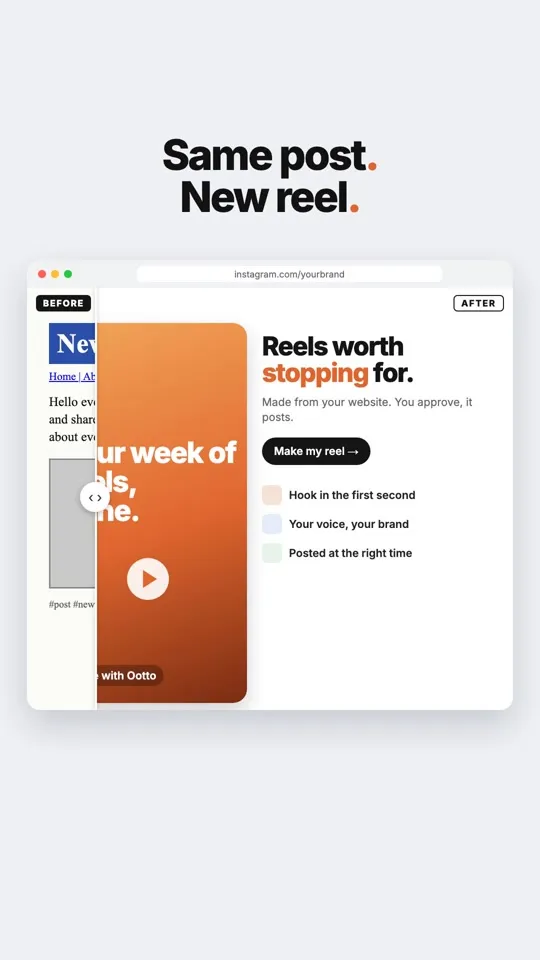
Make my reel a before-and-after slider: my old, plain post on one side, the new polished version on the other, and a handle that wipes from old to new. My line as the headline: [your line]
Iso flow
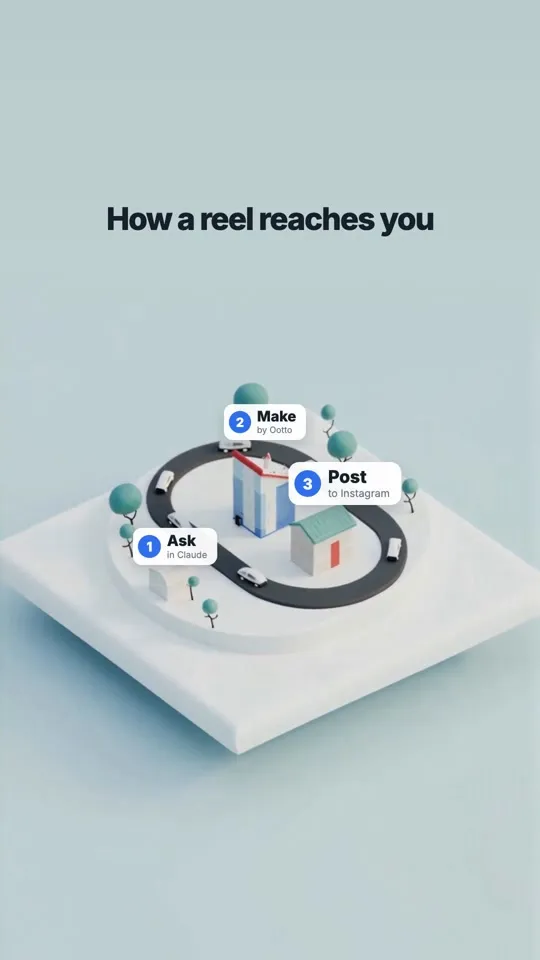
Make my reel a clean isometric 3D diagram of how my business works: a small white model town with a road looping through it, and labelled pins that pop in one step at a time. My line on top: [your line]
Notifications
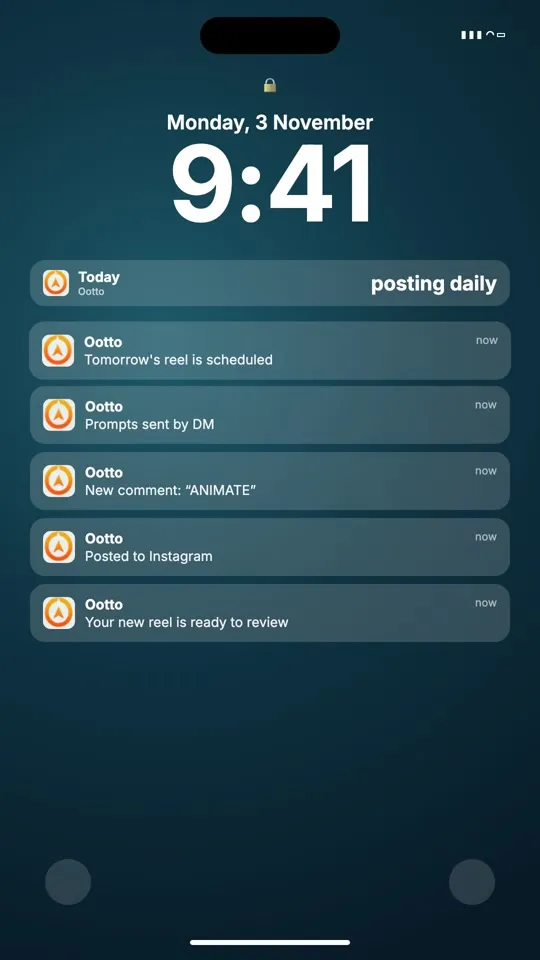
Make my reel a phone lock screen where my brand's notifications stack in one after another, each one a step my customer takes. My line as the top alert: [your line]
Day counter
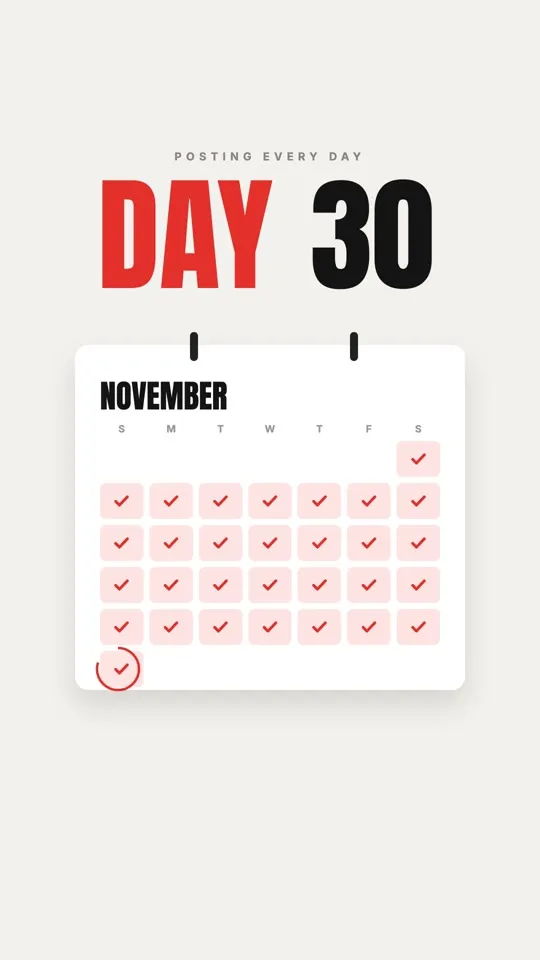
Make my reel a big bold day counter that rolls up to my number while a calendar ticks off each day in red. My line above it: [your line]
Laptop reveal
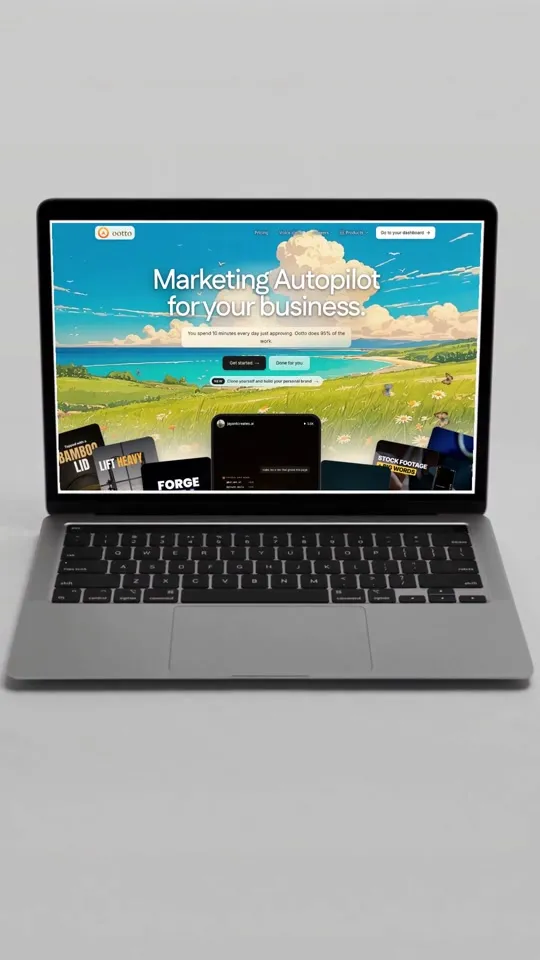
Make my reel a real-looking laptop on a light studio set that opens and turns toward camera, with my own website on the screen as it lands. My line over it: [your line]
Map route

Make my reel a white 3D clay city seen from above, with a blue route drawing itself through the streets to a red pin while the camera glides along it, and a navigation card on top. My line in the card: [your line]
Headline
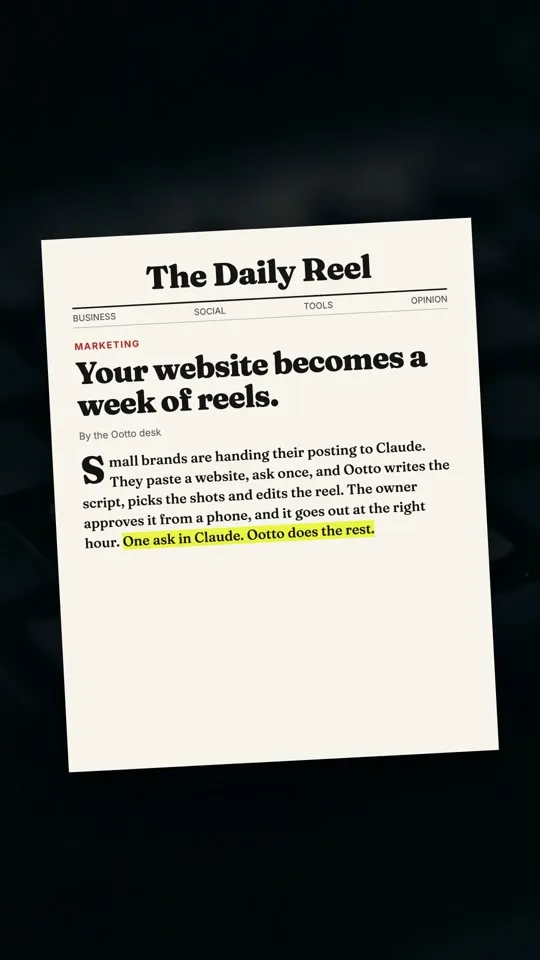
Make my reel a printed newspaper page lying on a dark keyboard, with a yellow highlighter sweeping across the key sentence. My line as that sentence: [your line]
Ink wash

Make my reel a Chinese ink-wash landscape: misty mountains, a red sun, a small boat drifting, and my line written vertically down the side: [your line]
Teardown
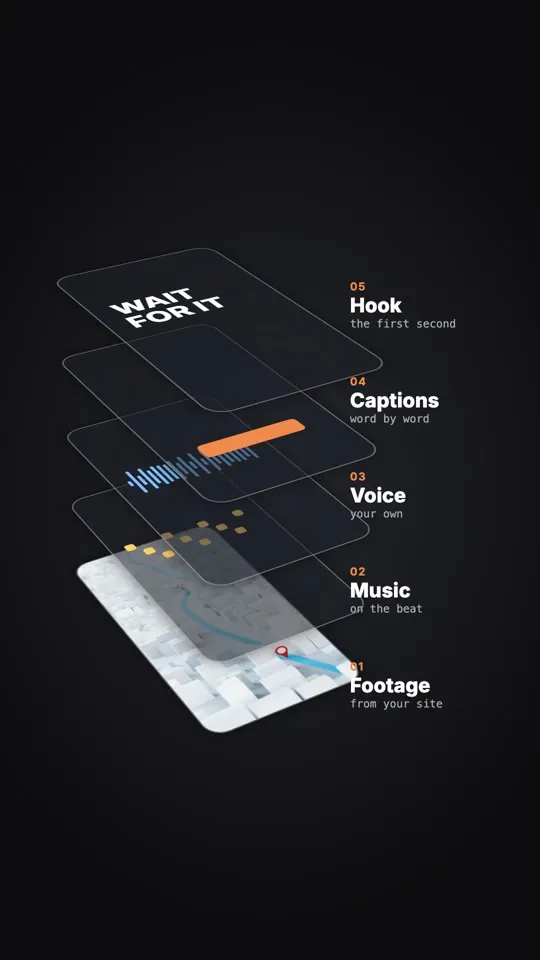
Make my reel an exploded 3D teardown of my product: its layers lift apart and float in space, each with a small label. My line as the title: [your line]
Paper desk
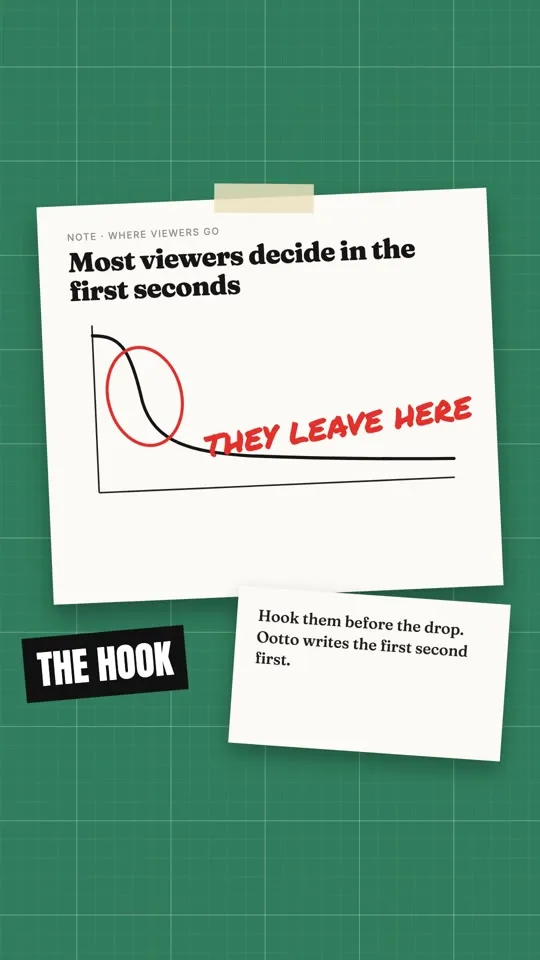
Make my reel a sheet of paper on a green cutting mat: a hand-drawn chart, a red marker scribble circling the key point, and a strip of tape with a label. My line written on the paper: [your line]
Stat chart
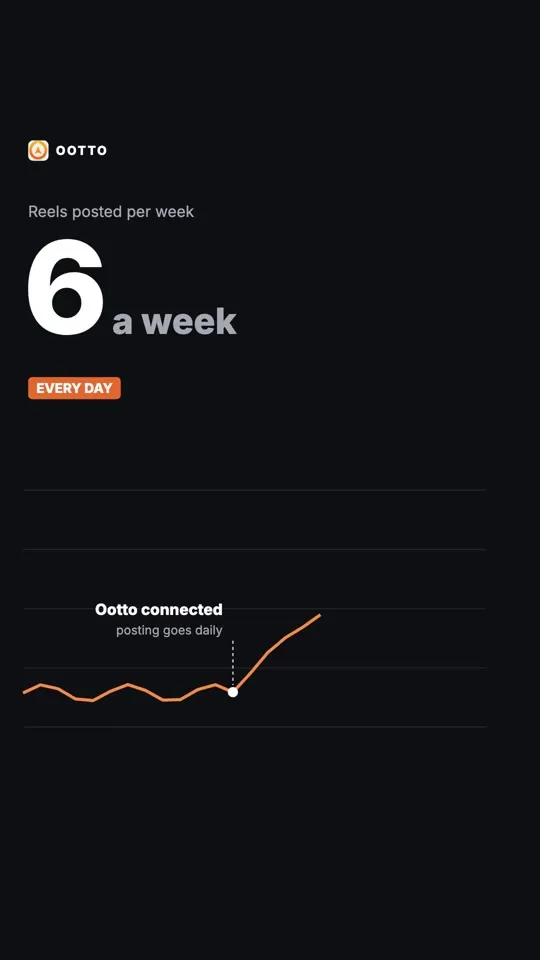
Make my reel a dark stat card where a big number counts up and a line chart rises with it, with one handwritten note pointing at the turn. Use only my real number. My line as the label: [your line]
Bold grid
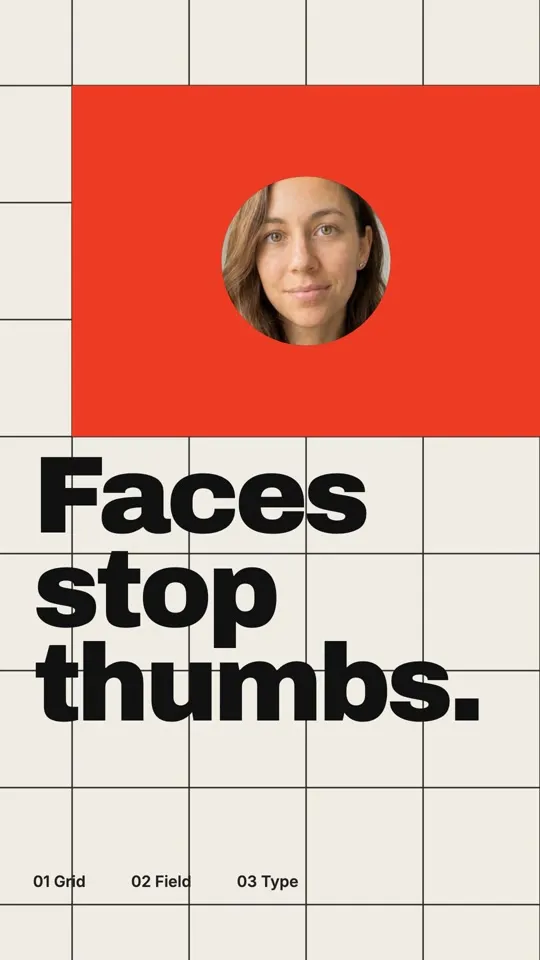
Make my reel on a strict cream grid with one red field. Put my face in a circle that hops cell to cell, then stack my line in big black type: [your line]
Night TV
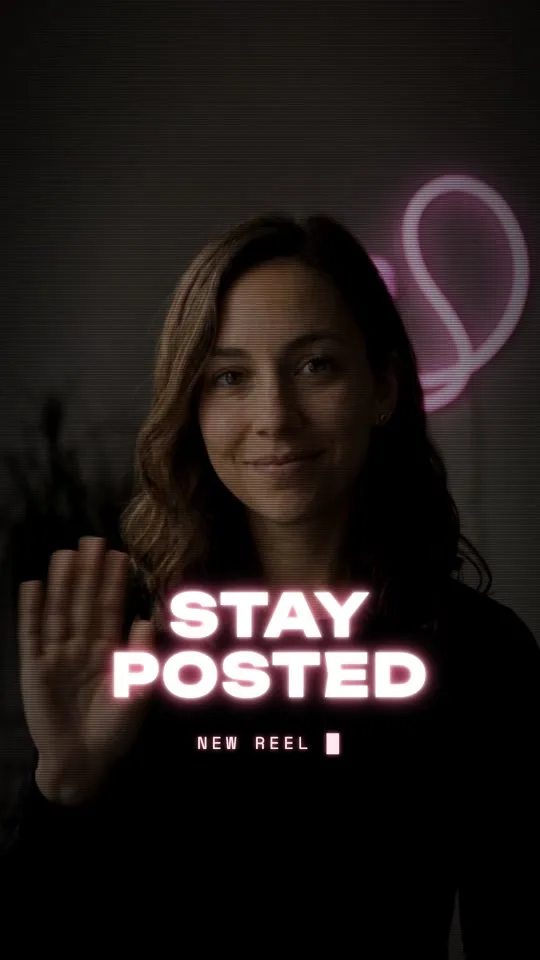
Make my reel open like an old tube TV switching on: a glowing line opens onto my clip, my line glows in white and pink, a small caption types under it: [your line]
Riso print
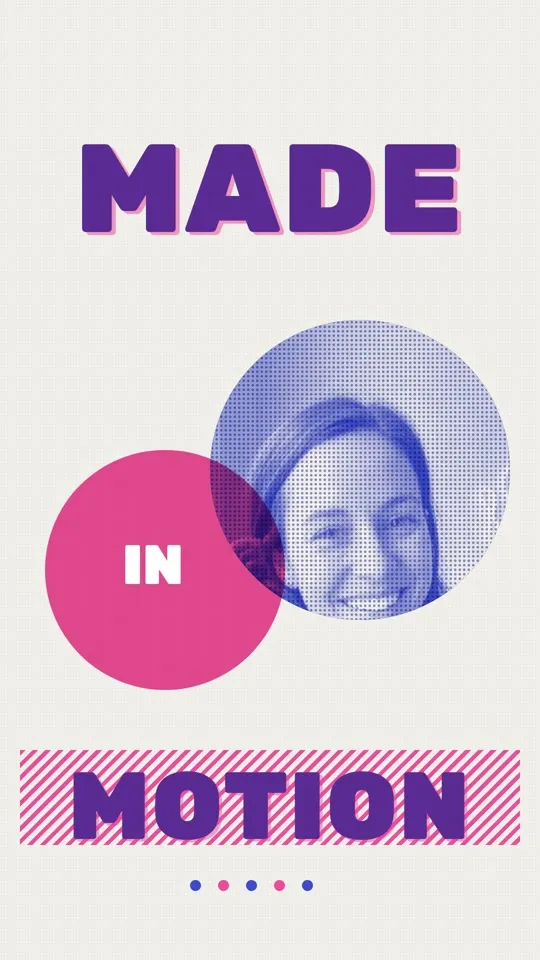
Make my reel a two-colour riso print, pink and blue halftone circles, my clip inside the blue one, big purple type with a striped bar: [your line]
Blue serif
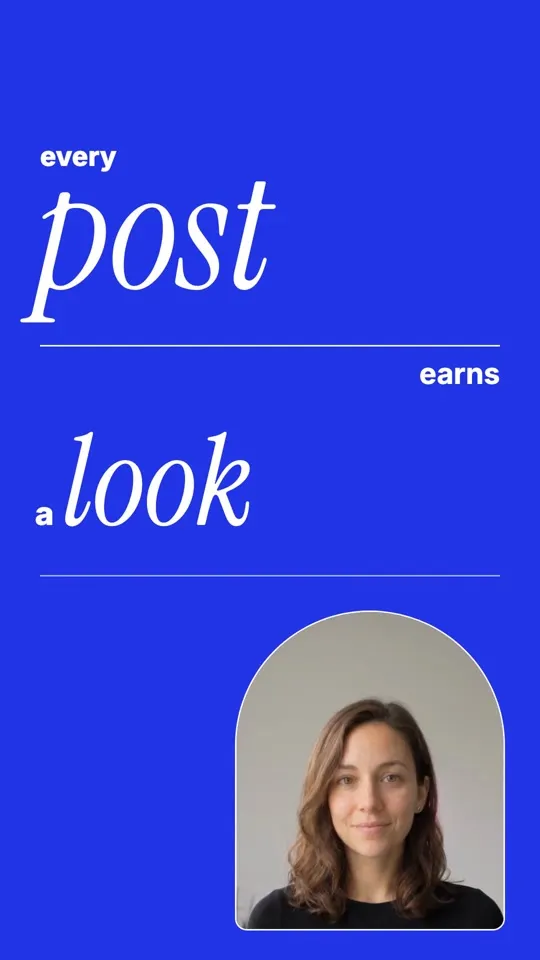
Make my reel on electric blue with huge italic serif words typing in one by one, thin white rules, and my clip in an arched frame: [your line]
Sketch to reel
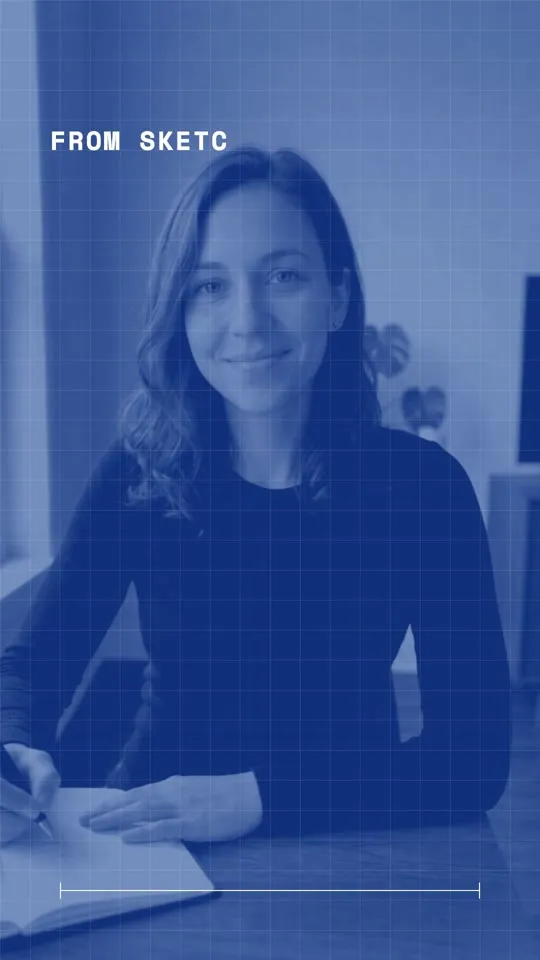
Start my reel as a pencil sketch of my clip, let blue ink spread across it, then show the real clip as a blueprint with my line typed on top: [your line]
Voice wave
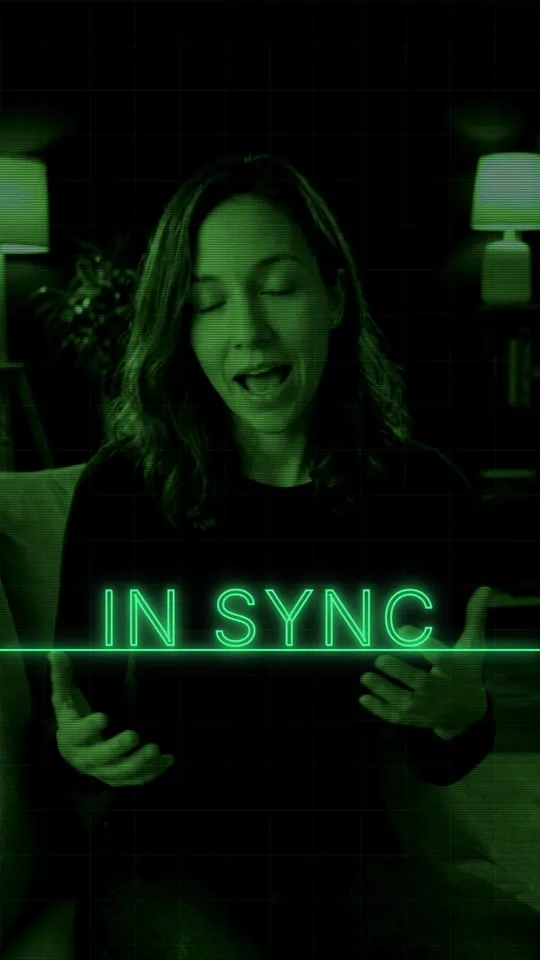
Make my reel a green oscilloscope: a sine wave, looping traces, then my clip on the monitor with my line drawn by the trace: [your line]
Ootto
Your 24/7 Instagram Growth Operator
Skip the manual setup
- Posts finished Reels straight to your Instagram
- Real motion-graphic Reels, not slideshows
- Built around your own photos and footage
- Finds winning content opportunities in your niche
- Writes on-brand scripts and captions
- Answers every comment by your own keyword rules
- DMs qualified leads and starts the conversation
- Runs up to 50 Instagram accounts
One AI. Every Post. Every Comment. More Leads. More Sales.
Frequently asked questions
Do I need to know animation to use these?
Where do I paste the prompts?
Will the reel use my brand?
Does Ootto post the reel for me?
What does it cost?
Keep reading
content
Is Ootto the Coolest AI Video Editor for Instagram Reels?
Ootto is an AI video editor with its own style library. Pick a style, send your footage or none at all, and get a finished reel with the cuts, captions, music and voice done.
content
How Are These AI Motion Graphics Reels Made? (Claude, No Editor)
Those animated reels with text landing on every word are made by Claude writing the video as code, then rendering it. How it works, how to do it yourself, and how Ootto does it for you.
content
The Only Way to Grow Your Instagram With Claude in 2026
How we grew to over 10,000 leads in a month on Instagram with Claude, in 15 minutes a day - free to run yourself, or let Ootto run it for you.
content
The First Connector That Makes Your Instagram Reels With Claude
Connect Ootto to Claude in one click and Claude reads your Instagram, tears down the reels winning in your niche, and renders new ones in your brand. The full setup, the prompts we actually ran, and what each one returned.
Ootto
Run Ootto in your Claude
Skip the manual setup
- Finds winning content opportunities
- Creates on-brand Reels and captions
- Replies to comments instantly
- Starts personalized DM conversations
- Qualifies leads automatically
- Helps book calls and drive sales
- Learns and improves with every interaction
One AI. Every Post. Every Comment. More Leads. More Sales.
Get started$48/month, charged today. Cancel any time.