
Content
How to Build an Instagram Reel Autopilot in Claude (Free Skills + MCP)
The Ootto Team · 7 min read · July 2, 2026
How to use this
1Connect Claude to Instagram
Connect Claude to your Instagram account
One click opens Claude with the connector already filled in - sign in, authorize, and it's live. No key to copy, no setup outside your browser.
https://mcp.ootto.ai/mcpConnect2Add the skills
Once Claude can reach your account, give it the methods to work with. Clone the free repository and Claude discovers the skills automatically.
git clone --depth 1 https://github.com/Ootto-AI/claude-content-skills.git && bash claude-content-skills/install.shBrowse all 30 skills on GitHubInstructions: how to connect your Instagram account to Claude
Connect above does this for you. If Claude ever opens the dialog empty, here's exactly what goes where:
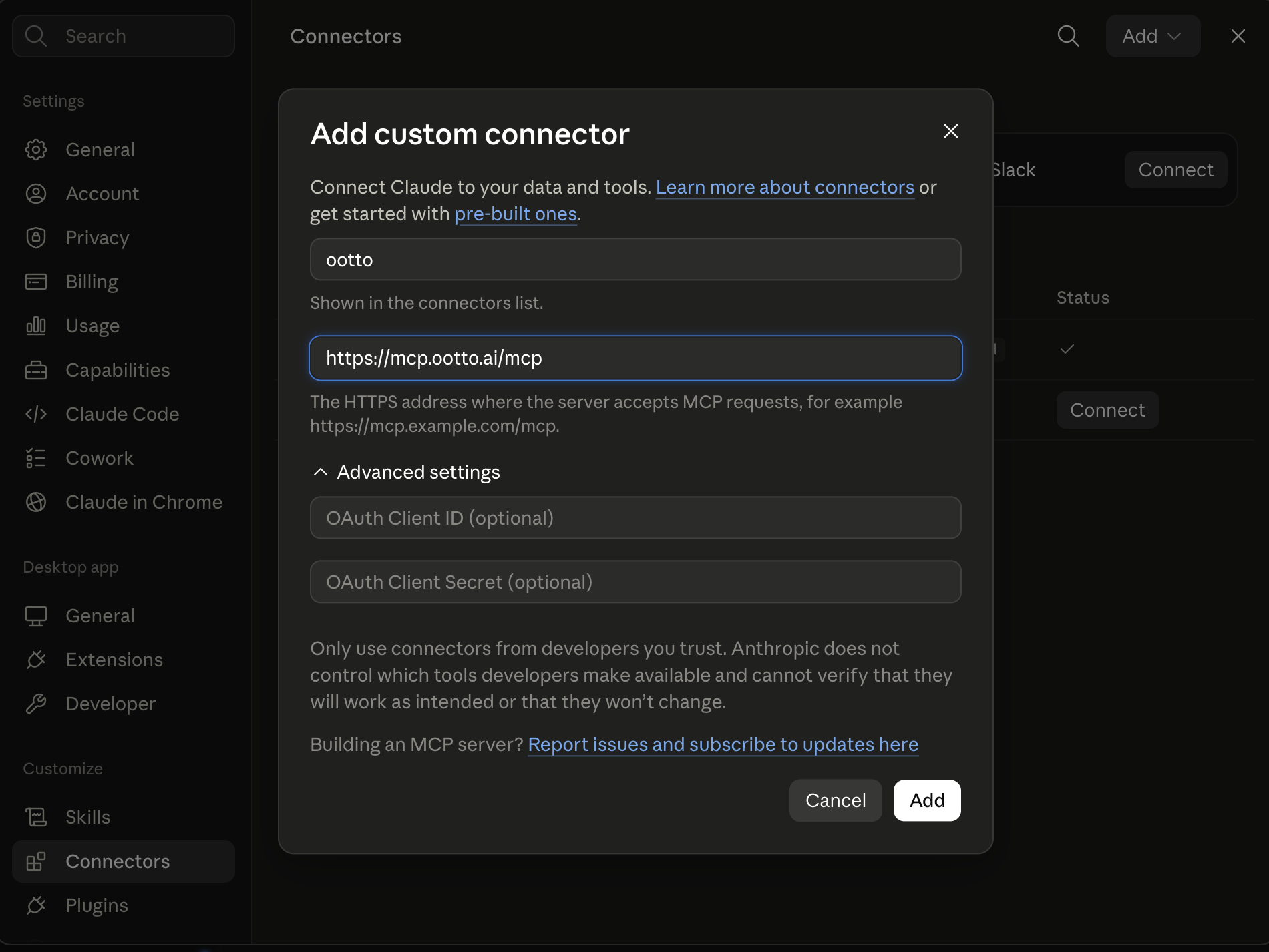
Here's the whole thing, start to finish: point Claude at a reel that already went viral, and it tears it apart frame by frame, rebuilds the format in your voice, writes the hook and script, assembles the reel, posts it, and then DMs everyone who comments — turning views into booked leads. On a loop, three times a day.
You can build this yourself. The prompts are free, and the engine is a Model Context Protocol (MCP) server you can point Claude at. Below is the exact pipeline. If you'd rather skip the wiring and just get results, that's the Ootto done-for-you path — more on that at the end.
Get the prompts: the whole set of skills is free on GitHub → Ootto content skills.
What the autopilot actually does
Most people "use AI for Instagram" by asking ChatGPT for caption ideas. That's a toy. An autopilot is a pipeline — each step feeds the next, and none of it needs you at the keyboard once it's running:
- Dissect a proven viral reel — hook, structure, pacing, on-screen text.
- Research what your niche is actually engaging with this week.
- Hook — write scroll-stopping first lines and pick the best to test.
- Script — turn the winning structure into a 30–45s script in your voice.
- Build — assemble the reel: beats, on-screen text, voiceover, music, b-roll.
- Caption — caption, tiered hashtags, and a first comment built for saves.
- Post — publish on a schedule, monitored for virality.
- Convert — auto-reply to every comment and DM the resource — a lead loop that runs 24/7.
Do that consistently and the algorithm has no choice but to push you. The hard part was never one great reel — it's doing all eight steps, every day, forever.
Setup: the skills + the MCP
Two pieces. The skills are markdown prompts — each one does a single job (analyze a reel, write hooks, build the reel). The MCP is the live engine that lets Claude actually watch videos, render reels, and post to Instagram.
Add the skills to Claude:
- Create a Project in Claude for your brand.
- Drop in your brand context — who you serve, your voice, your offer, your CTA keyword.
- Add a skill (or paste it as a prompt) plus the reel or topic you're working on.
- Reuse it every time. The skill is the recipe; your brand context is the seasoning.
Connect the MCP to give Claude hands: watching reels frame-by-frame, generating a voiceover, rendering the video, and publishing all happen through MCP tools (the full list is below). You add it once as an MCP server in Claude and it's available in every chat.
The pipeline, step by step
Here's the DIY version of each stage, with the skill that runs it and a prompt to copy.
1. Dissect a real viral reel. Don't guess what works — reverse-engineer what already did. The Reel Analyzer skill (backed by the dissect_reel tool) watches the video frame by frame and reads the transcript, then breaks down the hook, the beat structure, the pacing, and the visual choices.
Dissect this reel: [url]. Give me the hook, the beat-by-beat structure with timestamps, the pacing, the on-screen text pattern, and why it held attention. Then tell me the reusable format.
2. Research your niche. The niche research step (niche_research) pulls what your audience is actually arguing about and saving right now, so you build on live demand instead of a hunch.
Research my niche — [niche]. What formats and topics are overperforming this week, and what does my audience keep asking?
3. Write the hook. The first 1–3 seconds decide everything. Viral Hook Writer gives you ten scroll-stoppers, ranked for what to test first.
Using that format and my niche, write 10 hooks for the first 3 seconds. Rank them by scroll-stopping power and tell me which to test first.
4. Script it. Reel Scripter turns the proven structure into a tight 30–45s original script — your words, the structure that already worked.
Take hook #1 and the format from the teardown. Write a 30–45s script in my voice: on-screen text per beat, what I say, and the visual for each beat.
5. Build the reel. Reel Builder (and the reel_create tool) assembles the whole thing — script, on-screen text, the visual per beat, voiceover, sound effects, music, and stock footage — into a rendered video ready to post.
Build the reel from this script. Add a voiceover, on-screen text, music, and b-roll for each beat. Render it vertical, ready to post.
6. Caption and hashtags. The Caption & Hashtags skill writes the caption, a tiered hashtag set, and a first comment engineered for saves and reach.
7. Post it. With the MCP connected (reel_post), Claude publishes to your connected Instagram account on a schedule — no manual upload.
8. Turn comments into leads. This is the part everyone skips. The Comment Responder skill plus the autoreply tools (autoreply_rule_add, autoreply_run) watch your comments, post a warm public reply, then DM the resource — every commenter becomes a lead, 24/7.
When someone comments "[keyword]", reply publicly and DM them [the resource]. Do it for every comment on this reel.
Run steps 1–8 three times a day and you have an autopilot. Run it once and forget, and you have nothing — which is exactly why most people never get there. For the full copy-paste set, see our 30 Claude skills for Instagram content, or the system we used to make our own reels go viral.
Inside the Ootto MCP — how it works + every tool
The MCP is a server Claude talks to over a standard protocol. You give Claude one connection, and it can do everything below without you switching apps. Here's every tool, grouped by what it does:
Account & brand
whoami— who you're connected as.account_create/account_list/account_health— add and check the accounts you manage.social_connect— link an Instagram account via OAuth.brand_onboard— tear down a reference reel and build your brand's dynamic skill (voice, palette, CTA).brand_get/brand_update— read and edit that brand skill on the fly.
Research
niche_research— what's winning in your niche right now.niche_comments— mine comment sections for demand and objections.
Create
dissect_reel— watch any reel frame-by-frame with the transcript, for studying format.reel_create— generate an on-brand reel from a topic (brand skill → script → render).voiceover_generate/sfx_generate/bgm_fetch/stock_fetch— the audio and footage that go into the reel.
Publish
reel_post— publish a reel to Instagram.
Engage & convert
instagram_comments/instagram_reply/instagram_dm— read comments and reply or DM.autoreply_rule_add/autoreply_rules/autoreply_run— the comment-to-lead engine that runs on a schedule.social_action— the escape hatch for any other Instagram action.
That's the whole machine. Point Claude at it, add the skills as the recipes, and you've replicated the autopilot.
Do it yourself — or let Ootto run it
Two honest paths from here.
Replicate it yourself. The skills are free — grab them from our GitHub, wire up the MCP, and run the pipeline. If you enjoy the setup and want full control, this is genuinely everything you need. It costs your time.
Or stop wiring it together. This is the real product, not a mockup — it's running these exact eight steps on a real connected Instagram account. Ootto learns your brand once, dissects what's already working in your niche, and hands you a built reel with one click instead of eight manual ones.
Ootto
Your 24/7 Instagram Growth Operator
Skip the manual setup
- Posts finished Reels straight to your Instagram
- Real motion-graphic Reels, not slideshows
- Built around your own photos and footage
- Finds winning content opportunities in your niche
- Writes on-brand scripts and captions
- Answers every comment by your own keyword rules
- DMs qualified leads and starts the conversation
- Runs up to 50 Instagram accounts
One AI. Every Post. Every Comment. More Leads. More Sales.
Route A: do it yourself
Start with the exact free skill for this outcome
MIT, no account, no email. Install first, then run the command for your account.
For this outcome: Content Factory
git clone --depth 1 https://github.com/Ootto-AI/claude-content-skills.git && bash claude-content-skills/install.sh
Installs the free MIT Content Skills bundle into ~/.claude/skills in one shot.
/content-factory - my niche is [niche], model this reel: [reel URL], my handle @..., CTA keyword GUIDE
Runs the full pipeline order for the post: research, hook, script, build, caption, and comment-to-DM lead setup.
Route B: let Ootto run it
Ootto replicates this on autopilot
Open the dashboard, connect once, then let the pipeline handle research, production, and lead replies.
Open the connector dashboard
Go to /content/login, sign in, and open your Ootto content dashboard.
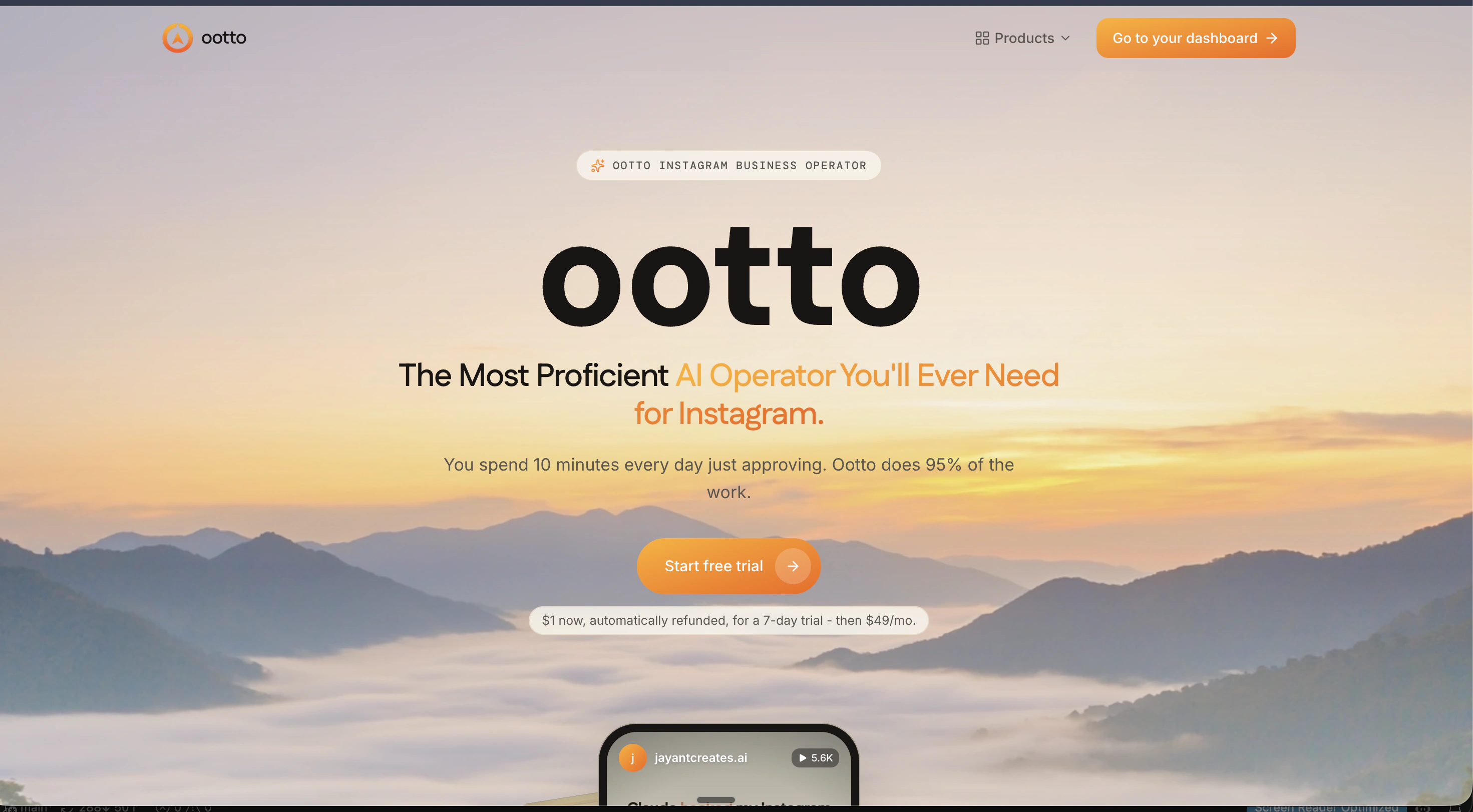
Add Ootto to Claude
Use the one-button Add flow so Ootto appears in Claude's Connectors panel.
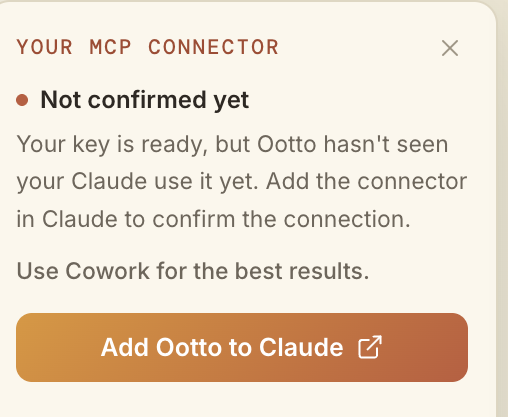
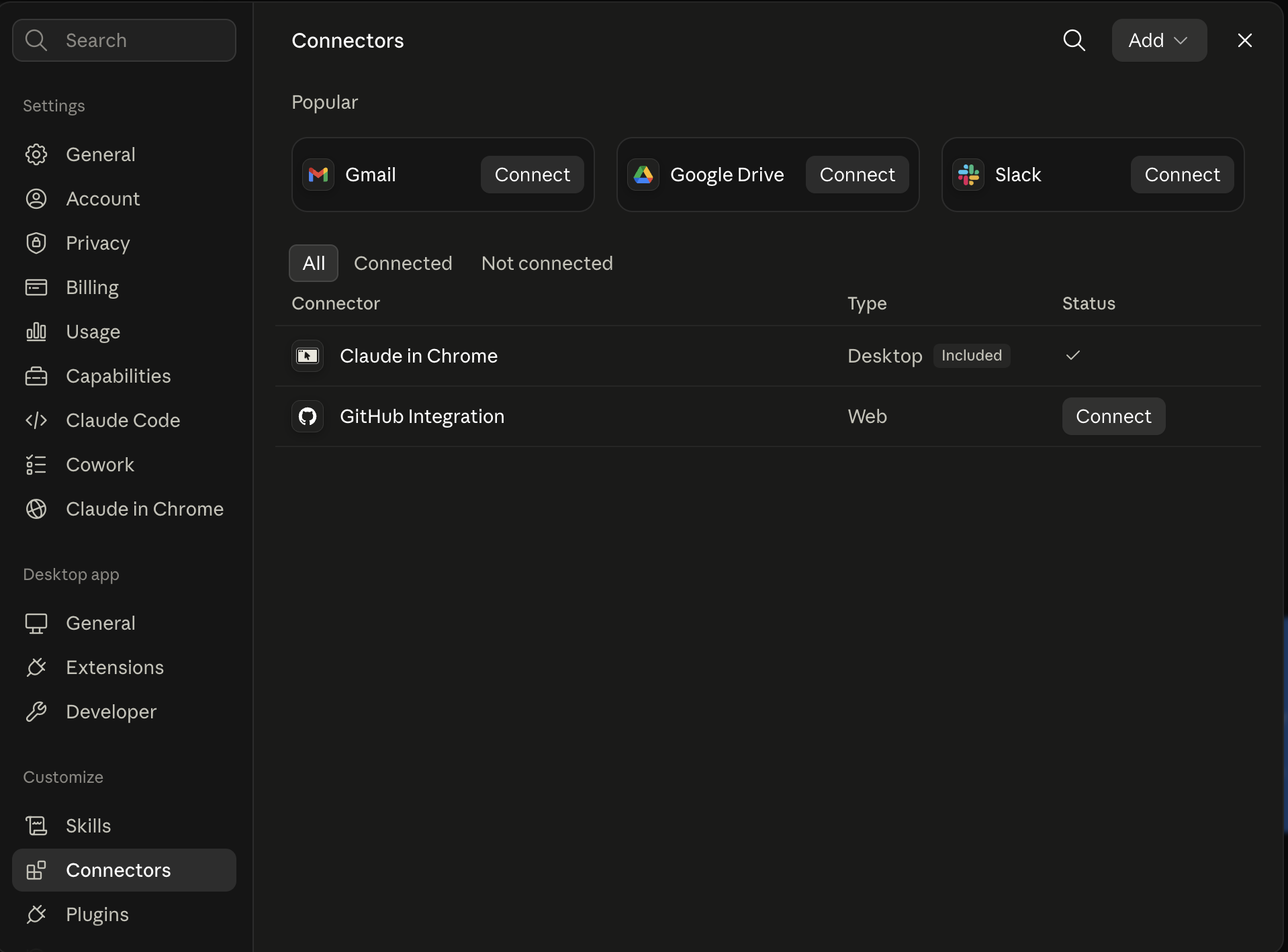
Claude shows the connector
The connector lands in Claude's Connectors settings, confirming Ootto is wired.
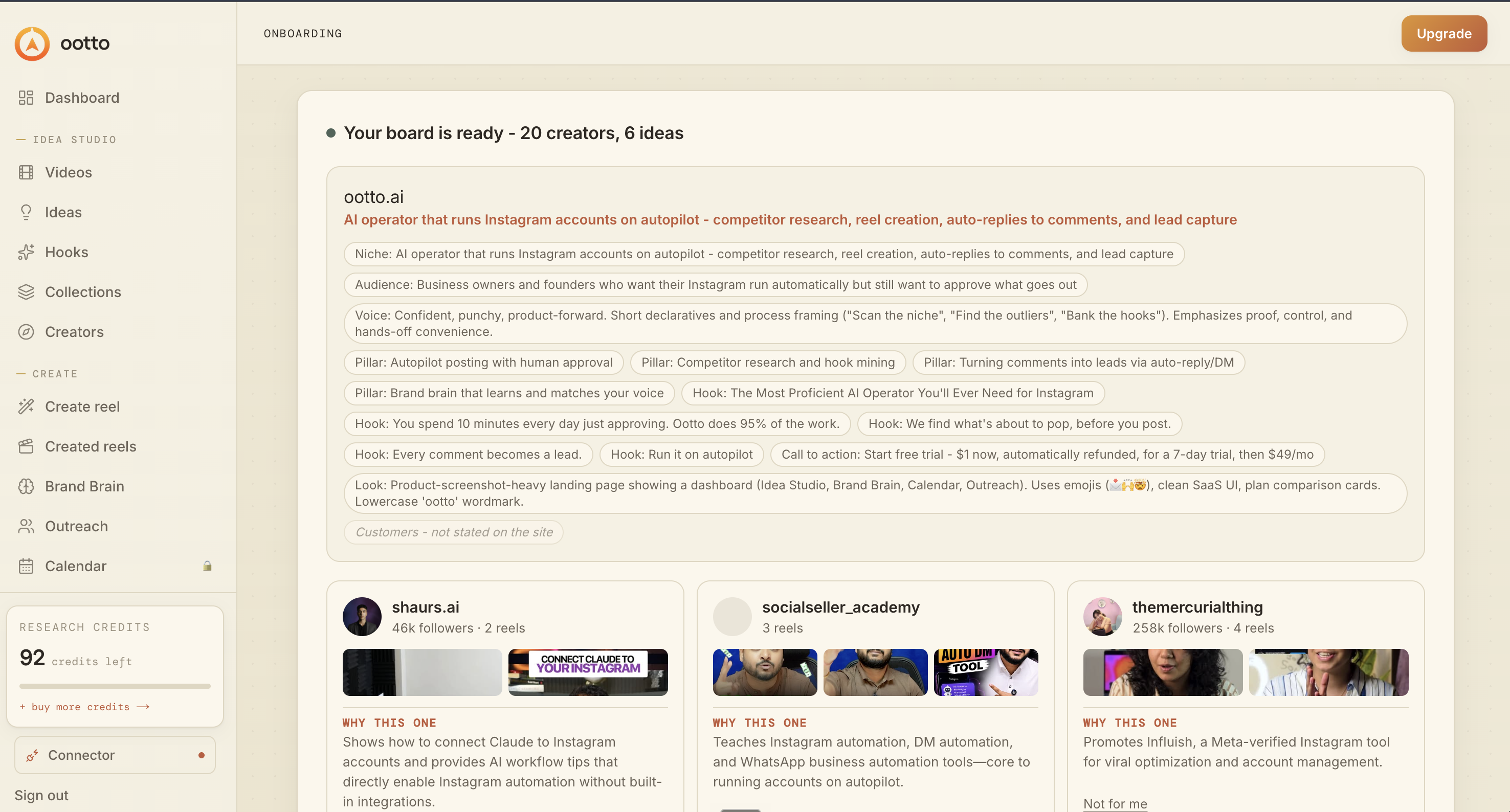
Board reads back your context
Your audience, pillars, voice, and creator signals are filled from account context.
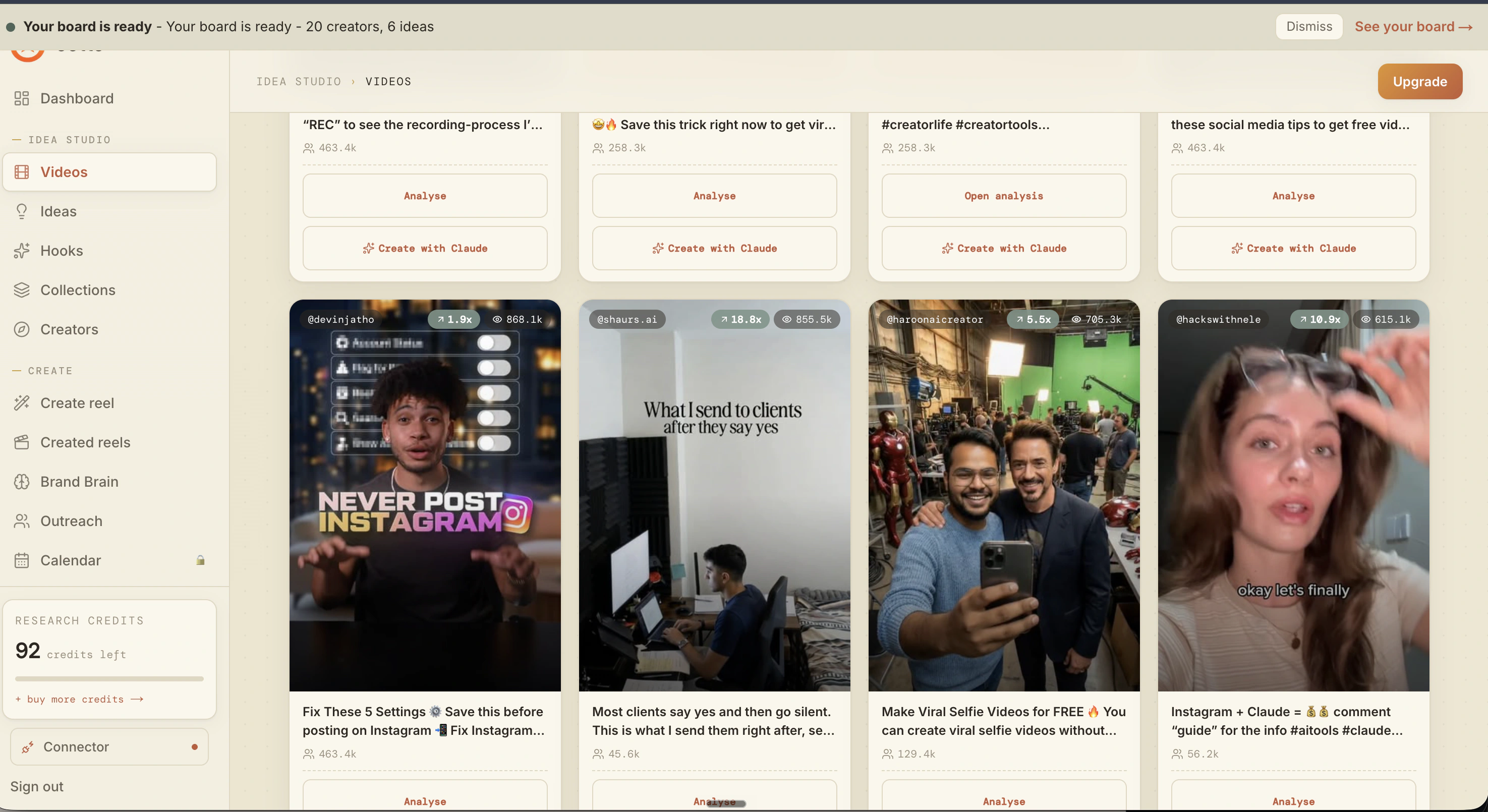
What is actually working now
Ootto pulls what is moving in your niche and loads ranked examples in board.
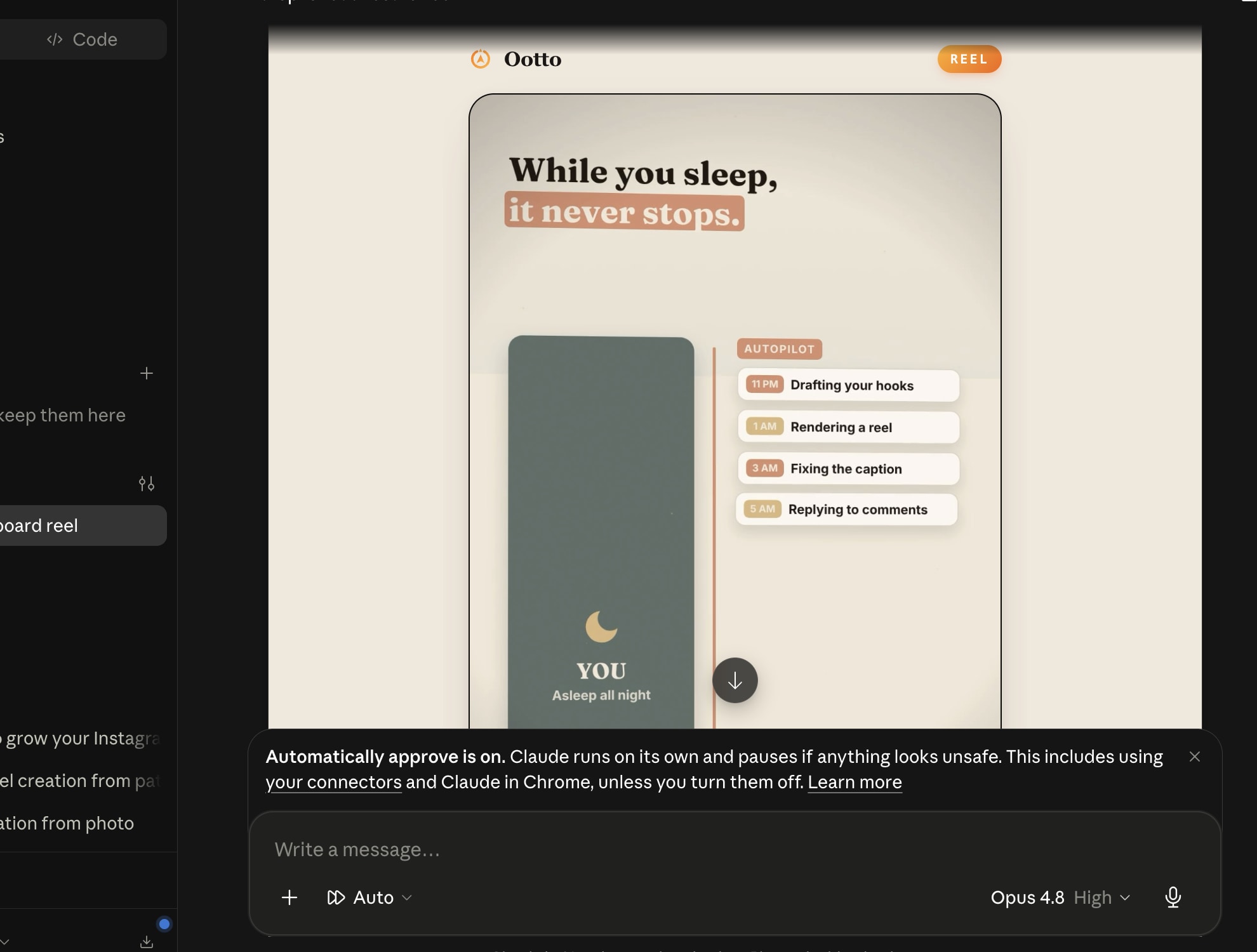
Reels post, comments get answered
Finished reels publish to Instagram and comments are answered with public replies plus DM follow-ups.
Get started