How to use this
1Connect Claude to Instagram
Connect Claude to your Instagram account
One click opens Claude with the connector already filled in - sign in, authorize, and it's live. No key to copy, no setup outside your browser.
https://mcp.ootto.ai/mcpConnect2Add the skills
Once Claude can reach your account, give it the methods to work with. Clone the free repository and Claude discovers the skills automatically.
git clone --depth 1 https://github.com/Ootto-AI/claude-content-skills.git && bash claude-content-skills/install.shBrowse all 30 skills on GitHubInstructions: how to connect your Instagram account to Claude
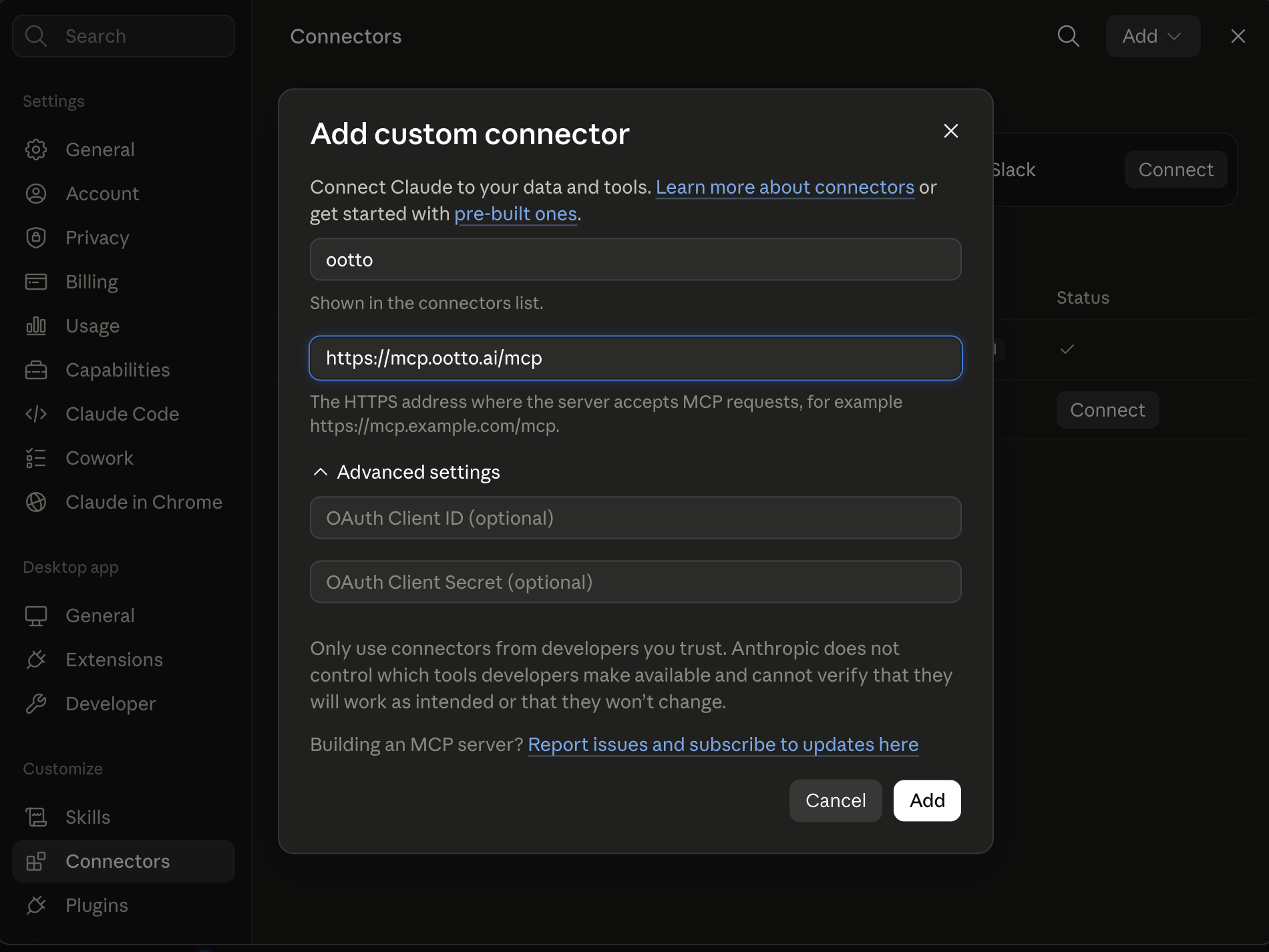
Connect above does this for you. If Claude ever opens the dialog empty, here's exactly what goes where:
Instagram content repeats a small set of jobs. You find a format worth studying, turn the lesson into an original idea, make the reel, publish it, and learn from what happens next. These 30 Claude skills put a method around each job so you do not restart from a blank chat every time.
They are free, MIT-licensed markdown files in Ootto-AI/claude-content-skills. The repository currently contains 52 skill folders, and this guide focuses on the documented 30-skill Instagram set in its README.
This page is for a person who has never installed a Claude skill or connected an Instagram account. You can use the skills with pasted notes, transcripts, or exports. Connecting Claude to Instagram removes some of that copying, but it is not required to start.
Free skills and prompts for Instagram content
The public repository gives you the methods, while your prompt and source material give each run a real job to do. Start with one skill and one reel, transcript, comment set, or insights export rather than trying to automate an entire content strategy in a single chat.
What are Claude Instagram skills?
A Claude Instagram skill is a markdown instruction file for one repeatable content job. It can teach Claude how to inspect a reel's structure, write hook alternatives, turn a script into a shot list, or turn a keyword comment into a defined response rule.
The skill supplies the method. Your source material supplies the facts. The prompt tells Claude which job to run now.
A skill is not an Instagram app, an account connection, or a model fine-tune. It cannot see a reel or an account on its own. You either give Claude a transcript, a video file, screenshots, comments, insights, or connect a tool that can provide the relevant material.
The practical value is consistency. When you save a method once, the next run follows the same inputs, checks, and output shape instead of depending on how you happened to phrase a chat that day.
Claude skills for Instagram research vs Claude skills for making reels
Research skills work from evidence such as public posts, reel links, comments, transcripts, and supplied insights. They help identify patterns to adapt without copying a creator's words or voice.
Making skills use your idea, audience, goal, and approved brand context to create an original hook, script, storyboard, caption, or posting plan. The useful sequence is research first, creation second, and review after publishing.
What these are
These are thirty small methods, not one black box that promises to run an account by itself. One skill remembers relevant decisions in a local Obsidian vault. Five study what has already happened. Ten take an idea through a reel build. Eight support publishing and conversations. Six help improve the account over time.
The files are plain markdown, so there are several honest ways to use them. You can open a file on GitHub and paste its instructions into a Claude conversation. You can upload files into a Claude Project as knowledge. You can install folders in Claude Code where it discovers skills automatically.
The source of truth is the public repository. Each file says what it needs and where it belongs in the workflow.
A prompt you reuse
“Script a reel about ___”
Saved as a skill
One markdown file
Run it any time
Same job, one command
Anatomy of a SKILL.md file
A skill is intentionally unglamorous.
It is a folder with a file named SKILL.md.
At the top is YAML frontmatter that names the skill and describes when it applies.
Below that is the operating method in ordinary markdown.
Here is the substantive portion of the real reel-analyzer/SKILL.md from the public repository, with typography normalized so the code sample does not introduce a special dash character.
---
name: reel-analyzer
description: >
  Feed Claude any viral reel (a link or a file) and it studies the whole thing - frame by frame
  plus the transcript - then breaks down exactly why it works: the hook, the beat structure, the
  pacing, and the on-screen visuals.
  Use when the user says "study this reel", "break down this video", "analyze this reel", "why did this go viral", "what's the structure of this", or pastes a
  reel/TikTok/Short link and wants to model it.
user-invokable: true
argument-hint: "[reel/TikTok/Short URL or video file]"
license: MIT
metadata:
  author: Ootto
  version: "1.0.0"
  category: content
---

# Reel Analyzer - Claude watches the reel so you can model it

## When to use
You found a reel, Short, or TikTok that is clearly working and you want to make your own version in your voice.

## What you'll need
The reel link or a downloaded video file.
Optional: your niche and the angle you want.

## Instructions
1. Identify the hook in the first 1-3 seconds.
2. List the beats in order with rough timestamps.
3. Explain pacing and the visual technique.
4. Separate reusable technique from words or voice that must not be copied.
5. Give a one-line plan for an original remake.

## Honesty
Model the structure and technique, never reproduce the creator's words or voice.
The name is the durable handle for the skill.
It is what you type when you invoke it directly, such as /reel-analyzer in a surface that supports slash commands.
The description is the routing label.
Claude can use it to decide whether the full file is relevant before loading the full instructions.
That is why this description says both what the job does and the language a person is likely to use when asking for it.
A vague description such as helps with Instagram has no useful boundary.
It can overlap with nearly every content skill, so Claude has little reason to select it over a more specific file.
A precise description such as use when the user says "study this reel" or pastes a reel link and wants to model it gives Claude a clear match.
The precise version is more likely to fire because it connects a real request, an input type, and one outcome.
The body should make the work reproducible. Useful sections name the required inputs, define the steps in order, state the output shape, and draw a truth boundary where one matters. The Reel Analyzer file says to model technique rather than copy a creator, which is as important as its list of analysis steps.
When more than one skill could apply, the request and the available evidence decide the order.
content-research finds outlier posts across an account or niche.
reel-analyzer examines one chosen reel.
viral-hook-writer creates original openings after there is a topic or lesson to use.
The files link to adjacent skills so a reader can follow that handoff rather than making one oversized file do everything.
Setup: add skills to Claude
There are two legitimate manual routes, depending on where you use Claude.
Claude Projects is the browser route for keeping files available alongside a project.
Claude Code is the local route for formal SKILL.md folders that Claude can discover from your machine.
Manual route: add files to a Claude Project
Start at the Ootto Claude Content Skills repository. Click the green Code button and choose Download ZIP if you do not use a terminal. If you do use a terminal, clone the same repository with the command below.
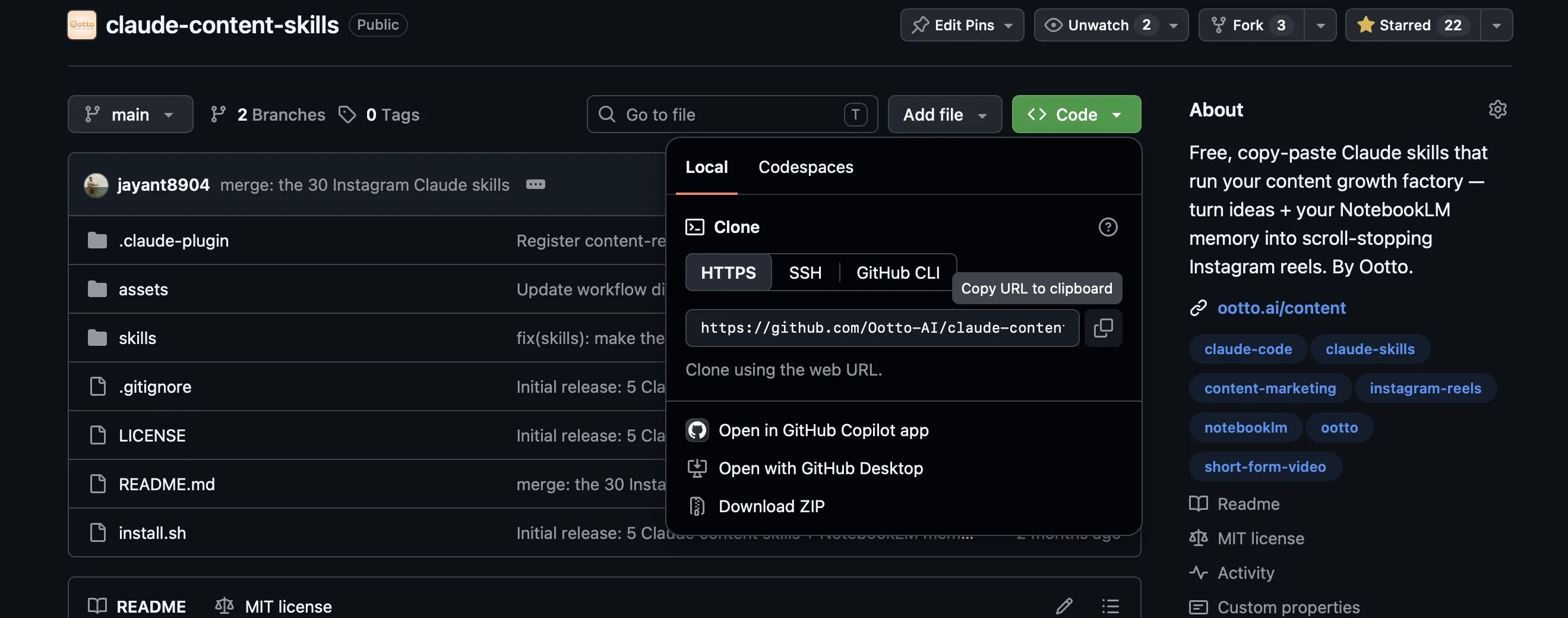
git clone --depth 1 https://github.com/Ootto-AI/claude-content-skills.git
This downloads the public repository into a local claude-content-skills folder.
Open the downloaded folder and then open skills.
Inside are one folder per skill and a SKILL.md file inside each folder.
Pick a small starting group, such as reel-analyzer, viral-hook-writer, and reel-scripter, instead of uploading everything before you know what you need.
In Claude's left sidebar, open Projects and choose Create project.
Give the project a clear name such as Instagram content.
Inside that project, open Project knowledge, choose Add content, and upload the chosen markdown files.
Start a new conversation inside that project. Name the job directly, then supply the material it needs. For example, upload a video or paste a transcript and ask Claude to run the Reel Analyzer.
Study this reel and run the Reel Analyzer. Separate the reusable structure from the creator's exact words, then give me an original remake plan for [my audience].
A named job plus real source material gives the skill a clear routing and evidence boundary.
Hook
“Claude can now make reels.”
Beat structure - 6 spoken segments, 30.86s
- 0.00–4.62Claude can now make reels. This whole page just hit 10,000 views in three days.
- 5.10–9.56So here's exactly how the whole process works. For simple steps, idea to leads.
- 10.04–15.30It starts with any viral reel. Claude studies the whole thing, frame by frame. Then it writes
- 15.30–20.72you an original hook and script. Then it builds the whole reel. Voice over, music, captions,
- 21.14–26.74animations. Claude makes all of it. It even replies to every comment and DMs your leads on autopilot.
- 26.74–30.86Want the full guide? Just comment guide and Claude will send it straight to you.
Real performance, this reel
Comment rate
10.54%
12,753 comments ÷ 120,958 views - the reel ends on a comment-to-DM ask, and the comment rate is why.
This is the real teardown Reel Analyzer produced on this account's own reel - not a summary, not a mock-up. Run the same prompt against your own reel and Claude returns the same kind of report.
Manual route: install folders for Claude Code
Claude Code looks for personal skills in ~/.claude/skills/ and project-shared skills in .claude/skills/.
The repository includes an installer for the personal route.
git clone --depth 1 https://github.com/Ootto-AI/claude-content-skills.git && bash claude-content-skills/install.sh
The repository README documents this command as copying the bundled skills into ~/.claude/skills/.
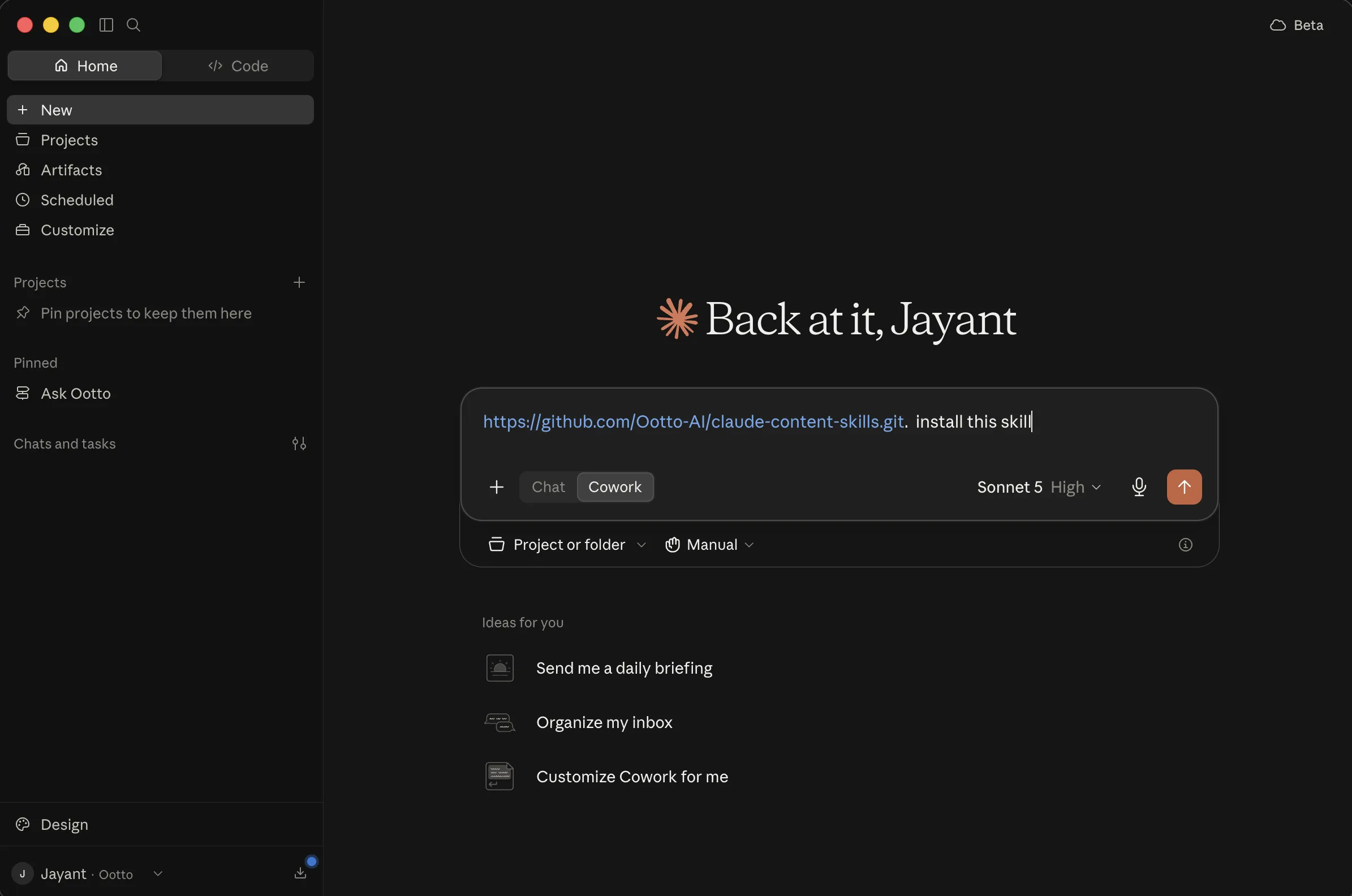
Restart Claude Code after the files are installed.
For a team project, place a skill folder inside that repository's .claude/skills/ directory instead, with the exact SKILL.md name intact.
That lets teammates review the same method in version control.
The prompt that starts everything
The first prompt should be smaller than your whole content strategy. Pick one skill, name the input, and say what decision you need at the end.
Run /viral-hook-writer for a reel about [topic] for [audience]. I want saves, not a sales pitch. Give me ten openings and mark the three to test first.
The skill already supplies its method, so the prompt only needs the goal and the facts specific to this run.
Setup: MCP for live Instagram work
An MCP connector is a way for Claude to use connected tools or account information instead of relying only on pasted material. It does not replace the skills. A skill that asks for a reel or insights still decides what to examine, while the connector can make getting that material less manual.
Without a connection, a careful workflow is still possible. Download your own video, paste its transcript, upload screenshots, export your insights, or copy comments into Claude. The skills should state when data is absent instead of filling gaps with invented figures.
With a connected Instagram account, Ootto's connector can support competitor research, idea generation, reel creation, and auto-reply to comments, as listed in its connection card below. Authorize only an account you are allowed to use, and review any output before you publish or send it.
Two ways to connect Claude to Instagram
Both paths can end with Claude working from connected Instagram context. The difference is whether you carry the setup details yourself or let Ootto pass you through the hosted connection flow.
The hand route: GitHub skills and a custom connector
First, download or clone the public skills repository as shown in the setup section.
Put the SKILL.md files in Claude Project knowledge, or put their folders in ~/.claude/skills/ for Claude Code.
That part gives Claude the methods, but it does not connect an Instagram account.
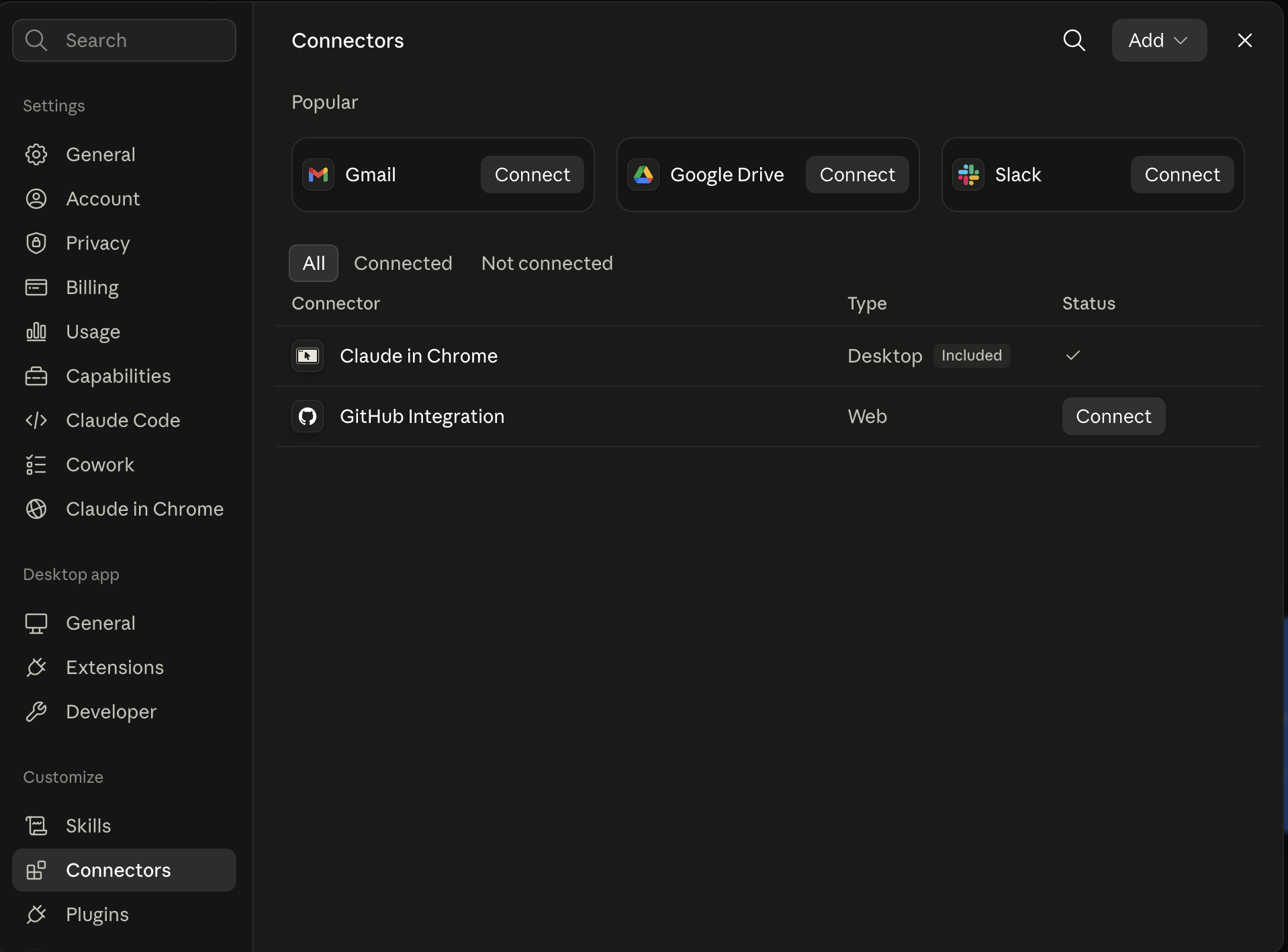
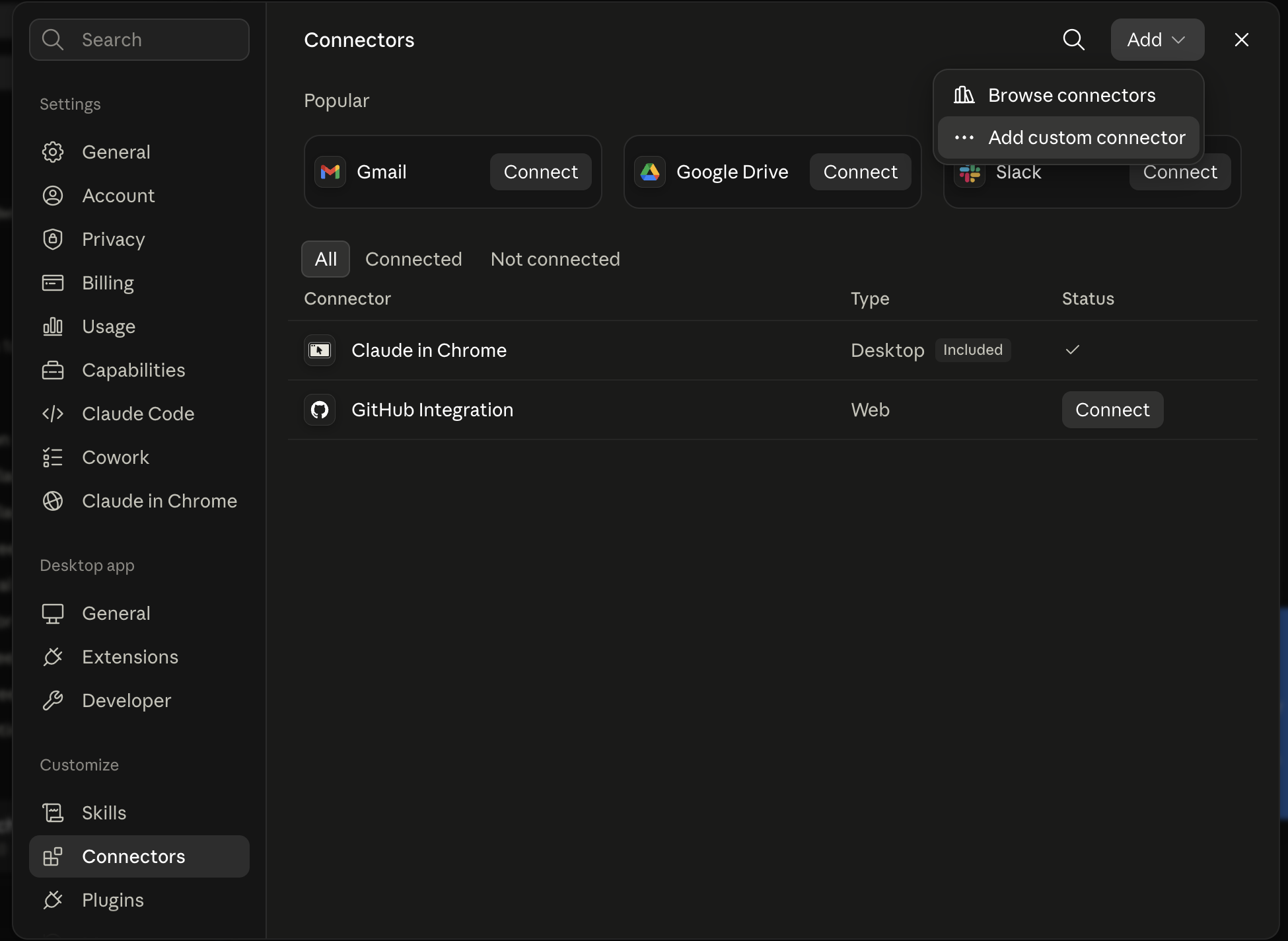
Next, open Claude in your browser and go to Settings. Choose Connectors or Integrations, then choose Add custom connector. Claude's labels can change, but the existing setup screenshots below show the sequence of screens and fields.
Open Customize
Open the menu that leads to your connectors and integrations.
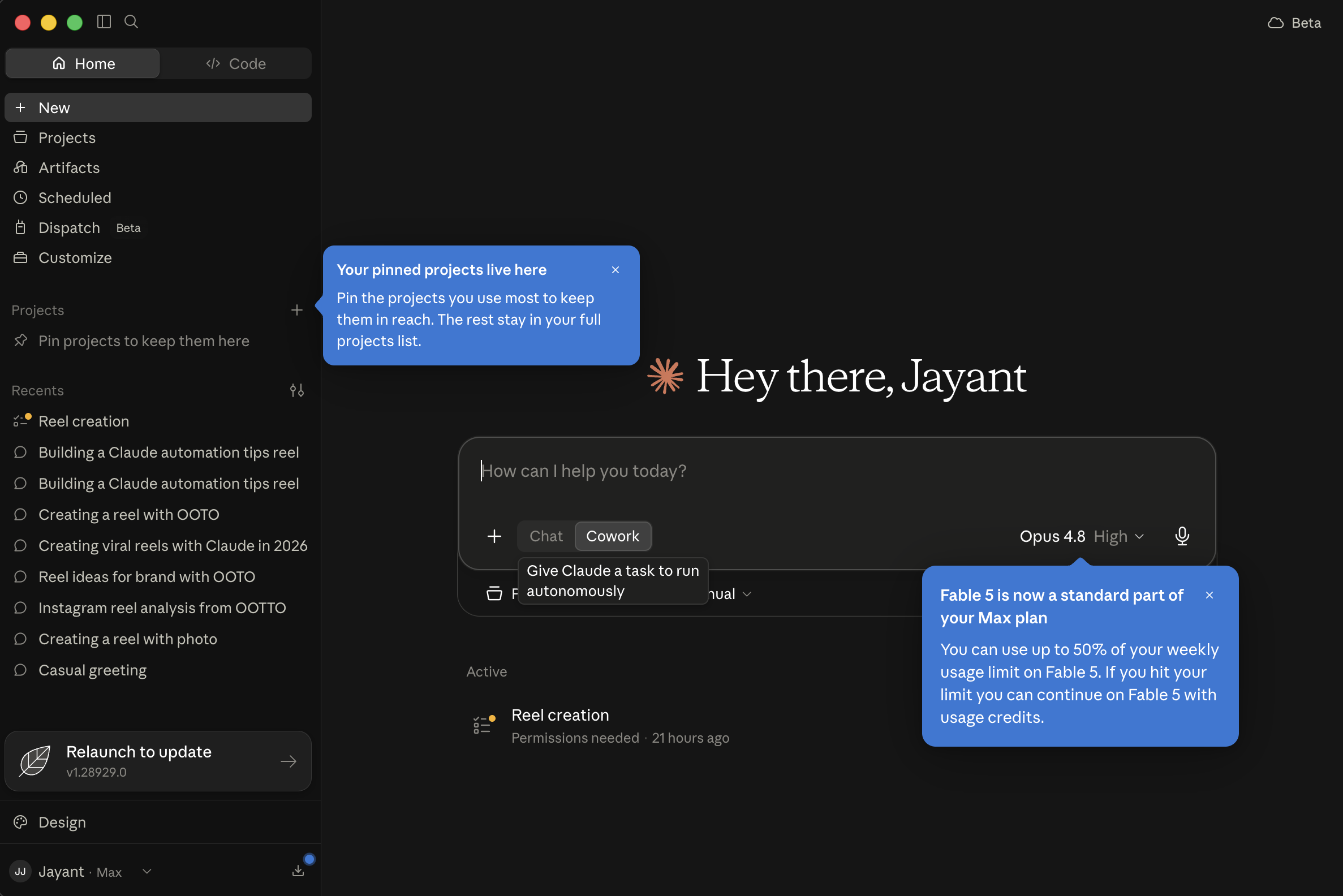
Find Connectors
Select the Connectors area where Claude manages external connections.
Add custom connector
Choose the custom connector option rather than a listed integration.
Paste the connector address
Give it a name, paste the MCP URL, save it, then complete the authorization Claude opens.
In the name field, write something you will recognize, such as Ootto Instagram.
In the URL field, paste https://mcp.ootto.ai/mcp.
Save the connector, then follow the authorization screen Claude opens.
The authorization step is where access is granted, not inside the skills repository.
This route is real work. You manage the download, choose where files live, find the connector screen, enter the server address, and complete authorization in the right order. It remains useful when you want to see every piece of the setup or keep the skills as local files.
The one-click route: connect with Ootto
If you want the same destination without entering the connector details yourself, use Ootto's hosted connection flow. It opens Claude with the connector information prepared and carries the account credential through OAuth, so there is no key to paste into a field.
Sign in if asked, authorize the connection, and return to Claude. The skills then remain useful as the methods for the work you want Claude to do. The one-click route does not make every content decision automatic, and it does not make unverified numbers true.
Running the skills in Claude Code
Claude Code is useful when you want the skill files and their outputs to live alongside a real folder of work.
After the manual installer has copied the folders into ~/.claude/skills/, open a terminal in the folder where you keep transcripts, exports, drafts, or research notes.
Ask for a concrete output file as part of the prompt. That turns a chat answer into something you can inspect, revise, and keep.
Run /reel-analyzer on research/reference-reel.mp4. Write the teardown to research/reference-reel-teardown.md. Keep the analysis to structure and technique, not copied wording.
The Reel Analyzer file accepts a reel URL or video file, and its own instructions require an original remake rather than copying.
Hook
“Claude can now make reels.”
Beat structure - 6 spoken segments, 30.86s
- 0.00–4.62Claude can now make reels. This whole page just hit 10,000 views in three days.
- 5.10–9.56So here's exactly how the whole process works. For simple steps, idea to leads.
- 10.04–15.30It starts with any viral reel. Claude studies the whole thing, frame by frame. Then it writes
- 15.30–20.72you an original hook and script. Then it builds the whole reel. Voice over, music, captions,
- 21.14–26.74animations. Claude makes all of it. It even replies to every comment and DMs your leads on autopilot.
- 26.74–30.86Want the full guide? Just comment guide and Claude will send it straight to you.
Real performance, this reel
Comment rate
10.54%
12,753 comments ÷ 120,958 views - the reel ends on a comment-to-DM ask, and the comment rate is why.
This is the real teardown Reel Analyzer produced on this account's own reel - not a summary, not a mock-up. Run the same prompt against your own reel and Claude returns the same kind of report.
You can chain work when each handoff has a clear boundary. For example, research a niche, analyze one selected reel, write original hooks from the result, and build a script from the chosen hook. Stop and review before publishing, sending DMs, or treating a pattern as a fact about your audience.
Get an Instagram audit
Ootto includes an account audit flow after you sign in and connect an Instagram account. The audit is designed to use the account information Ootto can actually read, and it can show an honest fallback when there are no posts or a read cannot finish.
Start by creating an account, connect Instagram, and open the audit area.
If you are not ready to connect an account, begin with content-audit using your own recent-post list or supplied insights instead.
Run /content-audit on these recent posts and insights. Tell me what to double down on, what to stop, and what evidence is missing before making a conclusion.
The manual route works with material you supply and does not claim access to an account.
The six to start with
The public repository does not publish run counts, so these are not presented as a measured popularity ranking. They are the six I would start with for a beginner because they cover the shortest path from a real example to an original reel and a defined follow-up.
1. Content Research
content-research takes a creator, account, or niche and looks for outlier posts relative to the available baseline.
It then hands promising examples to a reel analysis step and turns the recurring patterns into original ideas.
Run /content-research for [niche]. Use [creator handles or reel URLs] as sources. Cite the reels studied, label missing view data, and give me three original ideas.
Top reels found, this niche - real views
Pattern actually cited, across these reels
Three of the six (@itsmariahbrunner, @josee.builds, @jasoncooperson) end on the same real mechanism: a comment keyword that triggers a DM. @shaurs.ai and @thealinalab run the same structure with a different keyword. That is the reusable technique - not any one caption's wording.
Missing view data - labeled, not skipped
This account's own posting history is too new to read a real median from - only 2 posted reels carry a recorded view count, one short of the 3 the skill needs before it will call anything an outlier. The evidence above comes from the shared niche library instead, and follower counts are unknown for 2 of the 6 creators shown.
Three original ideas, grounded in the evidence above
- 1. A results-first hook naming a specific, named automation win (matching @duncanrogoff and @jasoncooperson's highest-view reels), ending on the comment-keyword-to-DM ask three of the six already use.
- 2. A myth-bust opener ("most people think X - they're not"), the exact shape @duncanrogoff's second-best reel (743,174 views) runs, applied to a different assumption in the same niche.
- 3. A tested-checklist format ("I tested every viral X cheat code, most are trash"), the mechanism behind @itsmariahbrunner's cited reel, rebuilt around this account's own tools rather than copying her list.
This is the real evidence Content Research returned for one real, already-catalogued niche - real handles, real reels, real view counts, no invented numbers. Run the same prompt against your own niche and Claude cites what it actually found.
2. Reel Analyzer
reel-analyzer works on one reel link or file.
It asks for the hook, beat structure, pacing, visuals, reusable technique, and a one-line plan for an original remake.
Run /reel-analyzer on [reel URL or video file]. Show the hook, beats, pacing, and visuals, then give me an original remake plan for [audience].
Hook
“Claude can now make reels.”
Beat structure - 6 spoken segments, 30.86s
- 0.00–4.62Claude can now make reels. This whole page just hit 10,000 views in three days.
- 5.10–9.56So here's exactly how the whole process works. For simple steps, idea to leads.
- 10.04–15.30It starts with any viral reel. Claude studies the whole thing, frame by frame. Then it writes
- 15.30–20.72you an original hook and script. Then it builds the whole reel. Voice over, music, captions,
- 21.14–26.74animations. Claude makes all of it. It even replies to every comment and DMs your leads on autopilot.
- 26.74–30.86Want the full guide? Just comment guide and Claude will send it straight to you.
Real performance, this reel
Comment rate
10.54%
12,753 comments ÷ 120,958 views - the reel ends on a comment-to-DM ask, and the comment rate is why.
This is the real teardown Reel Analyzer produced on this account's own reel - not a summary, not a mock-up. Run the same prompt against your own reel and Claude returns the same kind of report.
3. Viral Hook Writer
viral-hook-writer produces ten short-form openings for the first one to three seconds and marks three to test first.
It needs a topic, audience, and desired reaction rather than a claim that has not been approved.
Run /viral-hook-writer for [topic]. My audience is [audience] and the goal is [saves, comments, DMs, or follows].
4. Reel Scripter
reel-scripter turns a hook or idea into a 30 or 45 second script with spoken lines, on-screen text, visual suggestions, and alternate CTAs.
It is the bridge between a good opening and a filmable draft.
Run /reel-scripter for this hook: [hook]. Write a 30-second Reels script for [audience] with one clear goal: [goal].
5. Reel Builder
reel-builder creates a beat-by-beat build table with spoken line, on-screen text, visual or scene, and rough timing.
It explicitly asks for original words on a modeled structure and one CTA that matches what you can deliver.
Run /reel-builder from this teardown: [paste]. My topic is [topic], my voice is [voice], and my CTA is [CTA].
6. Comment Responder
comment-responder defines a rule for a keyword CTA, including a public reply without a link, a DM with the promised resource, and a human fallback for non-matching comments.
Only use it when the resource in your CTA really exists and can be sent.
Run /comment-responder for the keyword GUIDE. The public reply must have no link. The DM should deliver [real resource]. Defer anything that does not match to me.
A weekly cadence built from the six
Use Content Research to select a few evidence-backed formats.
Use Reel Analyzer only on the one or two examples worth studying closely.
Use Viral Hook Writer, Reel Scripter, and Reel Builder to produce original drafts.
Use Comment Responder only after you have approved a real keyword CTA and resource.
At the end of the week, use analytics-readout or content-audit on the material you actually have before deciding what to repeat.
Claude skills for Instagram Reels
The most valuable distinction is between studying a reel and reproducing it. The skills are written to extract a reusable hook mechanism, beat order, pacing decision, or visual treatment. They are not a permission slip to repeat another creator's exact words, voice, or assets.
Study a competitor without copying them
competitor-teardown reviews an account's top content for patterns such as recurring hooks, formats, and posting rhythm.
reel-analyzer then goes deeper on a single source reel.
Use the result to make a version grounded in your own audience, examples, and offer.
Run /competitor-teardown on [account or supplied posts]. Identify patterns, not copy. Then suggest three original angles for [my audience] and label every assumption.
All 30
The following is the documented 30-skill Instagram set in the public repository's README.
Descriptions below are condensed from the actual SKILL.md files and their documented workflow roles.
Memory - carry forward what you learned
- AI Brain - Saves relevant session decisions and facts as local Markdown notes in an Obsidian vault, then recalls only related notes later through a Filesystem MCP connection.
Study - work from evidence before making
- Reel Analyzer - Breaks a supplied reel into its hook, beats, pacing, visual technique, and original-remake lesson.
- Trend Spotter - Helps decide what is trending in a niche and whether a format is suitable for your account.
- Competitor Teardown - Examines a competitor account to identify recurring content patterns behind its strongest posts.
- Comment Mining - Turns supplied comments or DMs into questions, objections, and content ideas.
- Content Audit - Reviews supplied recent posts or insights to identify what to continue, stop, or investigate further.
Create - take an idea to a ready-to-make reel
- Viral Hook Writer - Writes ten short hook options for the first one to three seconds and marks options to test.
- Reel Scripter - Produces a 30 or 45 second script with hook, value beats, payoff, CTA, on-screen text, and visual suggestions.
- Reel Builder - Turns a teardown or outline into a beat-by-beat build table, including visuals and timing.
- A/B Hook Tester - Creates two meaningfully different hooks and a fair test setup so only the opening changes.
- Carousel Builder - Turns an idea into a slide-by-slide Instagram carousel with a first-slide hook and a saving action.
- Story Sequencer - Plans a multi-frame Story sequence with interactive moments and a tap-through purpose.
- Cover and Thumbnail Brief - Creates cover text and a grid-first visual brief for a reel.
- On-Screen Text Writer - Writes short, beat-level text overlays with emphasis and timing cues for muted viewing.
- B-Roll and Shot List - Converts a script into a shoot-order list of clips, angles, duration, line coverage, and stock fallback search terms.
- UGC Creator Brief - Prepares a creator-ready brief that explains the hook, beats, constraints, and what must be filmed.
Distribute and convert - publish with a deliberate next step
- Caption and Hashtags - Writes post copy, a tiered hashtag set, a first comment, and accessible alt text from the supplied reel context.
- Content Repurposer - Breaks a supplied long-form source into multiple short-form ideas and outlines.
- Content Calendar - Sequences ideas or pillars into a two-week plan with posting format and hook direction.
- Comment Responder - Defines a keyword-comment rule with a link-free public reply, a DM deliverable, and a human fallback for everything else.
- CTA Writer - Writes one end-of-reel action that fits the post and the resource you can actually deliver.
- DM Script Writer - Writes a follow-up DM flow for a commenter or inbound lead without pretending the conversation is already a sale.
- Best-Time Scheduler - Recommends a sustainable posting cadence from supplied audience activity information where available.
- Cross-Platform Reformatter - Reworks an Instagram reel for TikTok and YouTube Shorts while adjusting for each platform's format.
Grow and analyze - turn the work into the next decision
- Series Planner - Designs a repeatable named content series with a format viewers can recognize and return to.
- Content Pillar Builder - Defines the themes an account returns to so individual posts support a coherent position.
- Bio and Profile Optimizer - Rewrites the name field, bio, link direction, and pinned-reel order around one next action.
- Collab Outreach - Drafts a personalized creator or brand partnership pitch instead of a generic template.
- Analytics Readout - Explains supplied reel insights in plain language, against your own median where data permits, and recommends two actions.
- Hashtag and Keyword Research - Builds niche-fit hashtags and searchable keywords from the actual topic and audience.
Skills vs prompts vs MCP connectors
A prompt is the request you make right now. A skill is the reusable method that makes that request follow the same steps next time. An MCP connector is the bridge to a connected tool or source of current information.
You can use a skill without a connector by providing the material manually. You can connect a tool without a skill, but then you still need to decide what method Claude should follow. Together, a skill gives the work structure and a connector can reduce the copying needed to provide inputs.
| Skill | Prompt | MCP connector | |
|---|---|---|---|
| What it is | A reusable method | A one-off instruction | A connection to live tools or data |
| Best for | Repeatable marketing work | Trying one idea quickly | Working with current account data |
| Needs live data? | No, but it can use it | No | Yes |
Troubleshooting Claude Instagram skills
If Claude cannot open a reel, upload a video file, transcript, screenshots, or your own notes instead. If an output sounds generic, add the actual audience, offer, approved proof, goal, and a sample of your voice before running it again. If a skill needs analytics, do not replace missing values with guesses. Ask Claude to label the missing information and limit its conclusion to the evidence available.
If a skill does not appear in Claude Code, check that the folder name is correct, the file is named exactly SKILL.md, and the folder is under ~/.claude/skills/ or .claude/skills/.
Restart Claude Code after installing the files.
If the custom connector route is unclear, use the one-click card above or return to the four screenshots and complete the fields in order. Do not paste a credential into a chat just because a setup flow is confusing.
Get started
Start with one real piece of work rather than installing thirty files and hoping for a transformation. Choose a reel worth studying, run the Reel Analyzer, turn the lesson into a few original hooks, and make one script.
If live account context would save you time, connect Instagram through either route above. If you prefer the hosted path, use the Ootto connection card and complete OAuth in the browser.
Route A: do it yourself
Start with the exact free skill for this outcome
MIT, no account, no email. Install first, then run the command for your account.
For this outcome: Content Factory
git clone --depth 1 https://github.com/Ootto-AI/claude-content-skills.git && bash claude-content-skills/install.sh
Installs the free MIT Content Skills bundle into ~/.claude/skills in one shot.
/content-factory - my niche is [niche], model this reel: [reel URL], my handle @..., CTA keyword GUIDE
Runs the full pipeline order for the post: research, hook, script, build, caption, and comment-to-DM lead setup.
Route B: let Ootto run it
Ootto replicates this on autopilot
Open the dashboard, connect once, then let the pipeline handle research, production, and lead replies.
Open the connector dashboard
Go to /content/login, sign in, and open your Ootto content dashboard.
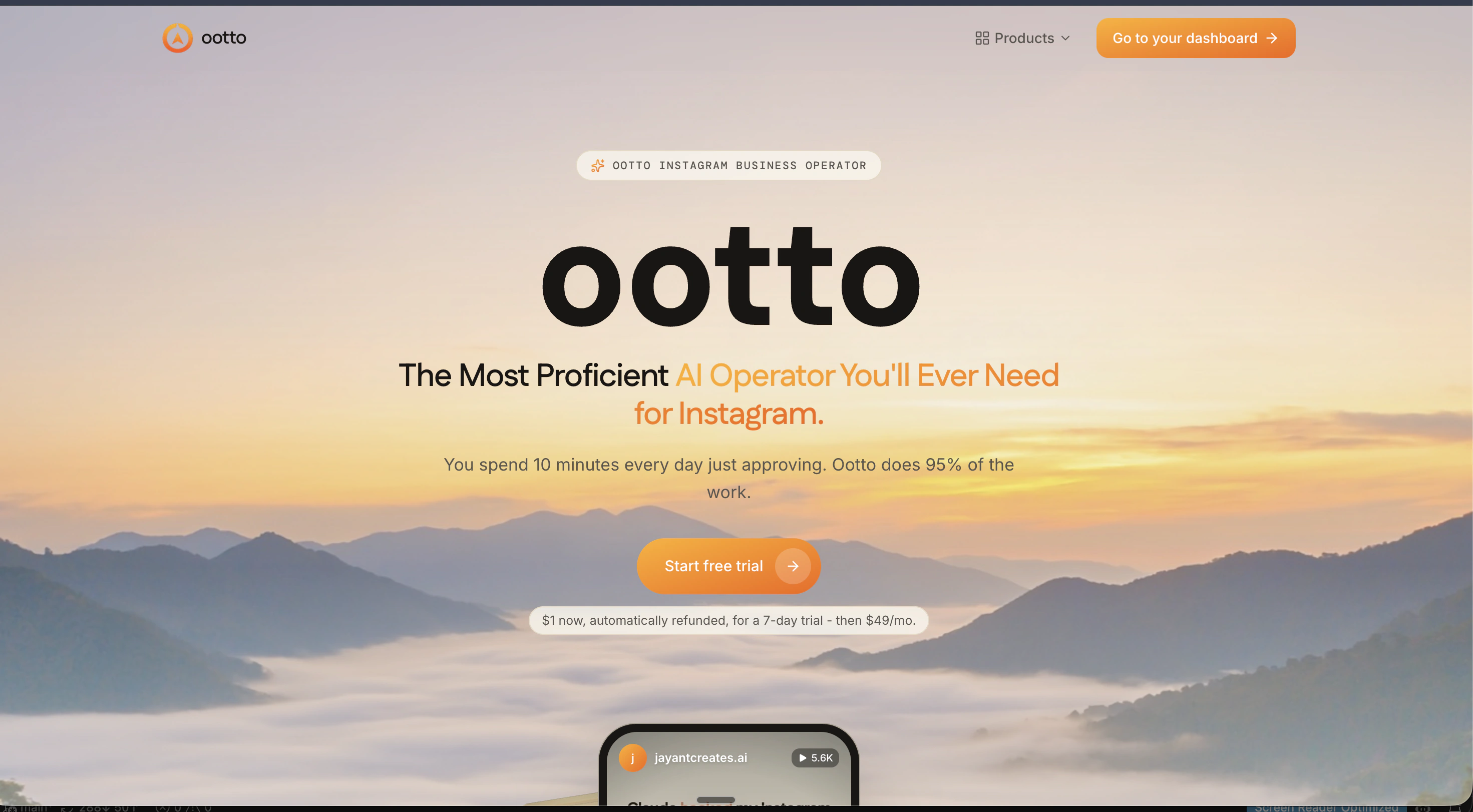
Add Ootto to Claude
Use the one-button Add flow so Ootto appears in Claude's Connectors panel.
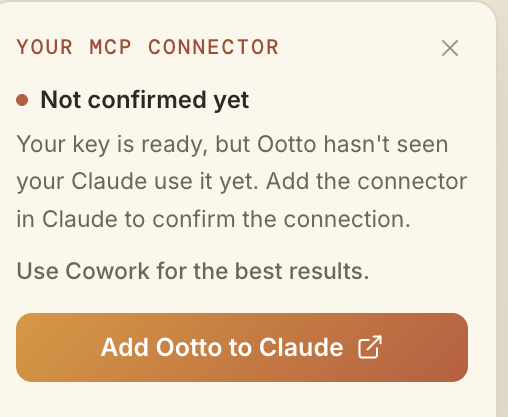
Claude shows the connector
The connector lands in Claude's Connectors settings, confirming Ootto is wired.
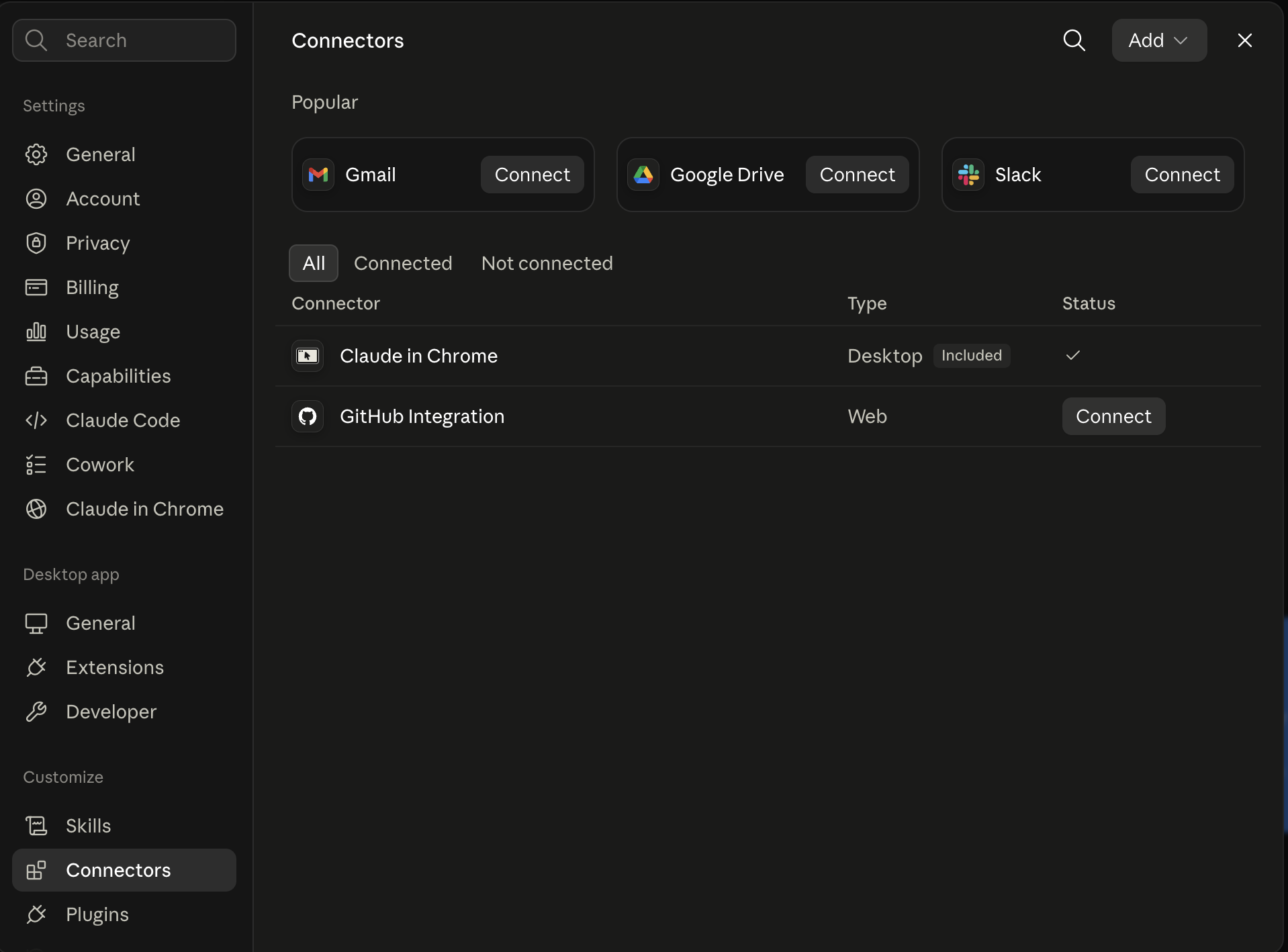
Board reads back your context
Your audience, pillars, voice, and creator signals are filled from account context.
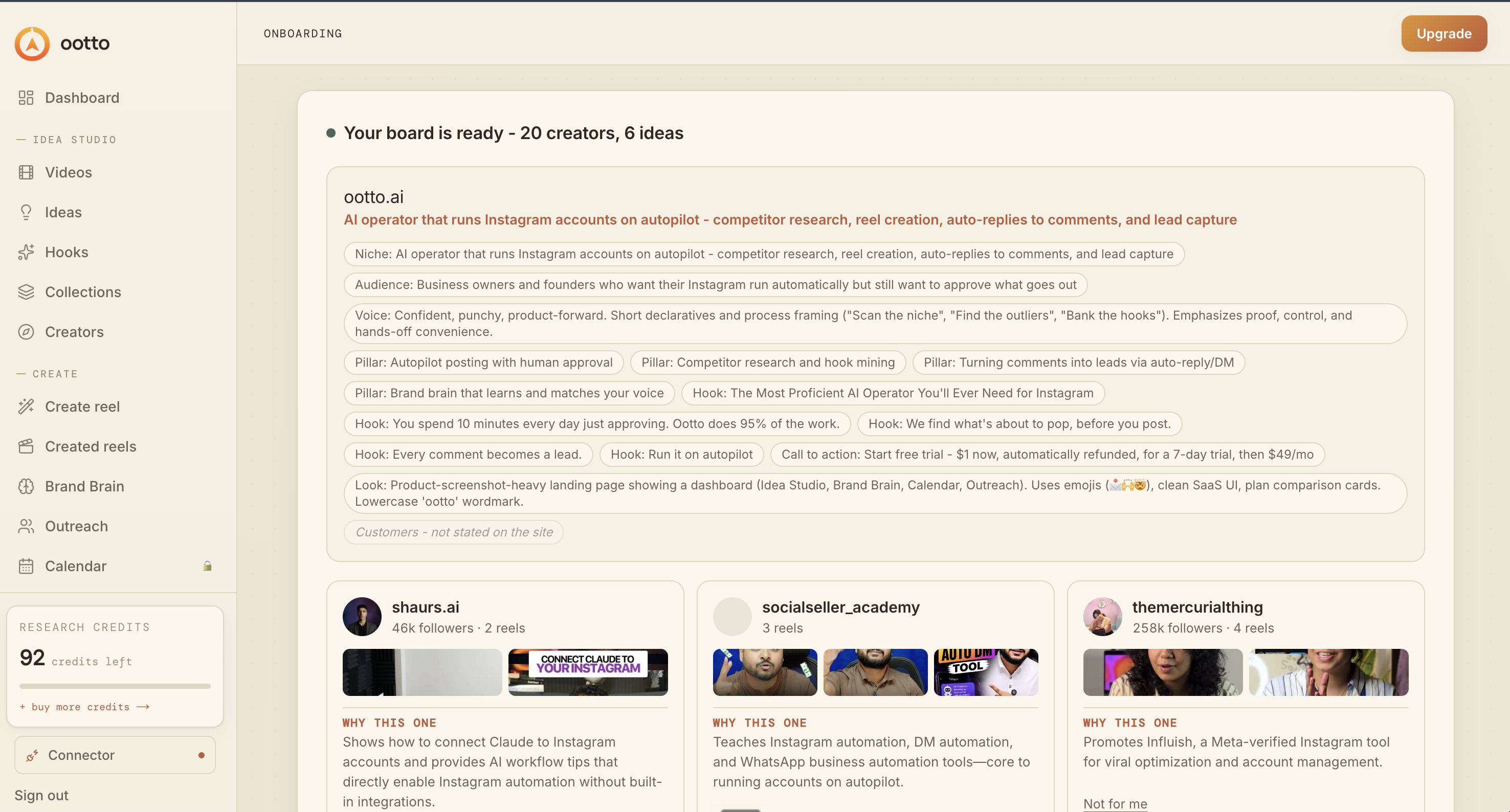
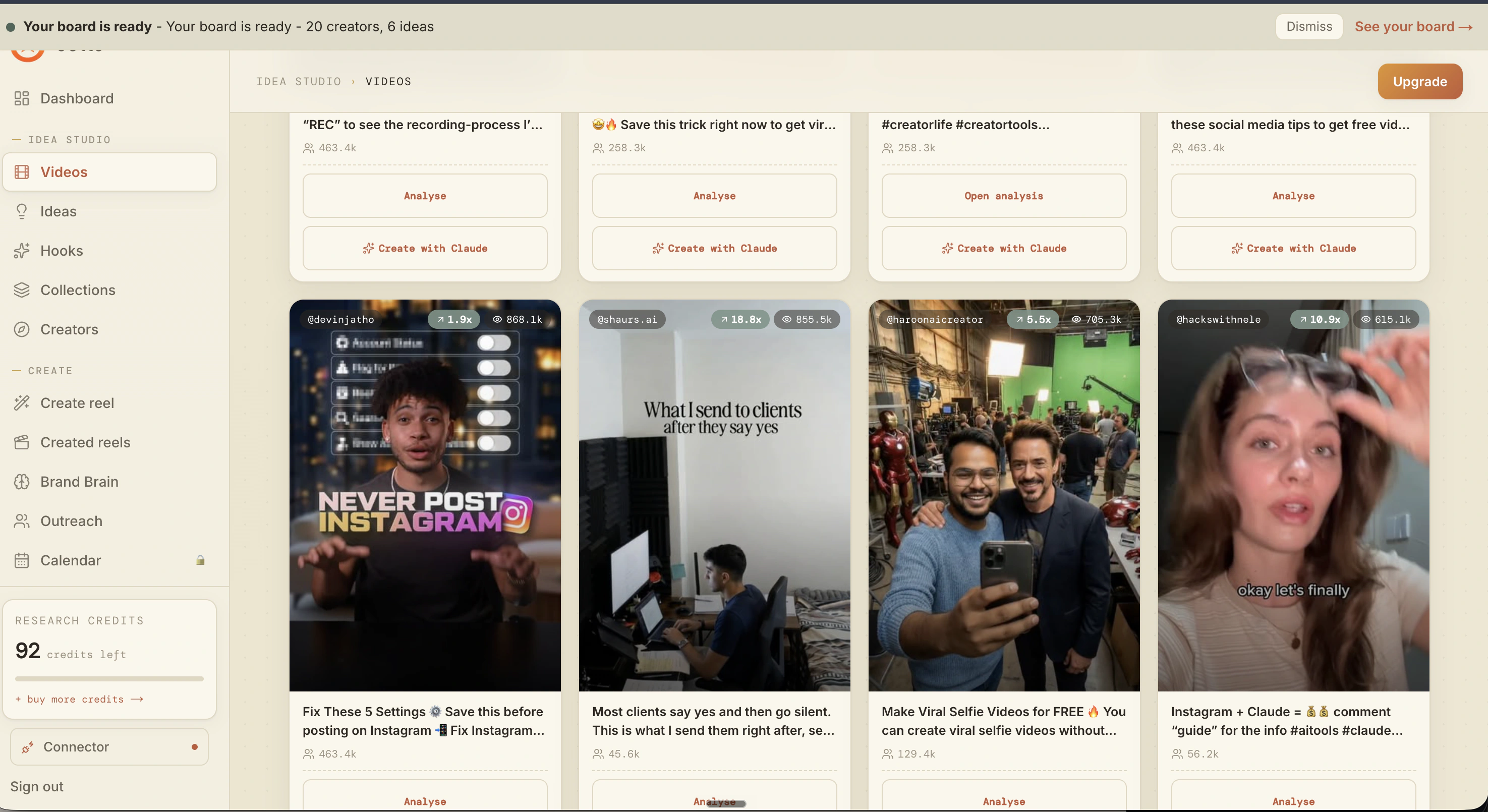
What is actually working now
Ootto pulls what is moving in your niche and loads ranked examples in board.
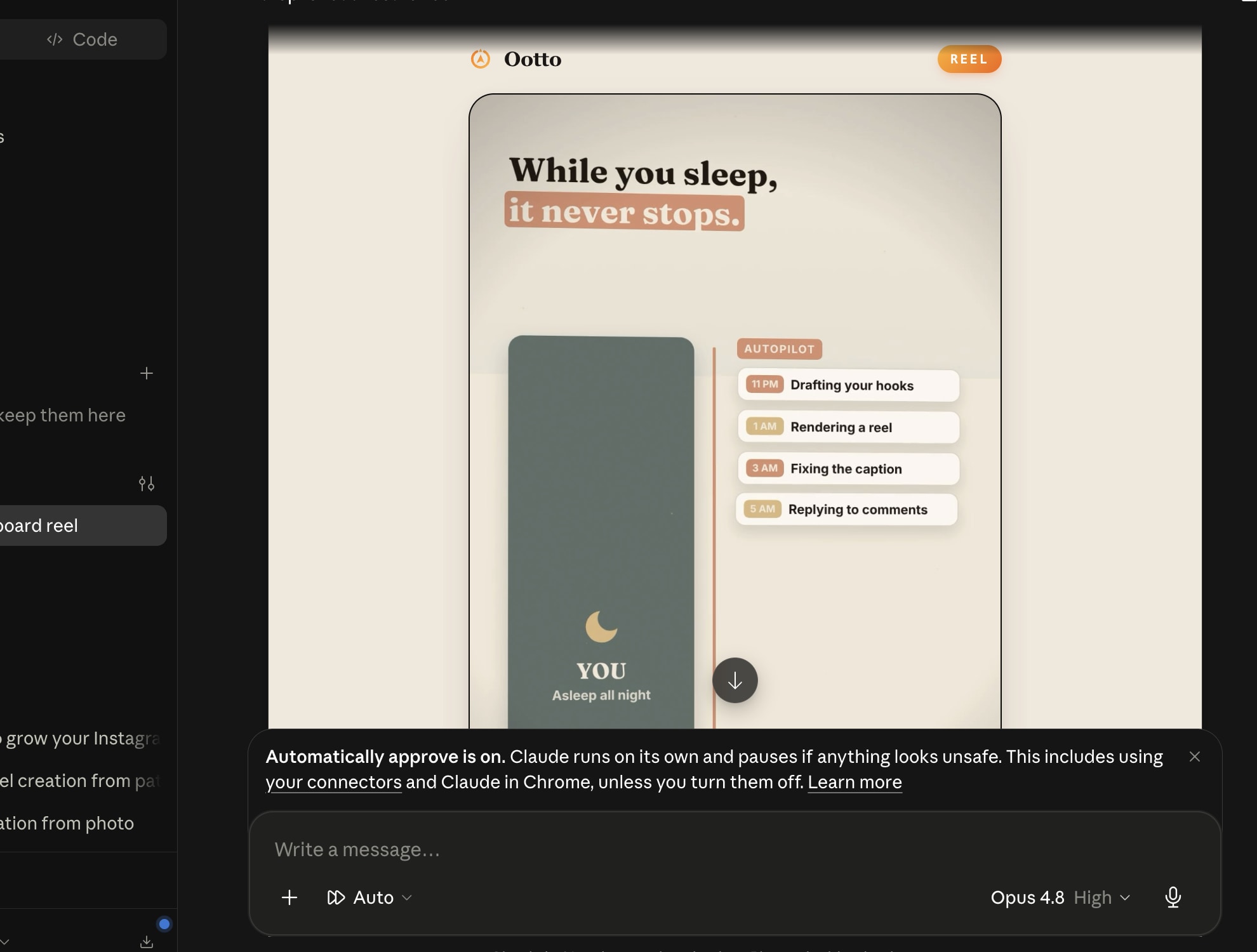
Reels post, comments get answered
Finished reels publish to Instagram and comments are answered with public replies plus DM follow-ups.
Frequently asked questions
Do I need Claude Code?
Do I need to connect Instagram before I can use these?
Which six are actually the most used?
Will these skills copy another creator's reel?
Can a skill publish or DM people by itself?
Keep reading
Keep reading
content
14 Claude skills for Instagram growth from post to lead
Fourteen free, MIT-licensed Claude skills that help you create Instagram content that stops the scroll, gets posted, and converts comments into leads.
content
Claude's skill for finding posts that actually spiked
Use content-research to pull the posts that spiked and decode what made them win.
content
Claude's skill for exposing the mechanics that make reels win
Use reel-analyzer to decode frame-by-frame and copy the exact retention mechanism, not just surface actions.
content
Claude's skill for keeping a two-week posting streak alive
Use content-calendar to turn your pillars into a 14-day posting rhythm with less panic and clearer direction.
content
How to Automate Your Instagram Content With AI (Reels on Autopilot)
Turn one idea into a week of Instagram reels with AI — hooks, scripts, captions and a posting calendar, all grounded in what already worked for you.
Let Ootto run the operating loop
The free skills are for doing the work manually and keeping the method under your control. Ootto is the hosted route for connecting Claude to Instagram and using the product's supported research, idea, reel, and comment-response capabilities.
You can start with the free files, then connect when the manual transfer of videos, insights, and comments becomes the bottleneck. The useful next step is the one that keeps the work honest and repeatable.
Get started