Content
How to Make Faceless Instagram Reels With Claude (In Your Own Cloned Voice)
The Ootto Team · 7 min read · October 12, 2026
How to use this
1Connect Claude to Instagram
Connect Claude to your Instagram account
One click opens Claude with the connector already filled in - sign in, authorize, and it's live. No key to copy, no setup outside your browser.
https://mcp.ootto.ai/mcpConnect2Add the skills
Once Claude can reach your account, give it the methods to work with. Clone the free repository and Claude discovers the skills automatically.
git clone --depth 1 https://github.com/Ootto-AI/claude-content-skills.git && bash claude-content-skills/install.shBrowse all 30 skills on GitHubInstructions: how to connect your Instagram account to Claude
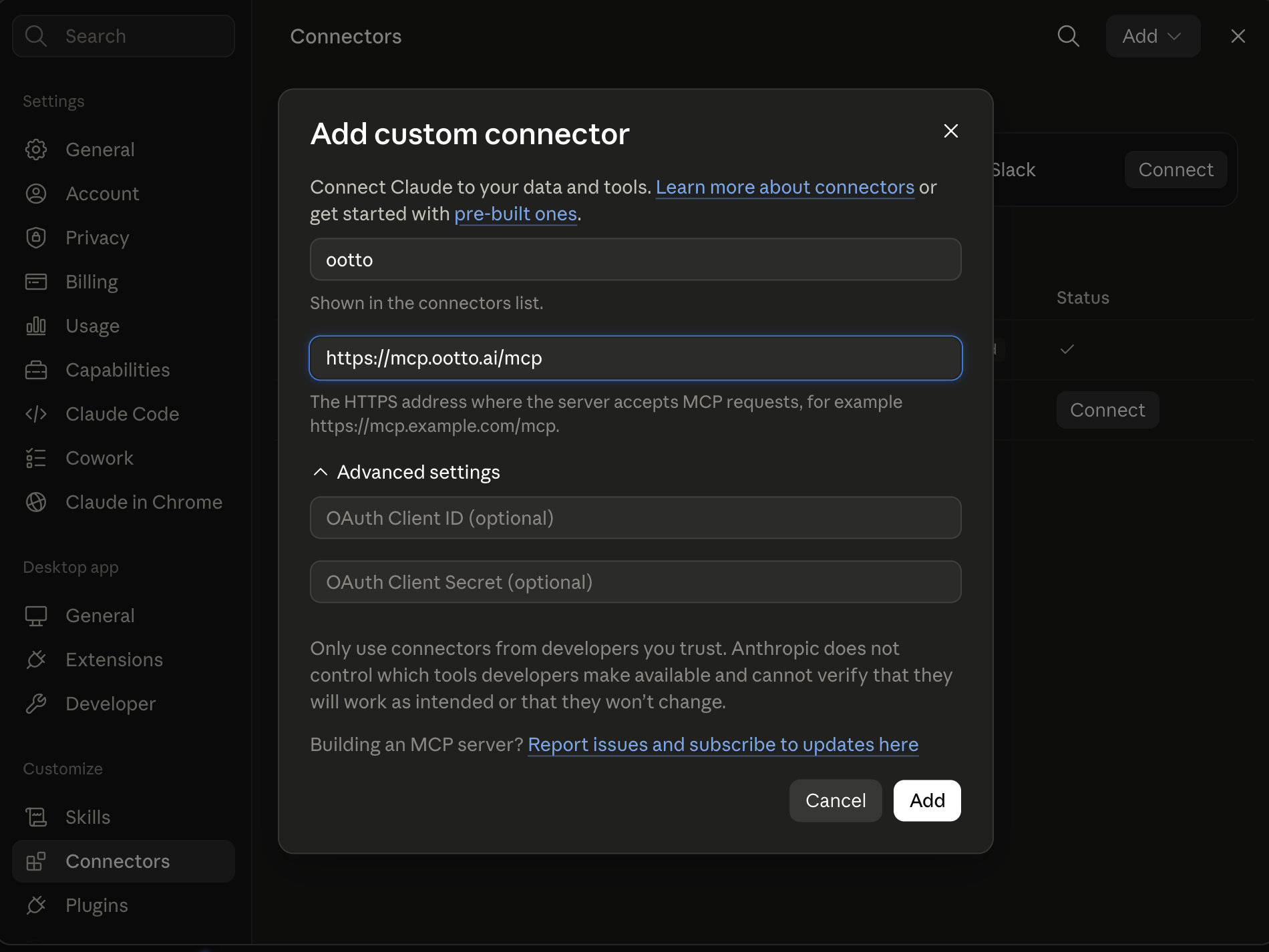
Connect above does this for you. If Claude ever opens the dialog empty, here's exactly what goes where:
Ootto
Your 24/7 Instagram Growth Operator
Skip the manual setup
- Posts finished Reels straight to your Instagram
- Real motion-graphic Reels, not slideshows
- Built around your own photos and footage
- Finds winning content opportunities in your niche
- Writes on-brand scripts and captions
- Answers every comment by your own keyword rules
- DMs qualified leads and starts the conversation
- Runs up to 50 Instagram accounts
One AI. Every Post. Every Comment. More Leads. More Sales.
Hate being on camera? You still have a voice, and that is enough.
This reel has no face in it and no camera. It is stock footage, big words on screen, and a voice. The voice is our founder's own, cloned from a 58 second recording of him talking about his business. Claude wrote the script and Ootto made the reel.
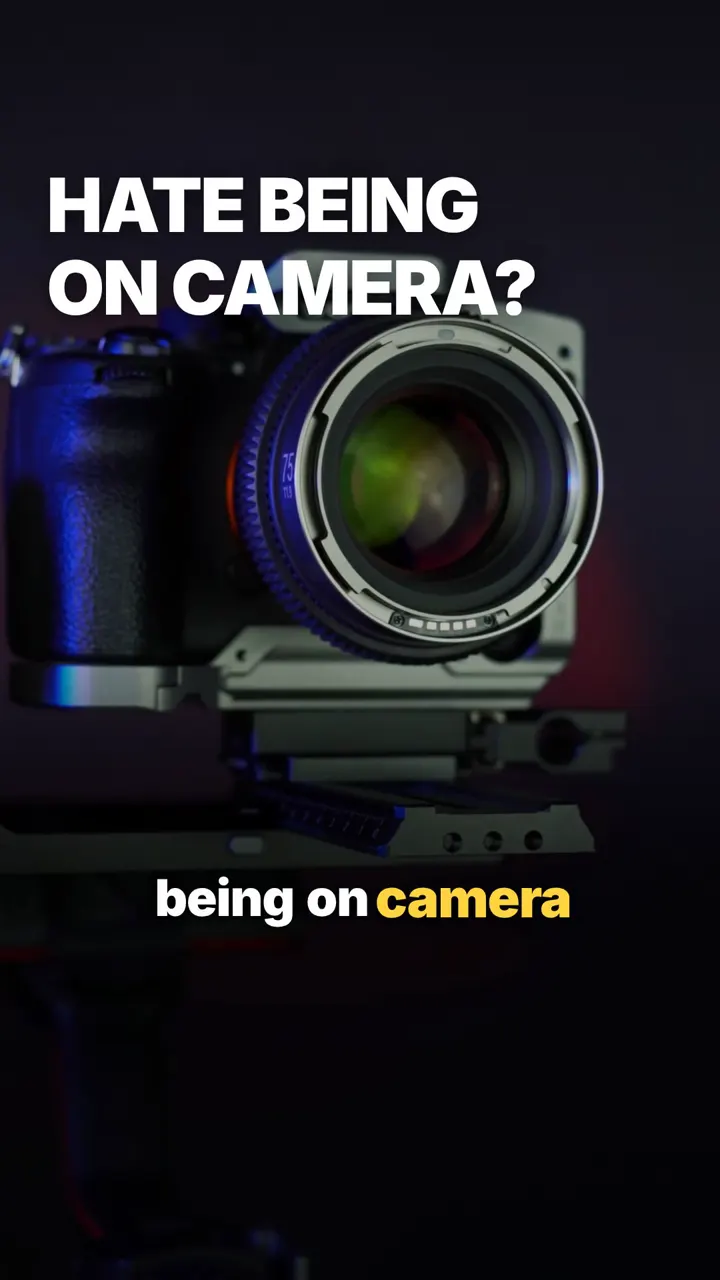
Turn the sound on. That is not a stock voice reading a script. It sounds like a person, because it is one.
Who faceless reels are for, and what goes in them
A faceless reel is for the owner who would rather not film themselves, the brand with no single face, and anyone who wants to post this week without setting up a ring light.
Ootto makes four kinds of faceless reel:
- Motion graphics only. Shapes, words and your colours moving on the beat.
- Image and motion graphics. Your product photos or your website's pictures, framed and moved.
- Stock footage and motion graphics. Licensed clips of the thing you are talking about, with graphics on top.
- Stock footage and text. The reel above: real footage and big words.
What all four used to lack was a human voice. A stock voice is fine. Your own voice is better, because the people who already know you will hear it is you.
Clone your voice once, in about a minute
You record yourself once. After that, every reel Ootto makes for that brand is spoken in your voice, with no setting to remember.
- Open Your voice. In the Ootto app it is the Clone your voice card in Creations and in Brand Brain. In Claude you can just say "clone my voice" and Claude gives you the recording link.
- Talk, do not read. Ootto asks for 45 to 60 seconds about three things: what you do, who you help, and a recent win or story. At least 30 seconds, at most 90. Your normal energy, like telling a friend about your business.
- Pick a quiet room. A bedroom with curtains or a parked car works. No fan, no TV, no traffic. Phone about a hand's width from your mouth.
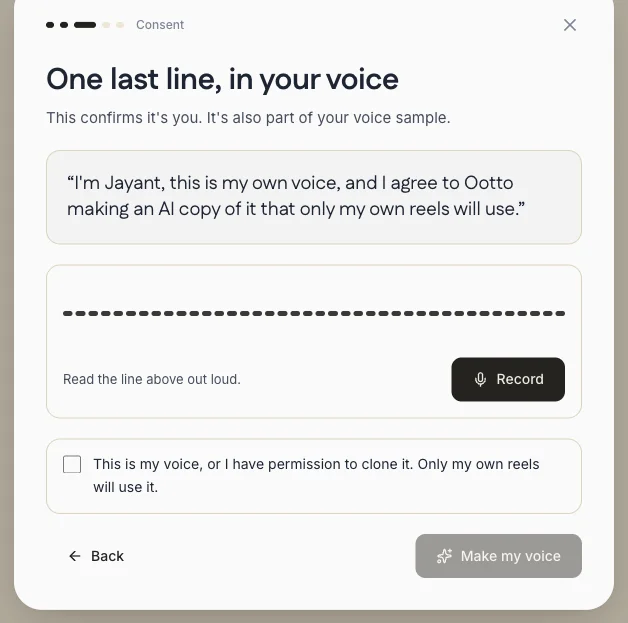
- Say yes out loud. You read one consent line saying it is your own voice and that only your own reels will use the copy, and tick a box confirming it.
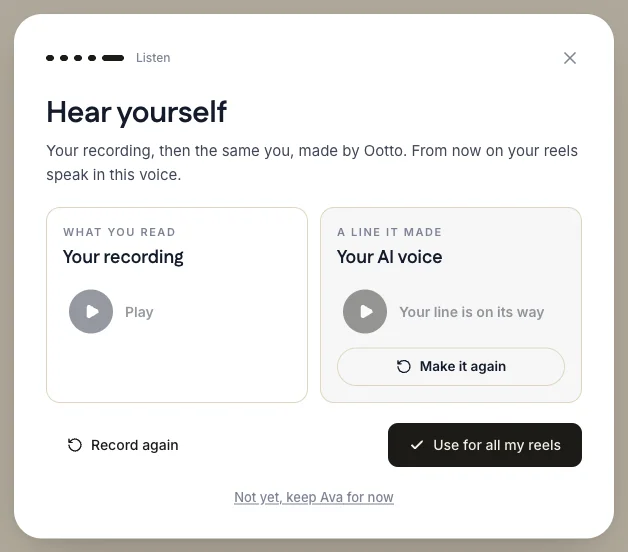
- Hear yourself. Ootto plays your recording beside a line in your new voice. Press Use for all my reels when you are happy.
Record in the language your reels are in. A clone speaks best the language it was recorded in, and Ootto keeps a separate clone per language if you post in more than one.
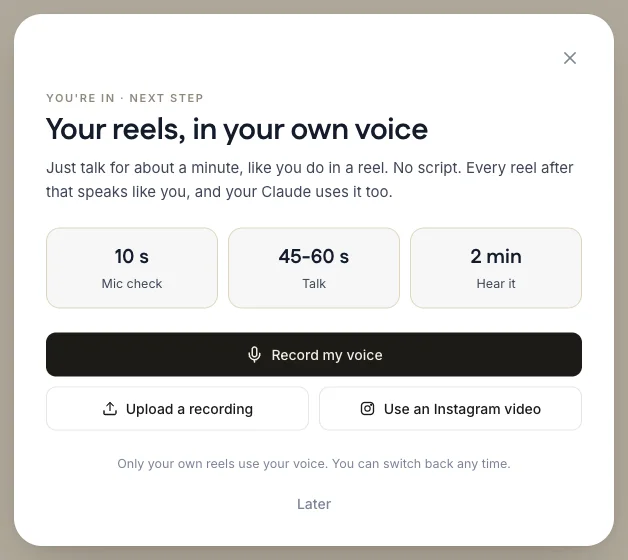
Instead of recording, you can also choose Upload a recording or Use an Instagram video of you talking.
Your reels, in your own voice
Record my voice, Upload a recording, or Use an Instagram video. About a minute of talking, no script.
One last line, in your voice
Read the consent line out loud and tick that it is your voice. Then Make my voice.
Hear yourself
Your recording beside a line in your AI voice. Use for all my reels, or record again.
Which Ootto plans include voice cloning
Prices and plans are on the pricing page.
Make a faceless reel in Claude, step by step
Connect Ootto to Claude once. Any Claude plan works, the free one included.
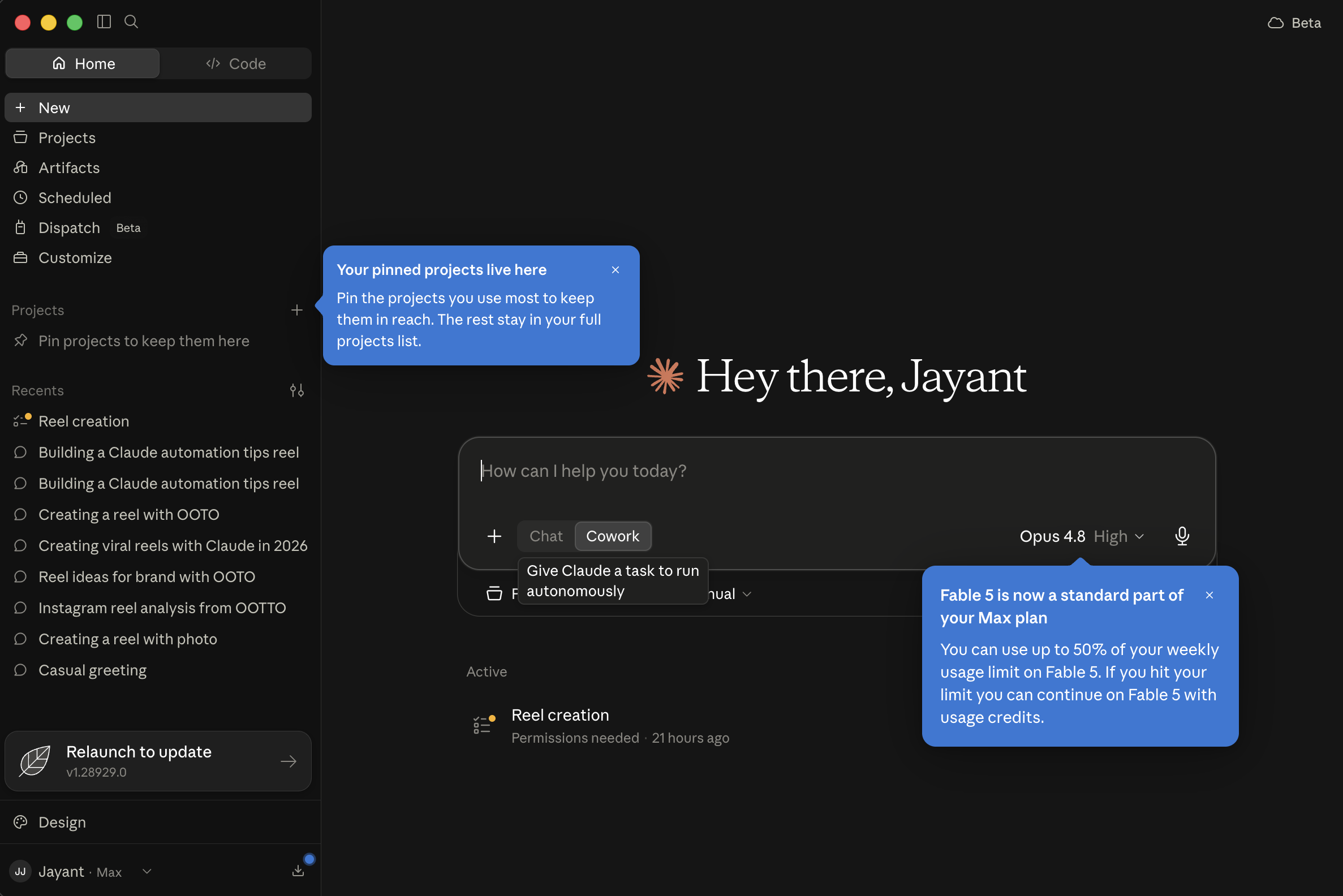
Open Customize
In Claude on the web or the desktop app, open Customize in the left sidebar.
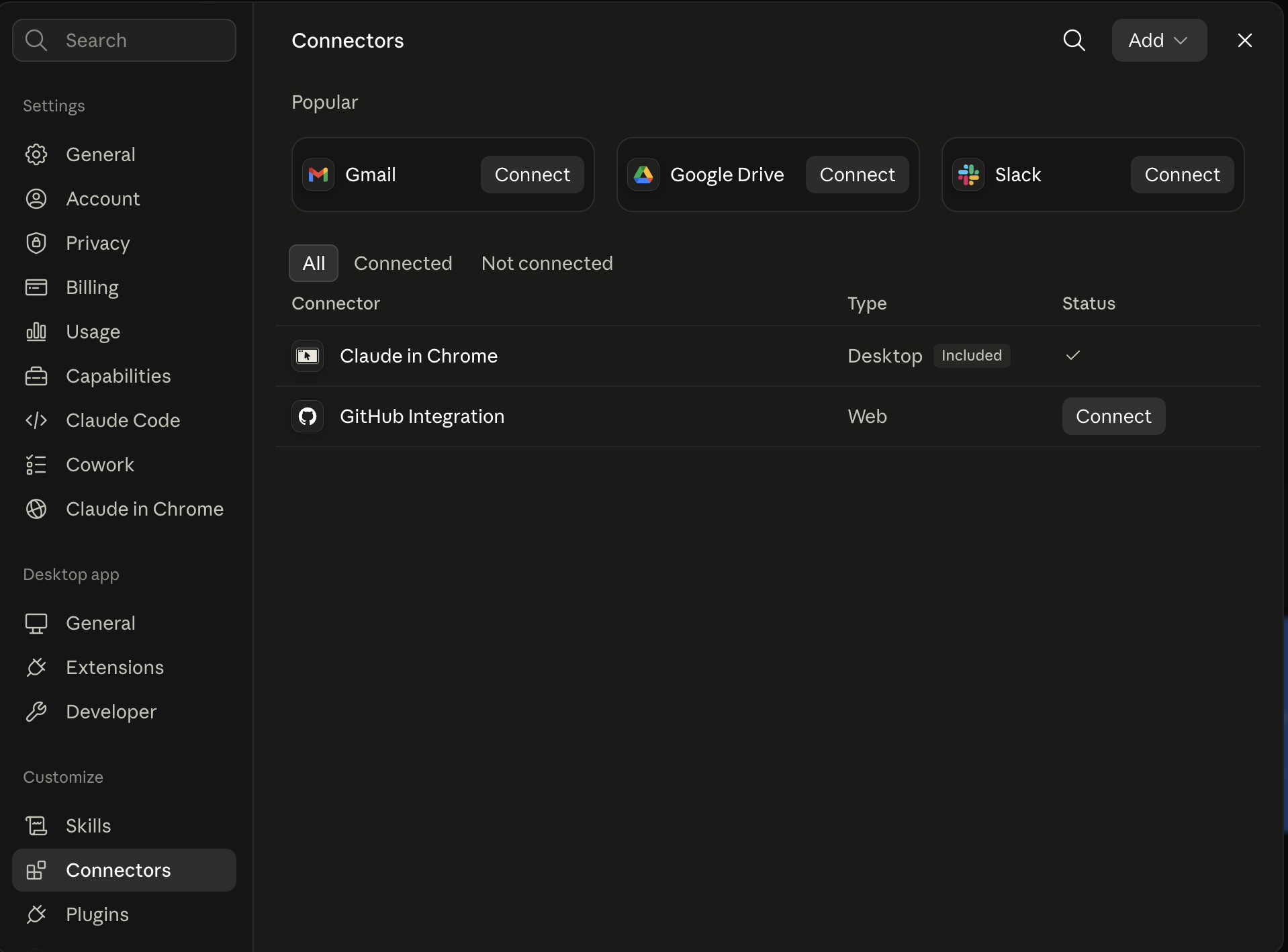
Connectors, then Add
Choose Connectors, then the Add button.
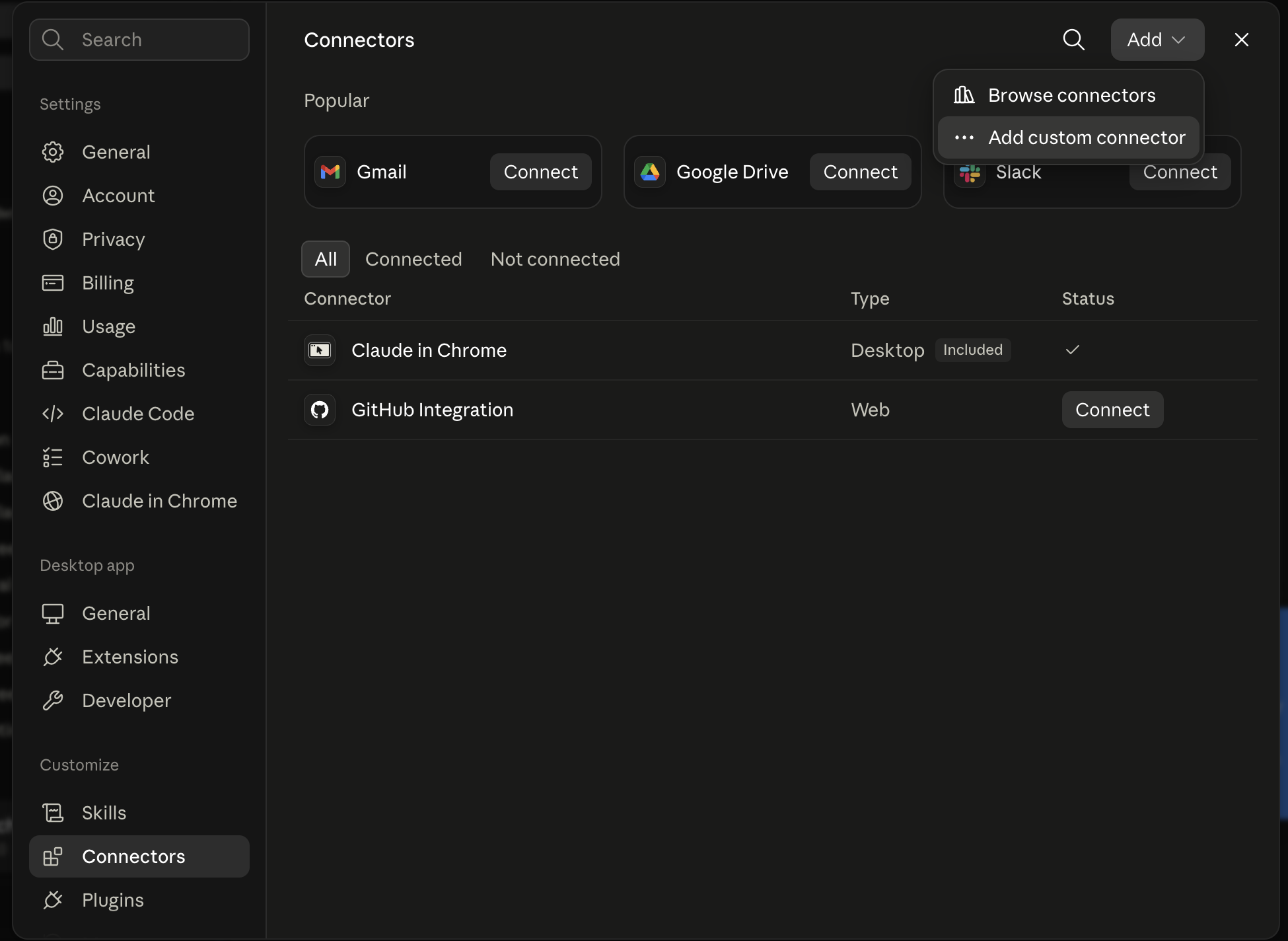
Add custom connector
Pick Add custom connector from the menu.
Name it, paste the address
Name it Ootto, paste https://mcp.ootto.ai/mcp, press Add, then Connect and sign in to Ootto.
Then, in a new chat, ask for the reel. If you have saved your voice, Claude uses it without being told.
The prompt for a reel like the one above
Make me a faceless reel for people who hate being on camera. Stock footage of hands and gear only, no faces, big words on screen, in my own voice. Say that Claude wrote it and Ootto made it, and that nothing posts until I say yes.
Claude writes one line of script per scene, records the voiceover in your cloned voice, picks licensed stock clips for each line, and renders the reel. It shows you the finished reel before anything goes near Instagram.
When we made the reel above, this is what Claude did, in order:
- Wrote six short lines, one per scene, starting with who the reel is for.
- Sent the script to your cloned voice with a feel to match it, here "confident, steady".
- Fetched licensed stock clips for each line and skipped any with a face in them.
- Timed every scene and every caption to the words as they were actually spoken.
- Checked its own frames for words that clash with the footage, then rendered.
The voiceover in your own voice takes a few minutes longer than a stock one, so Claude builds the scenes while it is being made.
Or let Ootto make them for you
If you would rather not open Claude at all, Ootto plans the week, makes each faceless reel in your voice, and emails it to you for a yes.
Ootto
Your 24/7 Instagram Growth Operator
Skip the manual setup
- Posts finished Reels straight to your Instagram
- Real motion-graphic Reels, not slideshows
- Built around your own photos and footage
- Finds winning content opportunities in your niche
- Writes on-brand scripts and captions
- Answers every comment by your own keyword rules
- DMs qualified leads and starts the conversation
- Runs up to 50 Instagram accounts
One AI. Every Post. Every Comment. More Leads. More Sales.
Or do it by hand with free tools
This is the stack we used before Ootto existed: find the formats that work, study them frame by frame, script, render, and remember what worked. It needs a separate voice tool for the cloning part.
2 · Wire it together
Lets an agent make authenticated tool-calls across 1,000+ apps, auth handled for you.
- Sign up at composio.dev and grab an API key from the dashboard
- This one's a Claude Code (terminal) connector - Composio hasn't published a Claude.ai web click-path for it
- Run: claude mcp add --transport http composio-composio "<your Composio MCP URL>" --headers "X-API-Key:<your key>"
- Restart Claude Code (exit, then claude) and confirm with claude mcp list
- First Composio tool call opens a browser link to authorize the Instagram toolkit - Claude then reads comments and posts without you touching tokens
3 · Retention patterns
A Claude skill that lets Claude actually watch a video - frames and transcript aligned on one timeline. This is what finds where people keep watching, and where they leave.
- Claude Code: git clone https://github.com/Ootto-AI/ootto-watch ~/.claude/skills/watch-video
- claude.ai web: zip the folder, add it under Settings -> Capabilities -> Skills
- Then just tell Claude: "watch this video: <url>"
- Downloads via yt-dlp (Instagram, YouTube, X, Vimeo, 1000+ sites), samples key frames with ffmpeg, transcribes with native captions or local faster-whisper
- Pass several URLs at once to compare across them and find the patterns the winners share
4 · Memory
A free, private notes app - your files stay on your machine as plain Markdown.
- Download it (free), create a vault - it's just a folder on your disk
- In Obsidian: Settings -> Community plugins -> Browse -> search "MCP Connector" -> Install -> Enable
- In the plugin's own settings, "Quick setup for clients" -> Download .mcpb and drag it onto Claude Desktop to auto-install (or "Copy config for Claude Desktop" and paste it into Claude Desktop's Settings -> Developer -> Edit Config, then restart)
- Point the skills at that vault so every script is written from your own proven patterns, not a blank page
5 · Render
Render the reel from the script your skills produced (a Node package).
- Scaffold a project: npx create-video@latest --yes --blank my-video, then cd my-video && npm i
- There's no Claude connector that renders for you - Remotion ships Agent Skills instead: npx skills add remotion-dev/skills drops best-practice rules into .claude/skills so Claude writes correct Remotion code
- Drop the script into a composition and render it yourself with npx remotion render <CompositionName> - that mp4 is what you post
6 · Eyes on the internet
Reads and searches Twitter, Reddit, YouTube, and GitHub through one CLI.
- Finds what your niche is actually engaging with, before Claude studies a single reel
7 · The skills - free repo
The Agent Reach and Reel Analyzer logic that turns the data Apify pulls into research you can act on, given away.
- Install as a Claude Code plugin: /plugin marketplace add Ootto-AI/claude-content-skills
- /plugin install claude-content-skills@ootto-content-skills (or clone the repo and run install.sh - both drop the skills into ~/.claude/skills/)
- Run them in order: AI Brain, Agent Reach, Reel Analyzer, Going Viral, Viral Hook Writer, Reel Scripter, Reel Builder, Caption & Hashtags, Comment Responder - or run Content Factory once to chain the whole pipeline for you
Frequently asked questions
Can I make faceless Instagram reels with AI?
How long does my voice recording need to be?
Which plan do I need to clone my voice?
Can someone else use my cloned voice?
Does it work in languages other than English?
Will it post the reel by itself?
Keep reading
content
How to Turn Your Website Into Instagram Reels With Claude
Give Claude one thing, your website, and get a finished Instagram reel in your colours. The real run on ootto.ai, every setup step, and the exact prompts.
content
How to Make Instagram Reels With ChatGPT (Connector Setup + Prompts)
ChatGPT can write a reel script, but it cannot render a video. Add Ootto as a custom server in ChatGPT and it can. Every menu, checked on 12 October 2026, plus the prompts.
content
Instagram Posting Daily Didn't Grow the Account. This Did.
Does posting every day on Instagram help? We posted two reels a day for a month and the median reel stayed near 1,650 views. Here is what doubled it, with our real numbers.
content
The First Connector That Makes Your Instagram Reels With Claude
Connect Ootto to Claude in one click and Claude reads your Instagram, tears down the reels winning in your niche, and renders new ones in your brand. The full setup, the prompts we actually ran, and what each one returned.
content
The Only Way to Grow Your Instagram With Claude in 2026
How we grew to over 10,000 leads in a month on Instagram with Claude, in 15 minutes a day - free to run yourself, or let Ootto run it for you.
Route A: do it yourself
Start with the exact free skill for this outcome
MIT, no account, no email. Install first, then run the command for your account.
For this outcome: Content Factory
git clone --depth 1 https://github.com/Ootto-AI/claude-content-skills.git && bash claude-content-skills/install.sh
Installs the free MIT Content Skills bundle into ~/.claude/skills in one shot.
/content-factory - my niche is [niche], model this reel: [reel URL], my handle @..., CTA keyword GUIDE
Runs the full pipeline order for the post: research, hook, script, build, caption, and comment-to-DM lead setup.
Route B: let Ootto run it
Ootto replicates this on autopilot
Open the dashboard, connect once, then let the pipeline handle research, production, and lead replies.
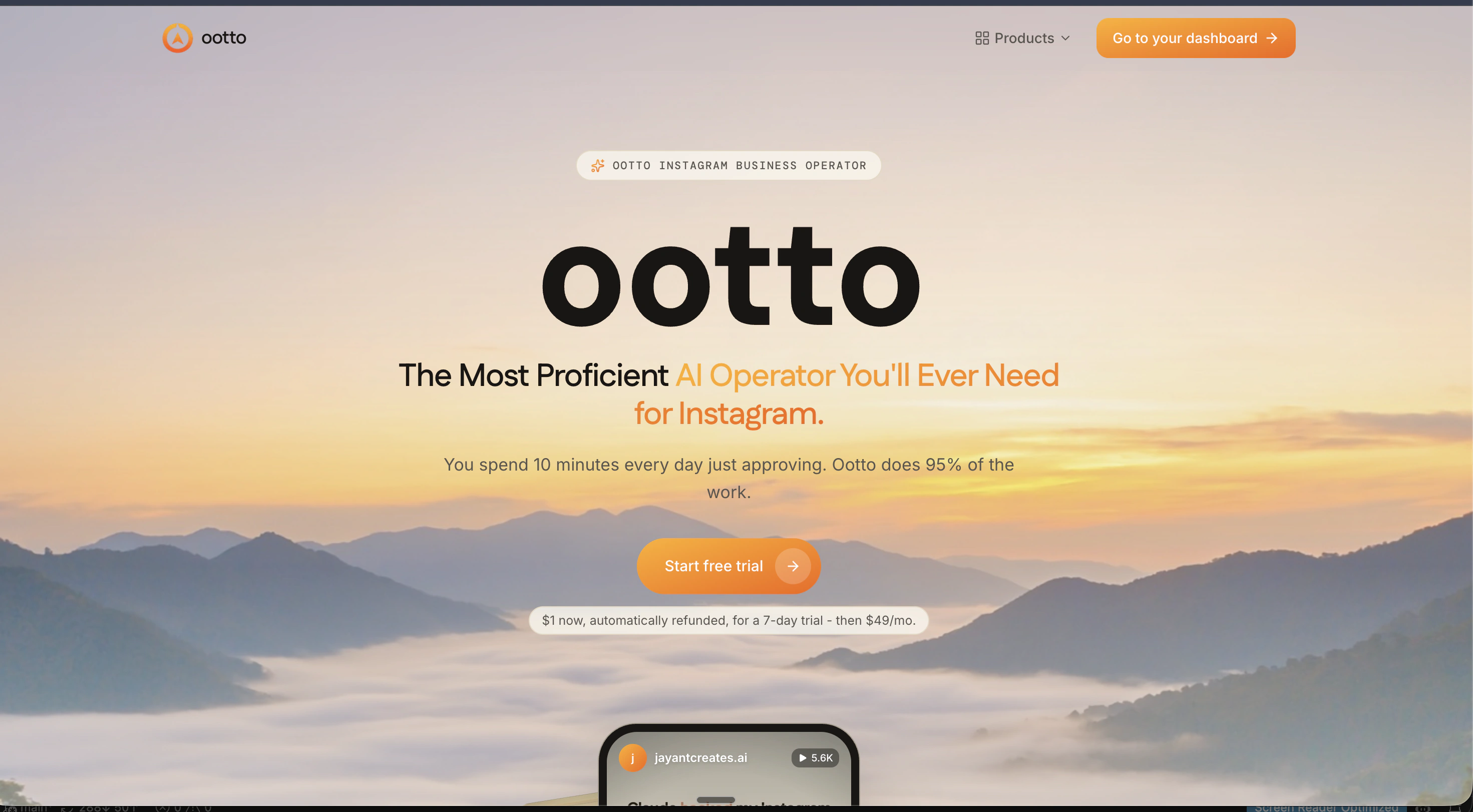
Open the connector dashboard
Go to /content/login, sign in, and open your Ootto content dashboard.
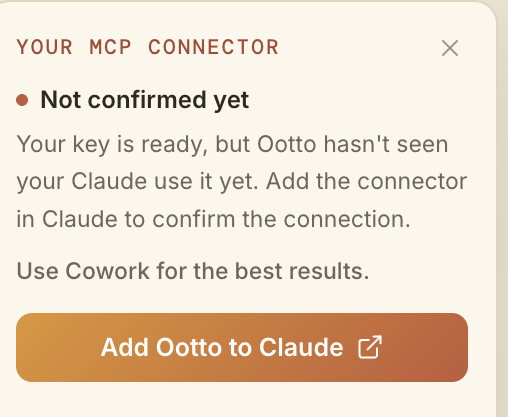
Add Ootto to Claude
Use the one-button Add flow so Ootto appears in Claude's Connectors panel.
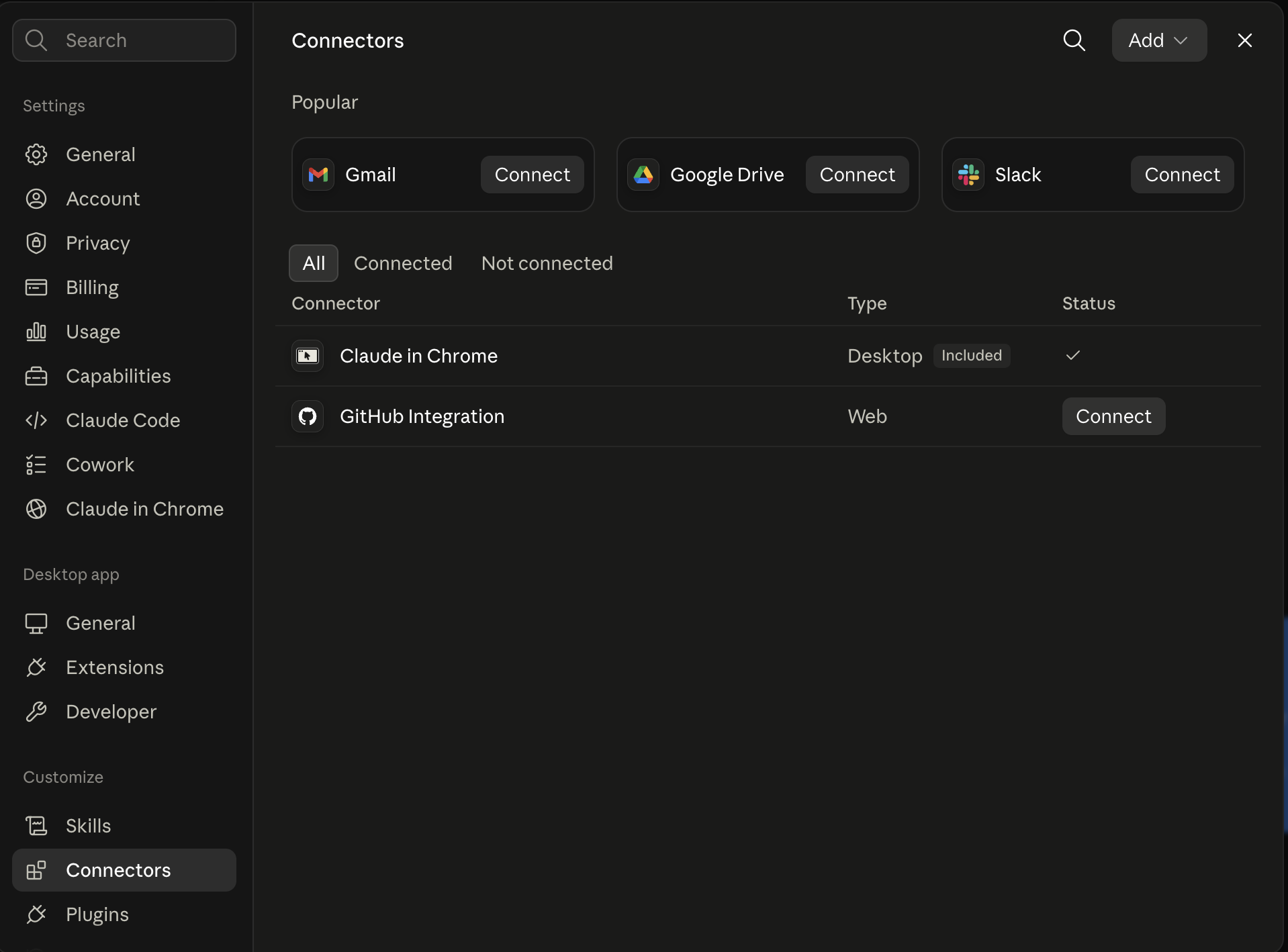
Claude shows the connector
The connector lands in Claude's Connectors settings, confirming Ootto is wired.
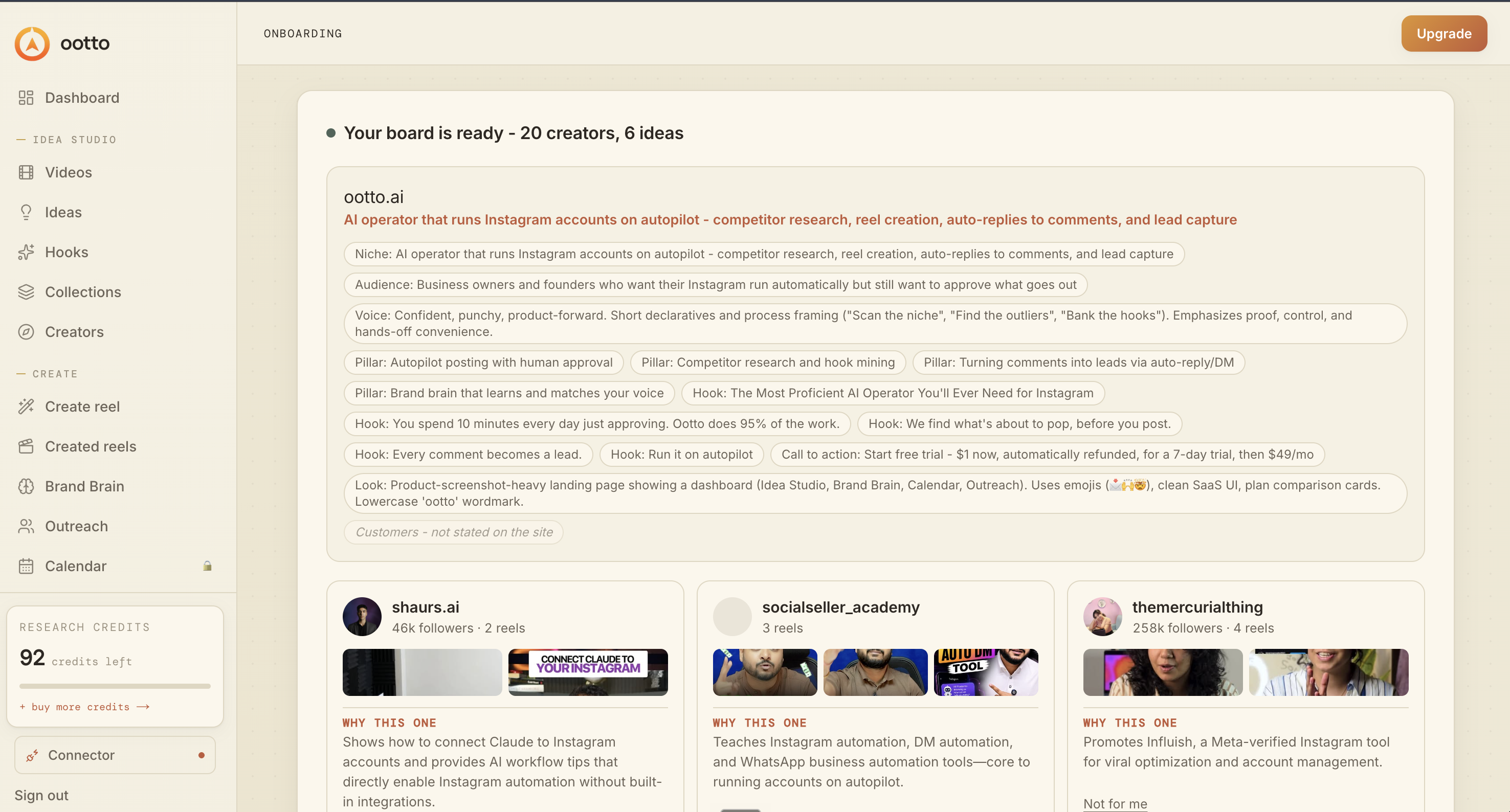
Board reads back your context
Your audience, pillars, voice, and creator signals are filled from account context.
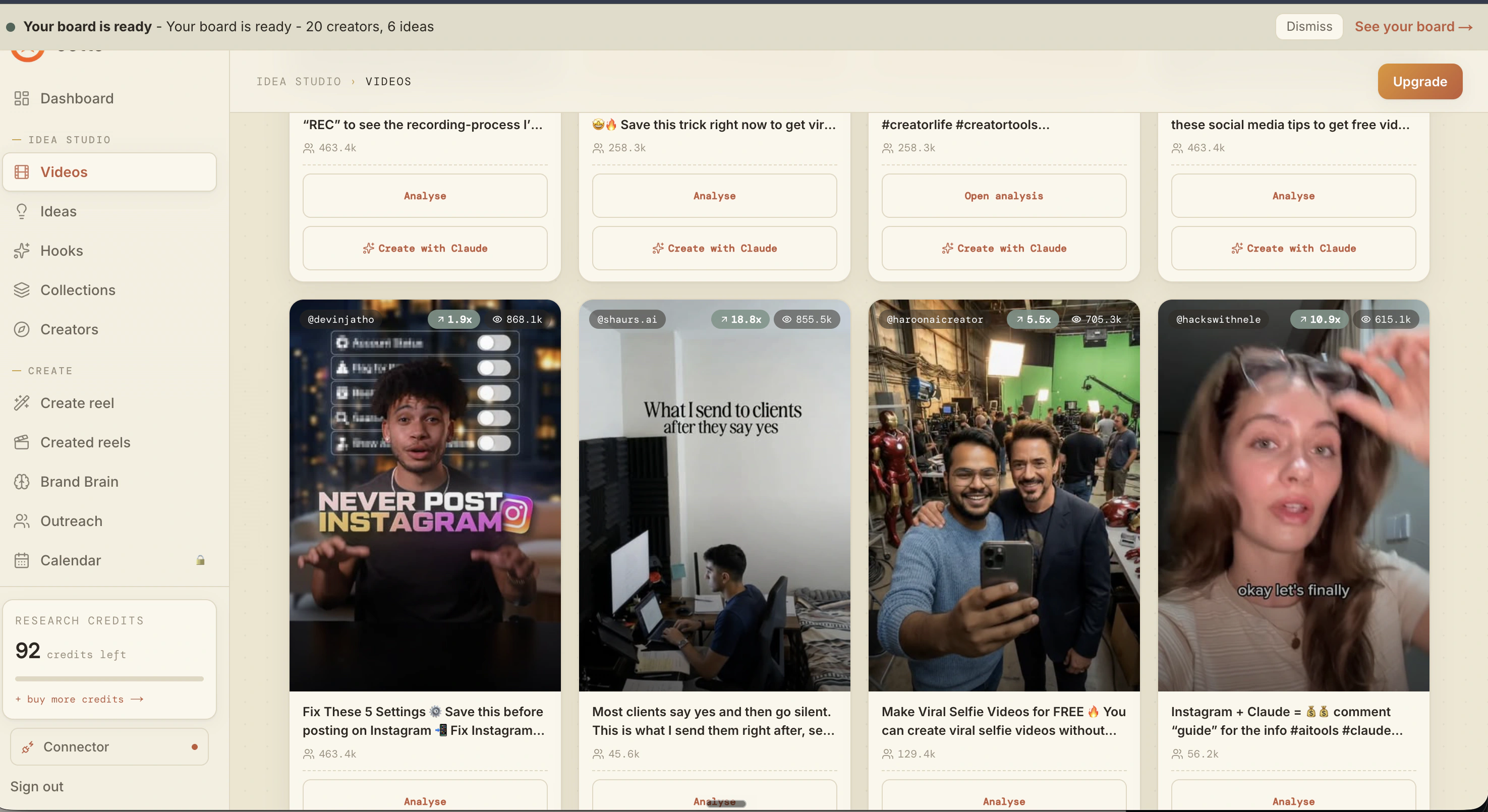
What is actually working now
Ootto pulls what is moving in your niche and loads ranked examples in board.
Reels post, comments get answered
Finished reels publish to Instagram and comments are answered with public replies plus DM follow-ups.
Ootto
Run Ootto in your Claude
Skip the manual setup
- Finds winning content opportunities
- Creates on-brand Reels and captions
- Replies to comments instantly
- Starts personalized DM conversations
- Qualifies leads automatically
- Helps book calls and drive sales
- Learns and improves with every interaction
One AI. Every Post. Every Comment. More Leads. More Sales.
Get started$48/month, charged today. Cancel any time.
Get started