Content
How to Grow Your Business on YouTube with Claude
The Ootto Team · 10 min read · October 17, 2026
Here's the whole thing, start to finish: you tell Claude what the video is about, in one sentence. Claude reads what already works on your channel, writes the script with the result up front, gives it a voice, builds it from your own photos and footage, and checks every frame. Then it writes the title, the description, the chapters and the tags, and posts it to your channel or books it for the time you pick. The same brand gets its Instagram reels from the same place.
Below is exactly how to build it: what you set up once, what you type, what Claude does at every step, and what comes out.
What Claude does for your channel
Most people use AI for YouTube by asking for title ideas. That's a toy. Growing a business on YouTube is a pipeline, and every step feeds the next:
- Read your channel. Your newest videos and Shorts, with their views, likes and length.
- Pick the idea. What your customers keep asking, and what works in your niche right now.
- Title and thumbnail first. The promise that earns the click, before a word of the script.
- Script for watch time. The result in the first five seconds, then one section per point.
- Build it. A full 16:9 video of any length, or a vertical Short, with a voice, captions and title cards.
- Description, chapters and tags. So people find it and jump to the part they came for.
- Post it, or book it. Public, unlisted or private, now or at a time you choose.
- Read the numbers. What got watched and liked, so the next video starts smarter.
The hard part was never one good video. It's doing all eight steps, every week, without it becoming your second job. Here is how to hand all eight to Claude.
Step 1: Connect your YouTube channel
In Ootto, open Accounts. Every brand card ends with a small row of logos: Instagram and YouTube. Tap the grey YouTube logo, press Continue with Google, and sign in with the Google account that owns the channel. You land back in Ootto and the logo lights up in full colour.

Each brand connects its own channel. Setting up a new brand? Ootto offers Add YouTube too right in onboarding, under Instagram, and you can skip it with one tap.
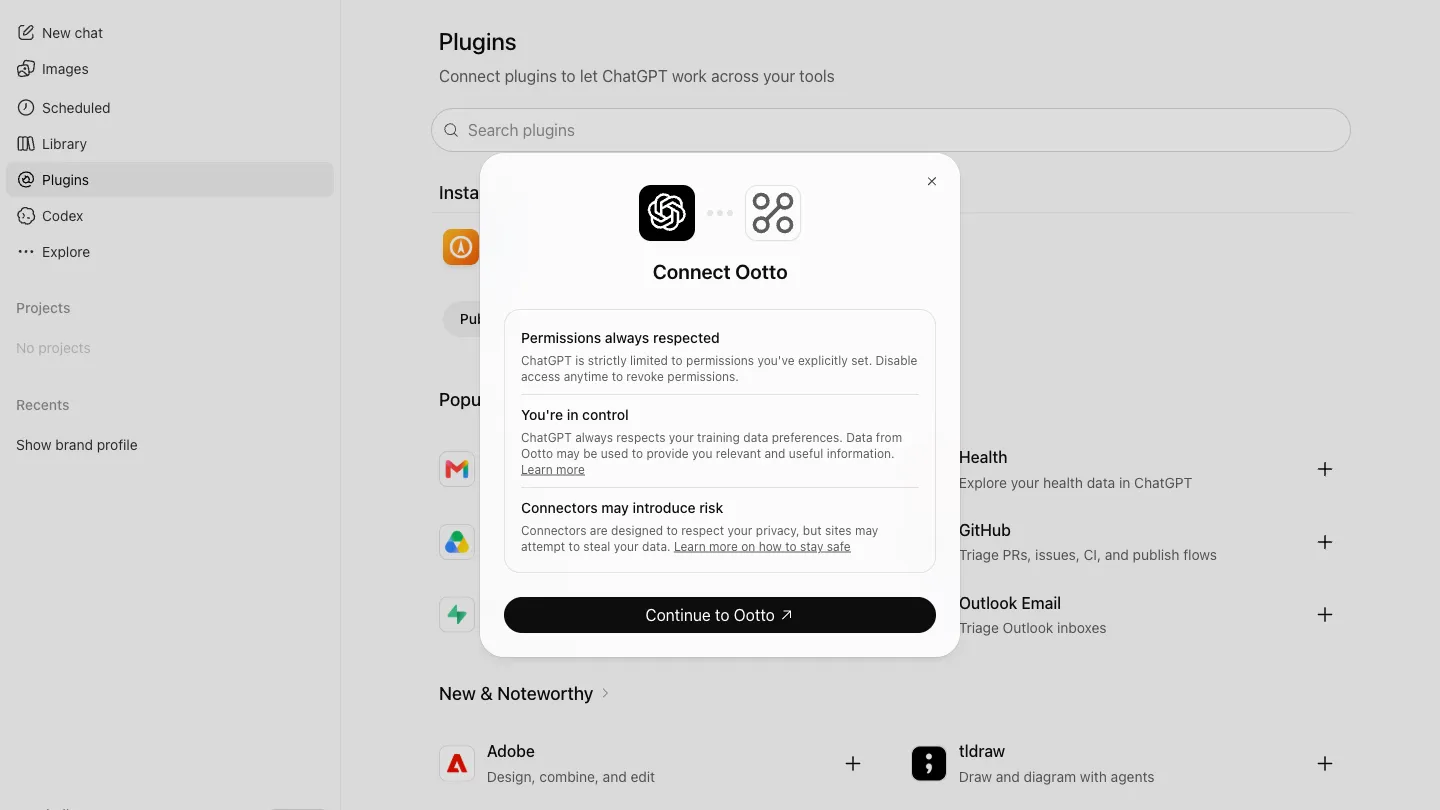
Step 2: Connect Claude to Ootto
Once, in Claude. Any Claude plan works, the free one included.
Open Customize
In Claude on the web or the desktop app, open Customize in the left sidebar.

Connectors, then Add
Choose Connectors, then the Add button.

Add custom connector
Pick Add custom connector from the menu.

Name it, paste the address
Name it Ootto, paste https://mcp.ootto.ai/mcp, press Add, then Connect and sign in to Ootto.

That's all the setup. From here on, everything is a sentence in Claude.
Step 3: Ask for the video
Open a new chat in Claude and say what you want, in your own words. This is the exact sentence we typed for a barbell gym:
Make me a full YouTube video about how a total beginner starts lifting with a barbell, and post it to my YouTube as unlisted so I can check it first.
Name your own topic: the question your customers ask most, a how to, a comparison, a walk through your place. Say unlisted if you want to watch it before anyone else does.
You don't need to say how long, which voice, which footage or what the title is. Claude decides, from your brand and your channel.
Step 4: Watch what Claude does
Here is what Claude did with that one sentence, in order, in our test run. It took about 25 minutes for a video of two and a half minutes, with nobody touching anything.
It reads your brand and your channel. Who you serve, how you sound, your colours, your offer, and which of your own videos already do well.
It writes the script with the result first. The first line says what the viewer gets: "three lifts, an empty bar, and a simple plan you can follow for months". Then it promises what the video walks through.

It plans one section per point. Each step gets its own title card, so viewers always know where they are, and so the chapters write themselves.

It gives it a voice and builds every section. The voiceover, captions low in the frame, real footage behind every point, and the key cues appearing on screen as the voice says them.

It checks its own work. Claude looks at frames from the finished video before it hands it over, and fixes what reads badly.

It writes everything YouTube needs. A title with the result first, under 100 characters ("How to Start Lifting With a Barbell: A Total Beginner's First Session"), a description whose first two lines say what you get and where to go next, chapters at the right times, and tags.
Step 5: Check it, then post or book it
Claude gives you a link to watch the finished video, and posts it to your channel the way you asked. Unlisted means only people with the link can see it, so you can watch it on your phone first and make it public in YouTube Studio when you're happy.
Prefer to press the button yourself? Every made video in Ootto has a YouTube button next to Post and Schedule: give it a title, choose who sees it, and post now or pick a time.
To book it for later instead, say so:
Book it on my YouTube for Saturday at 9 am, public.
It's uploaded right away as private, with its publish time set on YouTube, and YouTube makes it public at that time. Move or cancel it any time before then.
Step 6: Turn it into a Short
A full video is horizontal (16:9) and any length: people find it by searching, and they chose to watch it. A Short is vertical, best under a minute: people find it in the Shorts feed before they know you. One idea can be both.
Cut a Short from the best minute of that video and post it to my YouTube.
Step 7: The same brand on Instagram
Ootto learns your brand once. Every video and every reel comes from that same brand, so the Short on YouTube and the reel on Instagram are made by the same brain, from the same idea.
Make this week's reel for Instagram, and post the same idea as a Short on my YouTube.
Steer any step yourself
One sentence is enough, but you can take the wheel at any step:
Look at my last 25 YouTube videos and Shorts. Which ones beat my average, and what do they have in common?
Give me 5 titles for a video on how to choose a contractor, the result first and under 70 characters. Pick the best one and describe its thumbnail.
Write the script for a 3 minute video with that title. Open on the result, one section per point, and end on what to do next.
Write the description with chapters at the right times, and tags for my area.
How did my last 5 videos do? Make the next one on whatever did best.
What happens behind the scenes
Claude talks to Ootto through one connection, and Ootto does the heavy work:
- It reads your channel through your own sign in: your videos and Shorts, with views, likes and length. Your password never reaches Ootto.
- It brings your own videos in when you want a Short cut from one, or a new edit of it.
- It builds the video on its own machine: the voice, the captions, the title cards, your photos and footage, rendered 16:9 or 9:16.
- It uploads to your channel with the title, description, tags, privacy and, when your channel is verified, the thumbnail.
- It books videos for later with YouTube's own publish time, so nothing depends on Ootto being awake at 9 am on a Saturday.
- It posts only what you asked for. Nothing goes to YouTube on its own.
Do it yourself, or let Ootto run it
Two honest paths from here.
Run it yourself from Claude. Connect your channel, connect Claude, and use the sentences above. You stay in charge of every video and you decide when it goes out.
Or let Ootto run it. On the done for you plan, Ootto plans the week, makes each video and reel, and sends it to you for a yes. You approve on your phone, and it posts.
Ootto
Your 24/7 YouTube and Instagram Operator
Skip the manual setup
- Makes full 16:9 YouTube videos and Shorts for your brand
- Writes the title, description, chapters and tags
- Makes the thumbnail when your channel allows one
- Posts to your channel, or books it for the time you pick
- Reads your views and likes, and makes the next one smarter
- Makes your Instagram reels from the same brand too
- Built around your own photos and footage
- Nothing posts without your yes
One brand. Every video. Every reel. More customers.
Frequently asked questions
Do I need a separate YouTube channel for each brand?
Does it post without asking me?
How long can a full video be?
How long does it take?
Can I schedule YouTube videos?
Can Ootto set a custom thumbnail?
Which plans can post to YouTube?
Keep reading
content
How to Make and Post YouTube Shorts and Videos With Claude and Ootto
Connect your YouTube channel next to Instagram, then ask Claude for a Short or a full 16:9 video. Ootto makes it, posts it to your channel or books it, and only when you say yes.
content
How to Grow Your Instagram with Claude - the best ways to grow your Instagram with Claude
Connect Claude to Instagram once, then use it to build a dashboard, find your outliers, and create, post, and edit reels - the exact prompts, step by step.
content
How to Build an Instagram Reel Autopilot in Claude (Free Skills + MCP)
Build an Instagram reel autopilot in Claude: dissect a real viral reel, script it in your voice, build it, post it, and turn commenters into leads — free skills, or done-for-you.
content
How to Turn Your Website Into Instagram Reels With Claude
Give Claude one thing, your website, and get a finished Instagram reel in your colours. The real run on ootto.ai, every setup step, and the exact prompts.
Get started