Content
How to Make and Post YouTube Shorts and Videos With Claude and Ootto
The Ootto Team · 6 min read · October 17, 2026
How to use this
1Connect Claude to Instagram
Connect Claude to your Instagram account
One click opens Claude with the connector already filled in - sign in, authorize, and it's live. No key to copy, no setup outside your browser.
https://mcp.ootto.ai/mcpConnect2Add the skills
Once Claude can reach your account, give it the methods to work with. Clone the free repository and Claude discovers the skills automatically.
git clone --depth 1 https://github.com/Ootto-AI/claude-content-skills.git && bash claude-content-skills/install.shBrowse all 30 skills on GitHubInstructions: how to connect your Instagram account to Claude
Connect above does this for you. If Claude ever opens the dialog empty, here's exactly what goes where:

Ootto
Your 24/7 Instagram Growth Operator
Skip the manual setup
- Posts finished Reels straight to your Instagram
- Real motion-graphic Reels, not slideshows
- Built around your own photos and footage
- Finds winning content opportunities in your niche
- Writes on-brand scripts and captions
- Answers every comment by your own keyword rules
- DMs qualified leads and starts the conversation
- Runs up to 50 Instagram accounts
One AI. Every Post. Every Comment. More Leads. More Sales.
Your reels can live on YouTube too, and your longer ideas finally have somewhere to go.
Every brand in Ootto now connects its own YouTube channel, right next to its Instagram. After that, Claude makes two kinds of video for it: a Short, which is the vertical reel Ootto already makes, and a full horizontal video of any length. Ootto posts either one to the channel, or books it for later, and only when you say yes.

That frame is from a 70 second, 1920 by 1080 video we made for one of our own test brands, a small barbell gym. It took about a minute to render and a few seconds to upload.
Shorts or a full video: which one to make
- A Short is a vertical video up to 3 minutes, best under a minute. People find it in the Shorts feed without knowing you yet. It is the same reel Ootto makes for Instagram, so one idea can go to both.
- A full video is horizontal (16:9) and any length. People find it by searching and through suggested videos, and they chose to watch it. Make one when the idea needs room: a how-to with steps, a comparison, a walk through your place or your product, the question your customers keep asking.
One idea can be both: the full video first, then a Short cut from its strongest minute that points people to it.
Connect your YouTube channel
Each brand connects its own channel. On your Accounts page every brand card ends with a small row of logos: Instagram and YouTube. A connected one is in full colour with a soft glow, one that is not connected yet is grey.

Tap the grey YouTube logo. A small window opens for that brand: what connecting does, and that you sign in on Google's own page, so Ootto never sees your password. Press Continue with Google and sign in with the Google account that owns the channel. You come straight back to Ootto and the logo lights up.

Tap the logo again any time to see it is connected, or to disconnect it. If you are setting up a new brand, Ootto offers Add YouTube too right after Instagram, and you can skip it with one tap. And if you press YouTube on a reel before the channel is connected, the same window opens first.
In Claude you can also just say "connect my YouTube" and Claude gives you the same link.
Make a Short or a video in Claude
Connect Ootto to Claude once, the same way as for reels. Any Claude plan works, the free one included.
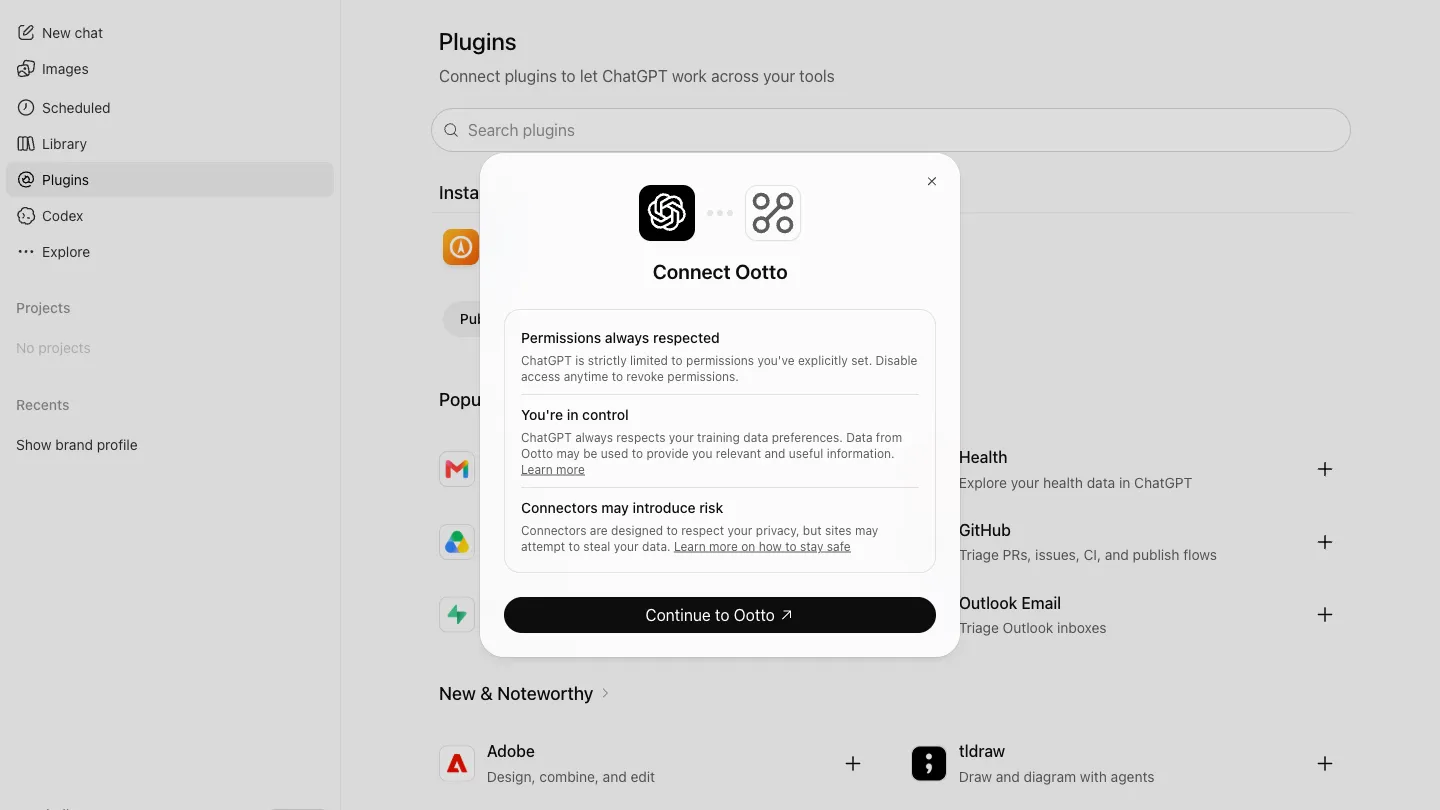
Open Customize
In Claude on the web or the desktop app, open Customize in the left sidebar.

Connectors, then Add
Choose Connectors, then the Add button.

Add custom connector
Pick Add custom connector from the menu.

Name it, paste the address
Name it Ootto, paste https://mcp.ootto.ai/mcp, press Add, then Connect and sign in to Ootto.
Claude reads your channel first: your newest videos and Shorts with their views, likes and length, so it knows what already works for you. It can also bring one of your own videos into your library, to cut a Short from it or make a new edit.
For a full video, Claude writes the script with the result in the first five seconds, then one section per point, each with its own title card, your own photos and footage, and captions low in the frame. It writes the title (the result first, under 100 characters), a description whose first two lines say what you get and where to go next, chapters with times, and a thumbnail when your channel is verified for custom thumbnails.
The prompts
Make a YouTube Short from my best reel idea this week and post it to my YouTube as unlisted, so I can check it first.
Claude makes the vertical reel, writes a YouTube title and description, and uploads it to your channel as unlisted. It shows you the link before it goes public.
Make a 3 minute YouTube video, 16:9, on the five questions new customers always ask us. Use my own photos, add chapters, and book it for Saturday at 9 am.
Claude writes and renders the full video, then books it: it is uploaded as private, and YouTube itself makes it public at that time. You can move or cancel it in YouTube Studio, or ask Claude.
Post it now, or book it
Every made reel in Ootto has a YouTube button next to Post and Schedule. Give it a title, choose who sees it (public, unlisted, or private), and post it now or pick a time.
A booked video is uploaded straight away as private, with its publish time set on YouTube. YouTube makes it public at that time, so nothing depends on Ootto being awake at 9 am on a Saturday.
Nothing goes to YouTube on its own. Ootto posts only what you asked for, the same rule as for Instagram.
Or let Ootto make them for you
If you would rather not open Claude at all, Ootto plans the week, makes each reel and video, and emails it to you for a yes.
Ootto
Your 24/7 Instagram Growth Operator
Skip the manual setup
- Posts finished Reels straight to your Instagram
- Real motion-graphic Reels, not slideshows
- Built around your own photos and footage
- Finds winning content opportunities in your niche
- Writes on-brand scripts and captions
- Answers every comment by your own keyword rules
- DMs qualified leads and starts the conversation
- Runs up to 50 Instagram accounts
One AI. Every Post. Every Comment. More Leads. More Sales.
Frequently asked questions
Do I need a separate YouTube account for each brand?
Will my Instagram reels go to YouTube automatically?
How long can a Short be?
Can I schedule YouTube videos?
Can Ootto set a custom thumbnail?
Which plans can post to YouTube?
Keep reading
content
How to Make Faceless Instagram Reels With Claude (In Your Own Cloned Voice)
No face, no camera, still your voice. How to clone your voice once in Ootto and have Claude make faceless Instagram reels with it, with the real reel and prompt.
content
How to Turn Your Website Into Instagram Reels With Claude
Give Claude one thing, your website, and get a finished Instagram reel in your colours. The real run on ootto.ai, every setup step, and the exact prompts.
content
The First Connector That Makes Your Instagram Reels With Claude
Connect Ootto to Claude in one click and Claude reads your Instagram, tears down the reels winning in your niche, and renders new ones in your brand. The full setup, the prompts we actually ran, and what each one returned.
content
The Only Way to Grow Your Instagram With Claude in 2026
How we grew to over 10,000 leads in a month on Instagram with Claude, in 15 minutes a day - free to run yourself, or let Ootto run it for you.
Route A: do it yourself
Start with the exact free skill for this outcome
MIT, no account, no email. Install first, then run the command for your account.
For this outcome: Content Factory
git clone --depth 1 https://github.com/Ootto-AI/claude-content-skills.git && bash claude-content-skills/install.sh
Installs the free MIT Content Skills bundle into ~/.claude/skills in one shot.
/content-factory - my niche is [niche], model this reel: [reel URL], my handle @..., CTA keyword GUIDE
Runs the full pipeline order for the post: research, hook, script, build, caption, and comment-to-DM lead setup.
Route B: let Ootto run it
Ootto replicates this on autopilot
Ootto
Run Ootto in your Claude
Skip the manual setup
- Finds winning content opportunities
- Creates on-brand Reels and captions
- Replies to comments instantly
- Starts personalized DM conversations
- Qualifies leads automatically
- Helps book calls and drive sales
- Learns and improves with every interaction
One AI. Every Post. Every Comment. More Leads. More Sales.
Get started$48/month, charged today. Cancel any time.
Get started